
10.4" Industrial Panel Mount LCD Monitor
The 10.4" Industrial Panel Mount LCD Monitor (AP-104IPPCN1/10.4") is recommended for small-footprint HMI enclosures, conveyor line control stations and laboratory instrument panels. Typical deployment: 800×600 4:3 content at 300 NITS across a 211.2×158.4 mm active area; -20 ~ 70 °C operation. Installed in conveyor line control stations and laboratory instrument enclosures, this 10.4" panel suits compact HMI panels — where panel depth behind the cabinet door is limited.
Product Overview
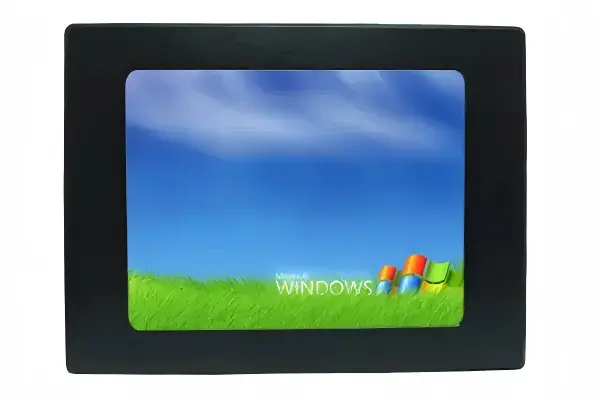
The 10.4" panel mount monitor AP-104IPPCN1/10.4" is part of the Industrial Panel Mount LCD Monitor family. Recommended for small-footprint HMI enclosures, conveyor line control stations and laboratory instrument panels. Typical scenario: 800×600 4:3 content at 300 NITS across a 211.2×158.4 mm active area; -20 ~ 70 °C operation. Installed in conveyor line control stations and laboratory instrument enclosures, this 10.4" panel suits compact HMI panels — where panel depth behind the cabinet door is limited. Within this family it sits between the 8.4" and the 12.1" — choose this size for drop-in replacements of existing 10.4" openings and cost-sensitive machine builds. At roughly 96 PPI it renders 800×600 natively without scaling, and its 211.2 mm active width differs from the 8.4" at 170.4 mm and the 12.1" at 245.76 mm — confirm against your cutout drawing. Measured at 10.4": Display Area: 211.2(W)×158.4(H) mm; Brightness: 300 NITS; Resolution: 800×600; Contrast: 800:1. Ordering this size carries no MOQ (sample accepted), 7–10 working days (standard).
10.4" Specifications
| Screen Size | 10.4" |
| Model | AP-104IPPCN1/10.4" |
| Display Area | 211.2(W)×158.4(H) mm |
| Brightness | 300 NITS |
| Resolution | 800×600 |
| Contrast | 800:1 |
| View Angle | 70/70/60/70 (Typ.) |
| Display Color | 262K/16.7M |
| Operating Temperature | -20 ~ 70 °C |
| Mainboard | Display board / X86 / Android |
Variant configurations — 10.4"
| Display Area | 211.2(W)×158.4(H) mm |
| Brightness | 350 NITS |
| Resolution | 1024×768 |
| Contrast | 900:1 |
| View Angle | 75/75/75/75 (Typ.) |
| Display Color | 262K/16.7M |
| Operating Temperature | -20 ~ 70 °C |
| Mainboard | Display board / X86 / Android |
Typical Applications — 10.4"
Recommended industries and deployment areas for the 10.4" panel mount monitor in the Industrial Panel Mount LCD Monitor family:
Where 10.4" Fits
Across the Industrial Panel Mount LCD Monitor range, 10.4" is the second smallest of the 9 published sizes in this family, one step up from 8.4".
The 211.2 × 158.4 mm active area is close to a 1.3:1 aspect, near-square enough for legacy 5:4 or 4:3 software layouts — both dimensions matter here, so check the outline against your enclosure; 800×600 renders natively with no scaling. Against the 8.4" next to it in this family, the active area is 40.8 mm wider and 30.6 mm taller.
Compare Industrial Panel Mount LCD Monitor Sizes
Technical Resources & Support
Cutout, sealing and compliance documentation for panel integration
Need the datasheet, mechanical drawings or 3D model? We issue project-specific datasheets, drawings and 3D models for your configuration — typically within 24–48 hours.
Engineering Support
Not sure if 10.4" fits your project? Our engineers help you confirm dimensions, cutout, and interface — free consultation.
Contact EngineerProduction Info
Inquire About 10.4" Panel Mount Monitor
Model AP-104IPPCN1/10.4" — our engineering team will respond with detailed specifications and pricing.
Frequently Asked Questions
What is the 10.4" IP65/IP66 (AP-104IPPCN1/10.4") typically used for?
What should I verify before installing the 10.4" AP-104IPPCN1/10.4"?
How does the 10.4" size compare with the other sizes in the Industrial Panel Mount LCD Monitor family?
Can I get a sample of the 10.4" IP65/IP66 before ordering in volume?
Related 10.4" Displays & Resources
The 10.4" size across our product line
Related industry applications
Need a Different Size?
OEM/ODM customization available — size, brightness, touch type, bezel, and interface. No minimum order quantity.
Contact Our Engineering Team