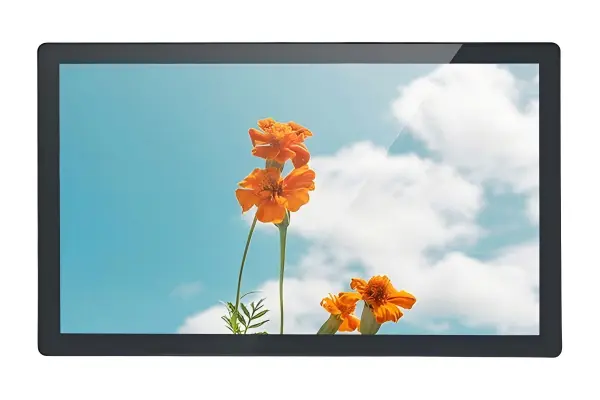
Optical bonding vs air gap construction is a common question when buyers need industrial displays that remain usable in bright environments. The problem is that a higher brightness specification may look convincing on a datasheet but still fail to solve glare, reflections, and contrast loss after installation. We help buyers evaluate the whole display stack and real viewing conditions before selecting a solution.
Optical bonding can improve sunlight readability by reducing reflections between display layers, while air-gap construction may be suitable when internal reflections are not the main visibility issue. The right choice depends on ambient light direction, screen angle, cover glass, touch layers, surface treatment, viewing distance, and the user’s task—not on a single brightness or “sunlight readable” label.
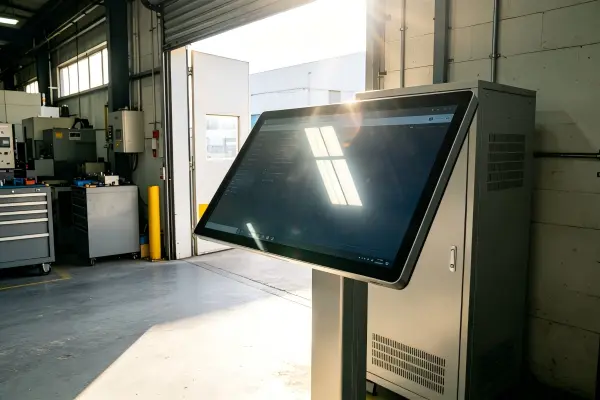
When we discuss display selection with industrial OEMs, kiosk builders, and automation integrators, many conversations start with one request: “We need more nits.” That request is understandable, but brightness is only one part of the optical system. A better RFQ starts by defining what the operator must see, where they stand, and how light reaches the installed screen.
Why Does Optical Bonding vs Air Gap Matter for Sunlight Readability?
Buyers often need a display to perform near windows, outdoor access points, factory doors, or brightly lit retail areas. Reflections can make operators miss important information, even when a panel has a high luminance rating. Optical bonding vs air gap matters because the gap between layers can change how light reflects through the display assembly.
In an optical bonding vs air gap comparison, optical bonding typically reduces internal reflection surfaces by filling the space between the LCD and cover glass or touch layer with a transparent adhesive[1]. An air gap retains a physical space between layers, which can create additional reflection interfaces. However, the practical readability benefit depends on the complete installed display design.
Understanding the Display Light Path
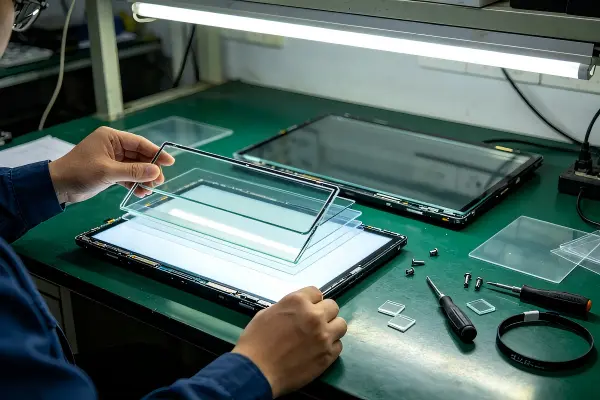
A display is not simply an LCD panel with a brightness number. In a practical industrial monitor, panel PC, or kiosk display, light passes through several layers before reaching the user’s eyes. Those layers may include:
- The LCD panel
- A touch sensor
- Cover glass
- Adhesive layers
- Anti-glare or anti-reflective surface treatments
- Protective films
- Enclosure openings or bezels
At the same time, ambient light travels in the opposite direction. Sunlight or strong indoor light can strike the display surface, bounce between layers, and create reflections that reduce perceived contrast.[2]
In many pre-sales selection discussions, we find that buyers initially focus on panel brightness before documenting where the light comes from. This creates a risk. A display can be bright enough in a controlled environment but still appear washed out if direct sunlight hits the cover glass at the user’s viewing angle.
What Changes When a Display Uses Optical Bonding?
Optical bonding uses a transparent material to fill the space between the display panel and another optical layer, such as cover glass or a touch panel. The goal is generally to reduce the air interfaces where reflections can occur.
Potential evaluation benefits can include:
- Reduced internal reflections: Fewer air boundaries can reduce visible reflections between layers.
- Improved perceived clarity: Text, icons, and graphics may appear more direct because the display layers are visually integrated.
- Potentially stronger mechanical assembly: Depending on the design, bonding can support a more unified display stack.
- Reduced risk of internal fogging or dust visibility[3]: A fully bonded construction can remove the open internal cavity found in some air-gap assemblies.
These potential benefits do not mean that optical bonding is automatically necessary for every display in a bright environment. A machine interface in a shaded indoor factory area may not need the same optical stack as a transport terminal exposed to changing daylight.
What Changes When a Display Uses an Air Gap?
An air-gap display retains an open space between the LCD panel and the front glass or touch layer. This construction can be appropriate in many industrial and commercial applications, particularly when the display is installed indoors or where direct reflected light is controlled.
Air-gap construction may offer practical procurement advantages, depending on supplier design and service strategy:
| Evaluation Area | Optical Bonding | Air-Gap Construction |
|---|---|---|
| Internal reflection control | Often improved because air interfaces are reduced | May show more internal reflections under certain light angles |
| Perceived display depth | Can appear more integrated | Can appear deeper due to layer separation |
| Suitability for strong light | May be valuable where reflections are a documented issue | Can be suitable when light exposure is limited or managed |
| Repair and replacement strategy | Depends on the bonded assembly design | May allow different component-level service approaches |
| Cost consideration | Often involves additional materials and process control | May be more cost-effective for appropriate applications |
| Selection method | Evaluate full optical stack and use case | Evaluate full optical stack and use case |
We recommend that buyers request a clear stack-up description rather than relying only on terms such as “bonded,” “high brightness,” or “sunlight readable.” A supplier should be able to explain what is bonded, which layers are included, and how the front surface is specified.
Procurement note: “Optically bonded” is not a complete performance specification. Buyers should confirm the bonding scope, cover-glass design, touch technology, and surface treatment in the proposed assembly.
Can Higher Brightness Solve Every Optical Bonding vs Air Gap Problem?
A high-brightness LCD can help overcome ambient light, but it cannot eliminate every reflection or glare problem.[4] Buyers can spend more on brightness and still receive poor usability if the display angle places a reflected sky, window, ceiling light, or sun path directly in the operator’s line of sight.
Higher brightness can improve display visibility, but it does not solve every optical bonding vs air gap issue because sunlight readability also depends on reflected ambient light, screen surface glare, viewing angle, and perceived contrast. A balanced display design considers brightness alongside optical construction and installation geometry.
Brightness Is Only One Part of Perceived Readability
Brightness is usually expressed in nits or candelas per square meter.[5] It indicates how much light the display emits. This number is important, but it should not be interpreted as a guaranteed sunlight-readability result.
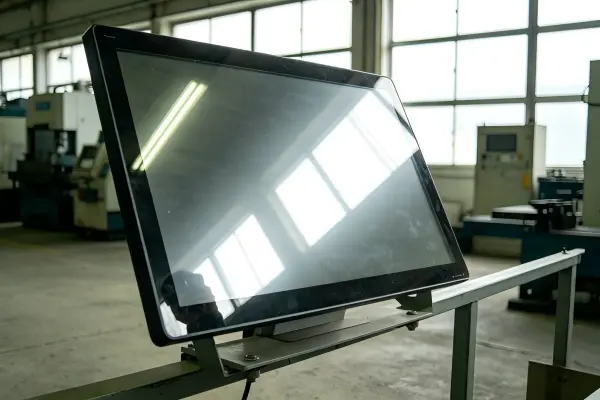
A screen can emit substantial light while still showing poor readability when ambient light reflects from its front surface. In other words, the operator does not only see the display image. They may also see:
- Their own reflection
- Bright sky reflections
- Overhead LED lighting
- A nearby window
- White clothing or a high-contrast background behind them
- Light from vehicle windshields, factory doors, or polished equipment surfaces
We have seen this pattern repeatedly in early display-selection conversations. A project team may ask for a higher-nit panel because the screen will be installed “near daylight.” When we ask whether the user faces the window, whether the screen tilts upward, or whether the operator reads small text, the actual requirement often becomes more specific. Our high brightness monitor selection guide maps nit levels to real installation environments in more detail.
Direct Sunlight and Reflected Light Are Different Problems
Direct sunlight means sunlight reaches the display surface or enclosure directly. Reflected ambient light can be more complicated.[6] A display may sit in shade but still reflect a bright sky, glazed wall, white floor, or overhead light source.
Once sunlight actually lands on the glass, brightness alone stops scaling: the specification has to call for monitors readable in direct sunlight, where high nits, optical bonding and front-surface treatment are engineered together.
These problems require different evaluation questions:
| Light Condition | Buyer Question | Potential Design Considerations |
|---|---|---|
| Direct sun on screen | When does the sun reach the screen, and for how long? | Mounting angle, enclosure shading, front-surface treatment, brightness, thermal design |
| Bright window behind user | Does the user see the window reflected in the display? | Screen orientation, anti-reflective options, optical bonding, relocation |
| Overhead lighting | Are ceiling fixtures visible on the display surface? | Tilt angle, anti-glare surface, fixture placement |
| Outdoor shaded installation | Does the screen reflect open sky or nearby vehicles? | Cover-glass treatment, viewing task, stack design |
| Indoor high-ambient retail area | Are users reading information quickly from changing positions? | Viewing angle, touch performance, font size, luminance, surface finish |
Why Mounting Geometry Deserves More Attention
A practical display specification should include the physical installation context. The same monitor can perform differently when it is mounted vertically, angled upward, recessed into a kiosk, or installed behind a protective window.[7]
We encourage buyers to document:
- Screen orientation: Portrait or landscape.
- Mounting angle: Vertical, tilted, horizontal, or adjustable.
- User viewing position: Standing, seated, moving, or fixed at a workstation.
- Sun path: Morning, afternoon, seasonal, and directional exposure.
- Nearby reflective surfaces: Windows, polished metal, white walls, vehicle glass, or lighting fixtures.
- Enclosure features: Hood, bezel depth, recessed opening, and protective glass.
A change in enclosure design may sometimes address a glare path more efficiently than increasing display brightness alone. This is why we view sunlight readability as a system-level selection issue rather than a panel-only comparison.
How Should Buyers Compare Optical Bonding vs Air Gap for Their Application?
The best comparison starts with the end-use task, not the display technology label. A screen used for brief status checks may have a different requirement from a touchscreen that guides payment, machine setup, diagnostics, or safety-related operator decisions. Buyers should compare optical bonding vs air gap against real tasks and installation constraints.
Buyers should compare optical bonding vs air gap by defining the actual user task, light exposure, display stack, and service requirements. Optical bonding may be a strong option when internal reflections affect critical viewing, while air-gap construction can be appropriate when the installation controls glare and the application does not require the same optical performance.

Start With the User’s Visual Task
“Readable” has different meanings in different industries. A user who only checks whether a machine is running has a different visual need from an operator entering production data or a technician reviewing alarms and diagnostics.
We suggest dividing the task into practical categories:
| User Task | Typical Readability Need | Questions for Buyers |
|---|---|---|
| Quick status check | User identifies color, icon, or large text in seconds | Is the display viewed briefly from several angles? |
| Continuous operation | User reads menus and controls for extended periods | Does glare cause fatigue or slow interaction? |
| Fine-detail reading | User reviews small text, charts, or settings | What is the viewing distance and font size? |
| Touch interaction | User must accurately select on-screen controls | Does glare obscure buttons or hand position? |
| Critical information display | User must recognize alarms or process data reliably | Is professional application-specific evaluation required? |
A display that is acceptable for a green/red status indicator may not be acceptable for fine text, maps, payment instructions, or medical-equipment interfaces. We recommend that buyers identify the smallest critical text, key colors, icon types, and expected viewing distance during the RFQ stage.
Evaluate the Entire Display Stack
Optical bonding vs air gap is only one decision within the display stack. We advise buyers to evaluate the combined effect of each layer.
LCD Panel
The LCD panel provides the base image and luminance capability. Buyers should confirm the panel’s intended operating environment, supply availability, interface, resolution, and lifecycle expectations. For long-term industrial programs, panel continuity and change-management communication are also important supplier-selection topics.
Touch Layer
Touch technology can affect front-surface reflections, thickness, and user interaction. Project teams should consider whether the application needs projected capacitive touch, resistive touch, non-touch protection, glove operation, wet-environment usability, or another input method.
Cover Glass
Cover glass supports protection and enclosure integration, but it can also influence glare and reflections. Buyers should specify glass thickness, edge treatment, print areas, chemical strengthening requirements where applicable, and optical surface requirements.
Surface Treatment
Terms such as anti-glare, anti-reflective, and anti-fingerprint describe different approaches. Buyers should not assume that one treatment solves every optical issue.
- Anti-glare surfaces can diffuse reflections, although the visible appearance and image sharpness trade-offs should be reviewed for the application.
- Anti-reflective treatments aim to reduce surface reflections, but buyers should request relevant documentation and evaluate durability for the intended cleaning and operating conditions.
- Anti-fingerprint treatments may help with smudging in touch applications, but they are not a substitute for glare management.
Enclosure and Installation
A recessed bezel, hood, sunshade, or revised mounting angle can change the light path before light reaches the display. We often encourage project teams to consider these mechanical options alongside display-stack decisions.
Use Samples and Qualified Evaluation for Final Selection
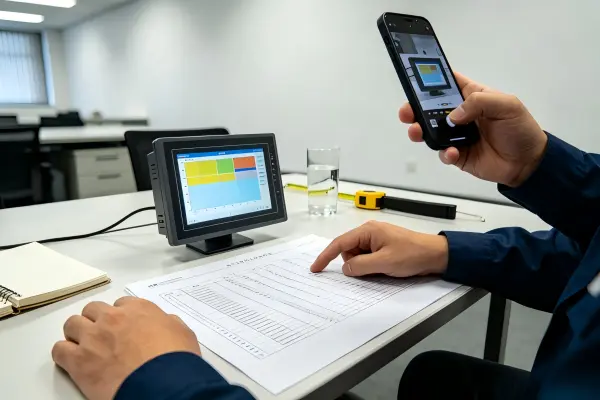
A datasheet review is necessary, but it should not be the final step for a demanding environment. Buyers should evaluate representative samples in conditions that resemble the installation whenever possible. The evaluation should include the intended enclosure, cover glass, touch layer, software interface, font sizes, and viewing angles.
For applications involving safety, regulated equipment, transport operations, medical devices, or critical data display, qualified professional evaluation is appropriate.[8] Buyers should also verify applicable supplier documents, environmental specifications, quality-system records, and certifications rather than treating marketing language as proof of application suitability.
What Should a Sunlight Readability RFQ Include?
A vague request for a “sunlight readable monitor” can lead to proposals that are difficult to compare. A stronger RFQ gives suppliers enough information to recommend a display structure that fits the actual installation. This also reduces the risk of paying for optical features that do not address the real light source.
A sunlight-readability RFQ should define when and where light reaches the screen, how the display is mounted, where the user stands, what they must read or operate, and which layers sit above the LCD. This information helps suppliers assess whether optical bonding, an air gap, higher brightness, surface treatment, or mechanical shading deserves priority.
Pre-RFQ Checklist for Buyers
We recommend including the following details in an initial display inquiry.
Installation Environment
- Is the unit installed indoors, semi-outdoors, or outdoors?
- Does direct sunlight reach the screen?
- At what time of day and from which direction does sunlight arrive?
- Does seasonal sun angle change the exposure?
- Are there nearby windows, open doors, skylights, or reflective surfaces?
- Is the display in a vehicle, kiosk, factory, retail terminal, or public-access location?
Mechanical Installation
- What is the display size and active viewing area?
- Is the display panel mount, open frame, VESA mount, or integrated into a custom enclosure?
- Is the screen vertical, tilted, horizontal, or adjustable?
- Is there a hood, overhang, recessed bezel, or protective front window?
- What are the enclosure depth, ventilation, and thermal-management constraints?
User and Content Requirements
- Who uses the display: operator, technician, consumer, passenger, or service staff?
- What is the normal viewing distance?
- Is the user standing, seated, moving, or wearing gloves?
- Does the user check large status graphics or read fine details?
- Is touch input required?
- Are alarms, controls, transaction steps, or detailed data shown?
Display-Stack Requirements
- Is a touch panel required? If so, which touch behavior is needed?
- Is cover glass required, and what protection level does the enclosure need?
- Is optical bonding requested because of a defined reflection issue?
- Is an air-gap construction acceptable if the optical environment supports it?
- Are anti-glare, anti-reflective, or anti-fingerprint options required?
- Are custom printing, logo areas, black borders, or mounting cutouts needed?
Supplier Questions Worth Asking
Beyond the product quotation, buyers should ask suppliers questions that support a more reliable procurement decision:
- What layers are included in the proposed display stack?
- What exactly is optically bonded in this design?
- What cover-glass and touch options are available?
- Which surface treatments are proposed, and what documentation supports them?
- Can the supplier provide mechanical drawings and interface documentation?
- What is the expected product lifecycle and change-notification process?
- What quality-control procedures apply to the assembly?
- Which certifications or compliance documents are available for buyer verification?
- Can a representative sample be evaluated in the intended environment?
- What customization is available for brightness, enclosure, interfaces, touch, and mounting?
At AplusLCD, we use these types of questions to help customers narrow the options among industrial LCD displays, open-frame monitors, panel mount monitors, high-brightness displays, touch monitors, and customized panel PC solutions. We do not treat one structure as universally better. We focus on whether the proposed display fits the project’s operating and procurement requirements.
Frequently Asked Questions
Is optical bonding always better than an air gap for outdoor displays?
No. Optical bonding can be beneficial when internal reflections are a meaningful part of the visibility problem, but it is not automatically the best choice for every outdoor display. Buyers should also assess direct sunlight, screen angle, cover glass, surface treatment, enclosure shading, thermal conditions, and the user’s viewing task.
Does a higher nit rating guarantee sunlight readability?
No. A higher brightness rating can help, but it does not guarantee readability in direct sun or strong ambient light. Reflections, glare, contrast loss, front-surface finish, and mounting geometry can still make content difficult to see. Buyers should evaluate the complete installed display system.
What is the main difference between optical bonding and air-gap construction?
Optical bonding fills the space between display layers with a transparent bonding material, while air-gap construction retains a physical space between layers. Bonding can reduce certain internal reflections and improve perceived clarity. Air-gap displays can remain suitable when the application environment and optical requirements allow them.
What information should I send when requesting a sunlight-readable display?
You should provide the installation location, direct-light direction and timing, screen angle, user viewing distance, content type, touch requirements, cover-glass needs, enclosure design, and expected operating conditions. This information helps suppliers recommend an appropriate display stack instead of only suggesting a higher-brightness panel.
Should I test a display sample before approving the final specification?
Yes, especially for strong-light, outdoor, public-facing, or critical-use applications. A representative sample should be reviewed in an environment that resembles the final installation. Buyers should include the enclosure, front glass, touch layer, software interface, and expected viewing positions in the evaluation where possible.
Conclusion
Optical bonding vs air gap is not a simple choice between a premium option and a basic option. The right display construction depends on the real light path, reflected ambient light, mounting angle, user position, visual task, and full display-stack design. We recommend that buyers define these conditions before setting brightness or bonding requirements. If you are specifying an industrial monitor, touchscreen, open-frame display, or panel PC for a bright environment, AplusLCD can help you review the application details and develop a practical customized display solution.
Footnotes
-
"Liquid Optical Clear Resin (OCR): A Practical, Engineer- ...", https://scalar.usc.edu/works/optical-bonding-in-industrial-displays/liquid-optical-clear-resin-ocr-a-practical-engineer-focused-guide. Optical-interface theory explains that reflected light arises at boundaries between materials with different refractive indices; replacing an air interface with an index-matched transparent layer can therefore reduce interface reflections. Evidence role: mechanism; source type: paper. Supports: That optical reflections occur at interfaces between materials with differing refractive indices and that index-matched bonding layers can reduce reflections associated with air interfaces.. Scope note: The magnitude of the reduction depends on material indices, coating design, incidence angle, and the complete display stack. ↩
-
"Effects of ambient illumination, contrast polarity, and letter ...", https://pubmed.ncbi.nlm.nih.gov/28166901/. Display-visibility research describes how reflected ambient light raises the luminance of darker image areas, reducing the effective contrast available to the viewer. Evidence role: general_support; source type: research. Supports: That reflected ambient illumination adds luminance to the dark state of a display and reduces contrast under bright viewing conditions.. Scope note: Effective contrast also depends on the display's emitted luminance, surface reflectance, image content, and viewing geometry. ↩
-
"Liquid Optical Clear Resin (OCR): A Practical, Engineer- ...", https://scalar.usc.edu/works/optical-bonding-in-industrial-displays/liquid-optical-clear-resin-ocr-a-practical-engineer-focused-guide. Sealed optical assemblies remove the open interlayer cavity in which contamination or condensation may become visible, although resistance to moisture ingress depends on the overall seal and enclosure design. Evidence role: general_support; source type: paper. Supports: That eliminating or sealing an internal air cavity can limit the space in which particulate contamination or moisture-related condensation becomes optically visible.. Scope note: Bonding alone does not establish environmental sealing performance or prevent fogging caused by external or enclosure-level conditions. ↩
-
"Optimizing projection illuminance for varied indoor ambient ...", https://pmc.ncbi.nlm.nih.gov/articles/PMC10957382/. Studies of electronic-display visibility show that increasing display luminance can improve performance in ambient light, but reflected glare can still obscure content and degrade effective contrast. Evidence role: general_support; source type: paper. Supports: That higher display luminance can improve luminance contrast in ambient illumination, while specular reflections and glare remain separate determinants of visual performance.. Scope note: The luminance level needed for acceptable performance varies with reflectance, task detail, illumination, and viewing conditions. ↩
-
"Candela per square metre", https://en.wikipedia.org/wiki/Candela_per_square_metre. Luminance is expressed in candelas per square metre (cd/m²); in display practice, this quantity is commonly referred to as nits. Evidence role: definition; source type: government. Supports: That luminance is measured in candelas per square metre and that the informal unit nit is used equivalently in display contexts.. ↩
-
"Lighting and Reflections - Video Displays, Work, and Vision", https://www.ncbi.nlm.nih.gov/books/NBK216496/. Lighting and optics references distinguish direct incident illumination from reflected illumination; specular reflections are especially dependent on the relative positions of the source, surface, and observer. Evidence role: definition; source type: education. Supports: That direct illumination and reflected illumination are distinct components of a lighting environment, and that specular reflections depend strongly on surface and viewing geometry.. Scope note: Actual display readability additionally depends on display luminance, surface finish, and the viewer's visual task. ↩
-
"Lighting Ergonomics | Risk Management & Insurance", https://rmi.colostate.edu/ergonomics/officecomputer-ergonomics/lighting-ergonomics/. Research on display glare identifies viewing and mounting geometry as determinants of reflected-image visibility, because screen orientation changes the directions in which light is reflected toward the observer. Evidence role: mechanism; source type: research. Supports: That screen orientation and the geometry between a reflective display surface, light sources, and viewers affect the occurrence and position of glare reflections.. Scope note: A recessed opening or protective window may reduce some reflections while introducing additional surfaces or other optical effects. ↩
-
"Applying Human Factors and Usability Engineering to ...", https://www.fda.gov/regulatory-information/search-fda-guidance-documents/applying-human-factors-and-usability-engineering-medical-devices. Regulatory human-factors guidance for medical devices calls for systematic evaluation of user interfaces to identify and reduce use-related hazards, supporting qualified assessment where display interpretation affects safe operation. Evidence role: expert_consensus; source type: government. Supports: That medical-device and other safety-relevant systems require structured human-factors or usability engineering to identify and mitigate use-related risks.. Scope note: Medical-device guidance is directly applicable to medical products; other sectors may be governed by different standards, regulations, or risk-management processes. ↩