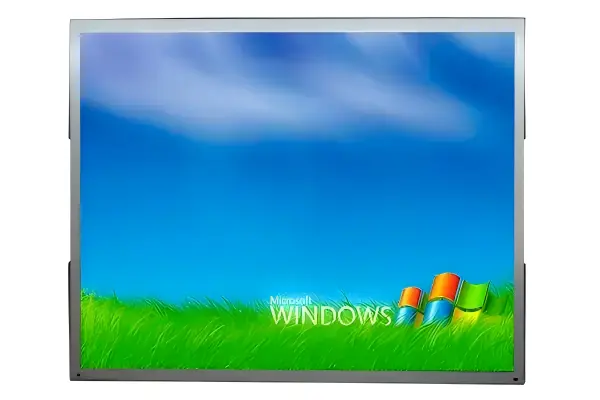
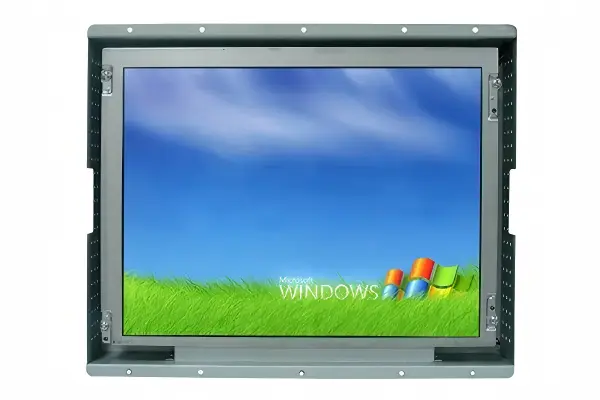
When selecting displays for demanding industrial environments, engineers and procurement managers face a critical decision: which display technology will best meet their application's requirements for reliability, visibility, and long-term performance? This comprehensive comparison examines industrial displays vs alternative solutions to help you make an informed decision that aligns with your specific operational needs and budget constraints.
The comparison is not about one product being "better" in every case. It is about matching the display to the environment it must survive, the hours it must run, and the cost of failure in your specific application. A consumer monitor can be a reasonable choice in a clean, climate-controlled office. The same monitor can become a source of recurring downtime on a factory floor.
Understanding the Core Differences
The fundamental distinction between industrial displays and alternative solutions lies in their design philosophy and target applications. Industrial displays prioritize reliability and durability, making them particularly suitable for harsh environments with extreme temperatures, vibration, and dust. Alternative solutions may offer cost advantages but often lack the ruggedness required for industrial applications.
These differences start at the component level. Industrial panels are selected and screened for consistent brightness, color stability, and wide operating temperature behavior, while the drive electronics and power supply are designed to tolerate voltage fluctuation and continuous operation. Enclosures are built from aluminum or steel, with front bezels rated for dust and water ingress where needed. A consumer monitor, by contrast, is designed for a predictable office environment — moderate temperatures, controlled humidity, and limited operating hours.
Technical Specifications Comparison
When evaluating display solutions, technical specifications provide the foundation for making an informed decision. Below is a detailed comparison of key parameters that matter most for industrial applications:
| Specification | Industrial Display | Alternative Solution |
|---|---|---|
| Temperature Range | -20°C to 60°C | 0°C to 40°C |
| IP Rating | IP65+ | IP30 |
| Operating Hours | 24/7 continuous | 8-12 hours/day |
| Lifespan | 50,000+ hours | 20,000-30,000 hours |
| Brightness | 300-1000+ nits, high-brightness options | 250-300 nits typical |
| Touch Option | PCAP, resistive, IR — glove and industrial grade | Rarely available or basic |
| Input Voltage | Wide DC input, e.g. 9-36V | Standard AC adapter |
| Mounting | Panel mount, open frame, VESA | Desk mount |
Each row in this table translates directly into an operating consequence. The temperature range determines whether the display can sit inside a non-climate-controlled cabinet. The IP rating decides whether dust or washdown fluids can enter the enclosure. The operating hours and lifespan define how often you will replace the unit. Brightness determines whether operators can read the screen under shop-floor lighting. Wide-input-voltage support matters when the display must share the machine's DC rail.
Cost Considerations
While alternative solutions may have a lower initial cost, industrial displays often provide better total cost of ownership over the long term. The higher upfront investment is offset by longer lifespans, fewer maintenance requirements, and lower failure rates. In applications where display failure would result in significant downtime, the reliability of industrial displays becomes a critical factor.
A practical way to compare cost is to look at the full service life rather than the purchase price. Suppose a machine line runs 24/7. A consumer-class unit rated for 20,000-30,000 hours may need replacement every one to two years, plus the labor and lost production involved in each swap. An industrial display rated for 50,000+ hours can run for several years without a planned replacement, and its spare parts — interface boards, backlight units, touch panels — remain available for the product's supported life.
Downtime cost often dwarfs the hardware difference. If an hour of line stoppage is worth more than the display itself, reliability should drive the decision, not the invoice total.
Environmental Adaptability
Industrial displays are designed to withstand harsh environmental conditions, including extreme temperatures, humidity, vibration, and electromagnetic interference. Alternative solutions may struggle in these environments, leading to premature failure and increased maintenance costs. Understanding your specific environmental requirements is essential for selecting the right display solution.
Consider each condition in your facility: High temperature inside an enclosure reduces backlight life and can cause the panel to dim or flicker. Humidity and condensation can corrode connectors and short circuits on uncoated boards. Vibration from nearby machinery can loosen consumer-grade components and flex thin bezels. Dust and airborne particles can settle on optics and enter unsealed housings. Electromagnetic noise from motors and drives can interfere with poorly shielded video signals.
Industrial displays address these risks directly: wide-temperature-rated panels, conformal-coated or protected electronics, reinforced mounting, sealed front bezels, and shielded cabling. If any of these conditions is present in your application, the comparison shifts strongly in favor of industrial-grade hardware.
Choosing the Right Solution
As a rule of thumb, choose an industrial display when the operating environment exceeds office conditions, when the equipment runs extended or continuous hours, when the display is integrated into a machine and must match its service life, or when a failure stops production. Choose an alternative solution when the environment is controlled, the display is not part of the critical path, and replacement cost and convenience matter more than uptime.
For integrated machine applications, open-frame monitors and panel-mount monitors are the two most common industrial form factors, with panel PCs adding on-board computing. Starting from a real environmental and uptime requirement makes the specification decision straightforward.
Frequently Asked Questions
What are the key factors when selecting industrial displays?
Key factors include operating environment conditions (temperature, humidity, vibration), required brightness levels, touch functionality needs, IP rating requirements, and long-term maintenance considerations.
How do I determine the right display size for my application?
Display size depends on viewing distance, available mounting space, and user interaction requirements. For close-range HMI applications, 7" to 15" displays are common.
Can I use a consumer monitor in an industrial cabinet?
It is possible in clean, climate-controlled conditions, but consumer monitors typically lack wide-temperature ratings, sealed bezels, and 24/7 duty support, which shortens service life in industrial settings.
How important is the IP rating for industrial displays?
The IP rating determines how well the enclosure resists dust and water ingress. For washdown or dusty environments, an IP65 front bezel is commonly required.
Related Reading
Need Expert Guidance?
Our technical team is ready to help you select the right industrial display solution for your specific requirements.
Get Free Quote