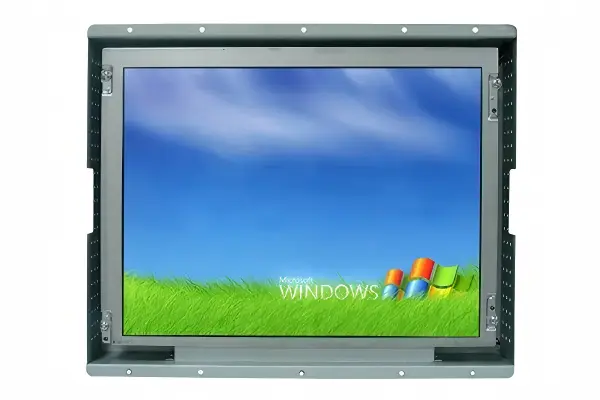
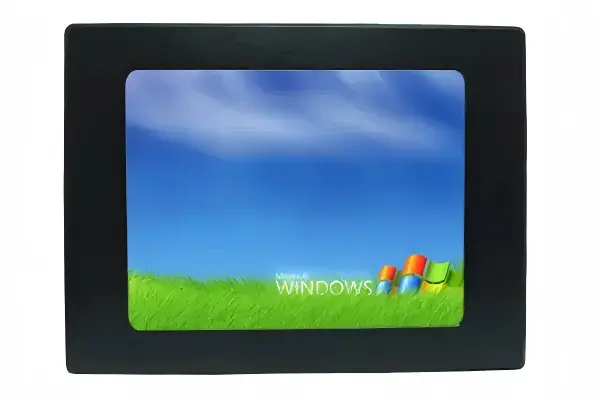
Open frame vs panel mount vs rack mount is often the first question industrial equipment buyers ask when they begin sourcing a display. The problem is that product names can sound similar while requiring very different machine structures. A wrong mounting route can create cutout changes, clearance conflicts, and late-stage enclosure rework. We recommend starting with the installation location before comparing screen size, price, or interfaces.
Open frame, panel mount, and rack mount displays serve different installation routes: panel mount displays install through a machine's front enclosure, open frame displays integrate inside a custom housing or equipment structure[1], and rack mount displays fit standard rack-based systems[2]. We advise buyers to choose the mounting route based on where the screen will live, then confirm cutout size, depth, rear clearance, fixing points, and the complete enclosure design before requesting a quote.
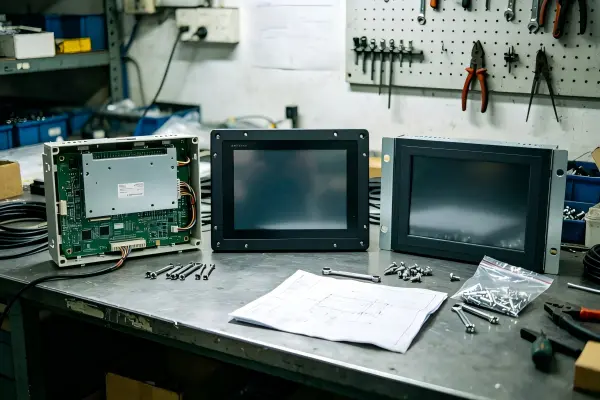
In our pre-sales conversations at AplusLCD, we often find that buyers initially ask for a product definition. We usually begin with a more useful question: Where will the display be installed? The answer quickly reveals whether the machine needs a finished front-panel display, an internal integration component, or a standard rack-mounted interface.
For a compact LH vs LD selection summary plus a mounting comparison table, see our Open Frame Monitor Guide — it links on to the panel mount monitor guide and rack mount category for the other two routes.
How Does Installation Location Decide Open Frame vs Panel Mount vs Rack Mount?
When buyers select a display based only on diagonal size, they can overlook the structure that must support it. That can create uncertainty around fixing methods, front-surface appearance, and enclosure modifications. We help buyers avoid this issue by identifying the intended installation location first.
Installation location is the first decision gate for open frame vs panel mount vs rack mount. A display installed on the visible front of a machine generally points toward panel mount[3]; a display integrated within a custom cabinet, kiosk, or device enclosure may require an open frame design; and a display used in a standardized equipment rack may require rack mount construction.
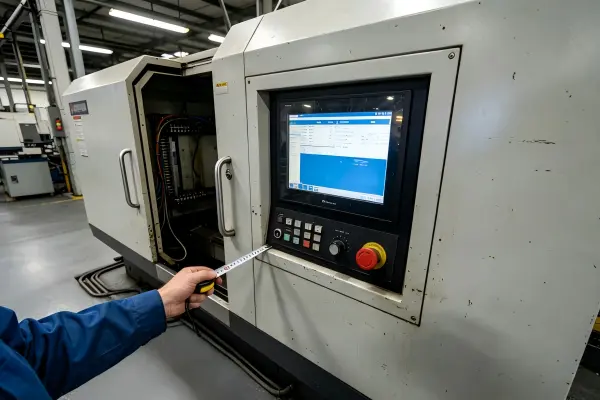
Start With the Physical Position of the Screen
We recommend that procurement teams and engineering teams describe the display location in plain structural terms before asking for a model number:
- Machine front enclosure: The display sits on the operator-facing surface of an industrial machine, control station, or terminal.
- Inside a custom housing: The display becomes one component inside a kiosk, medical device, retail terminal, transportation system, or custom equipment cabinet.
- Standard equipment rack: The display installs into a rack system with a defined rack width and mounting arrangement.
This sequence matters because mounting formats are not simply different exterior styles. Each one assigns responsibility differently between the display supplier and the equipment designer.
For example, a panel mount monitor usually supports installation through a prepared front-panel cutout. The machine enclosure still matters, but the display is generally intended to present a more finished operator-facing surface once installed. An open frame monitor often leaves more of the final presentation, front glass arrangement, bezel design, and internal fixing strategy to the system integrator or equipment manufacturer.
Rack mount is different again. A rack-mounted monitor is relevant when the equipment uses a standard rack architecture. We do not treat it as a more advanced version of a panel mount or open frame monitor. If a control cabinet does not use rack rails or a compatible rack layout, a rack mount display may add complexity instead of solving it.
A Practical Placement-First Decision Path
| First question | Typical answer | Likely mounting route | What to verify next |
|---|---|---|---|
| Will the screen sit on the visible front of the machine? | Yes | Panel mount | Front cutout, panel thickness, fixing method, rear depth |
| Will the screen sit inside a custom enclosure or behind customer-designed glass? | Yes | Open frame | Internal brackets, bezel arrangement, ventilation, service access |
| Will the screen install in a standard rack system? | Yes | Rack mount | Rack standard, mounting holes, rack depth, cable access |
| Is the screen simply going inside a general control cabinet? | Maybe | Not automatically rack mount | Determine whether a rack structure actually exists |
In our recurring discussions with automation system integrators, we see that this placement-first approach reduces vague RFQs. Instead of asking for "a 15-inch industrial monitor," a buyer can define the actual integration need: "We need a 15-inch display for a front-panel cutout, with limited rear clearance and touch operation." That description gives our team a much clearer basis for evaluating suitable options.
We encourage buyers to treat mounting format as an integration decision, not as a feature checklist item.
The final choice should still be reviewed against the exact model drawings and complete machine design. A mounting category alone does not confirm sealing, thermal performance, vibration suitability, or long-term application reliability.
When Is a Panel Mount Display the Right Integration Route?
A machine builder may need a clean, operator-facing display but may not know whether a panel mount unit fits the enclosure design. If the front cutout, panel structure, and rear space are not defined early, the display selection can remain incomplete. We recommend assessing the front enclosure before treating panel mount as the default.
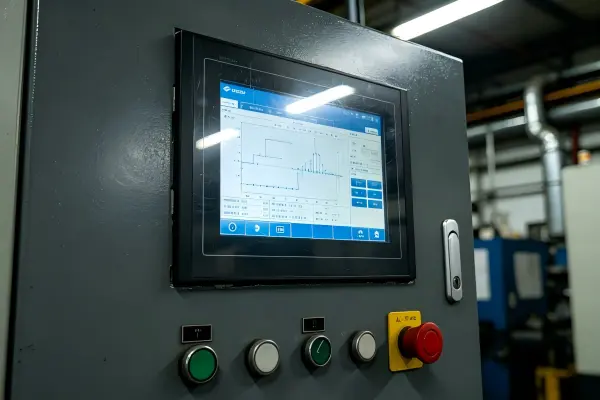
A panel mount display is generally appropriate when the screen must install through the front surface of a machine, control panel, or terminal enclosure. The display is selected around the required front-panel cutout, mounting method, enclosure thickness, rear clearance, and desired finished appearance. Buyers should verify the specific model's mechanical drawing rather than assuming all panel mount monitors use the same cutout or clamp arrangement.
What Panel Mount Changes in the Machine Design
A panel mount monitor is usually designed for integration into a prepared opening in the front enclosure. Depending on the model, it may use mounting clamps, threaded studs, brackets, or another specified retention method. The visible front bezel and display surface can support a more finished machine interface than an internally mounted component.
However, we advise buyers not to treat the term panel mount as a complete environmental or mechanical specification. A panel mount format does not automatically guarantee[4]:
- A particular ingress protection level
- Suitability for washdown or outdoor exposure
- Resistance to application-specific vibration
- Adequate heat dissipation in a sealed cabinet
- Compatibility with every front-panel thickness
- A universal cutout dimension for a given screen size
These conditions depend on the actual display model and the complete enclosure design.
Dimensions That Matter More Than Screen Size
A 15-inch display does not have one universal physical footprint. Two monitors with the same visible diagonal may have different outer dimensions, cutout requirements, bezel widths, depths, and connector positions. We encourage buyers to collect these details before RFQ:
| Mechanical item | Why we ask for it | Risk if it is missing |
|---|---|---|
| Front-panel cutout width and height | Confirms whether the monitor can enter and sit correctly in the opening | The unit may not fit the existing opening |
| Enclosure panel thickness | Helps assess mounting hardware compatibility | Clamps or studs may not engage as intended |
| Rear mounting depth | Confirms space behind the front surface | Components may interfere with internal hardware |
| Rear cable clearance | Allows room for power and signal cable bend radius | Cables may be stressed or inaccessible |
| Fixing position | Confirms where clamps, studs, or brackets are located | Structural rework may be required |
| Service access | Helps plan future replacement or inspection | Removal can become difficult after assembly |
We have seen a recurring pattern in pre-sales communication: buyers often send a target display size first, then share the enclosure drawing later. We find that reversing this order can be more efficient. The front cutout and internal depth frequently eliminate unsuitable models before brightness, touch type, or interface options need detailed comparison.
Panel Mount Evaluation Questions
Before selecting a panel mount industrial monitor, we suggest that buyers ask:
- Does the front enclosure already have a cutout?
- Is the cutout dimension fixed, or can the machine design change?
- What is the maximum allowable depth behind the panel?
- Does the application need projected capacitive touch, resistive touch, or no touch?
- Will the front surface be exposed to dust, cleaning processes, or frequent operator contact?
- How will the machine manage heat around the rear of the display?
At AplusLCD, we can discuss panel mount monitor configurations around these requirements, including size, brightness, touch function, interface options, and enclosure-related needs. We still recommend that a qualified engineer review the final display integration for the specific equipment application.
Why Is an Open Frame Display Not Simply a Panel Mount Without a Bezel?
Open frame monitors can appear similar to panel mount displays in basic specifications, which can make procurement comparisons misleading. Buyers may see the same LCD size, resolution, touch option, and video interface and assume either format will install the same way. We advise against that assumption because the integration responsibilities are different.
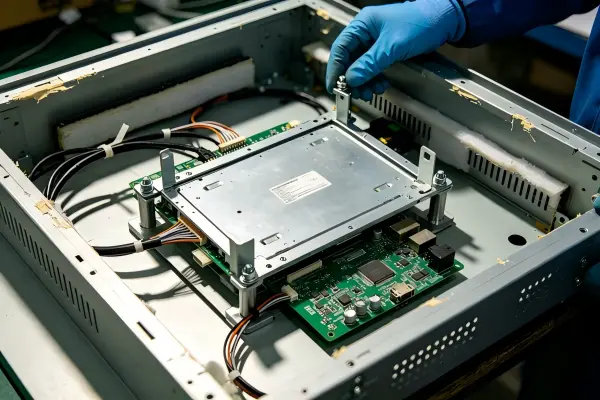
An open frame display is generally used when an equipment manufacturer or system integrator will build the display into a custom enclosure, kiosk, cabinet, or device structure. Unlike a typical panel mount solution, an open frame monitor often requires the buyer to define more of the final mechanical integration, including internal fixing, front-surface treatment, bezel design, protection strategy, and service access.
Open Frame Supports Custom Integration
We commonly discuss open frame monitors with customers building kiosks, self-service terminals, transportation equipment, medical devices, and specialized automation equipment. In these applications, the display is often only one part of a larger front assembly.
The equipment manufacturer may add:
- A custom metal or plastic front housing
- Cover glass or a protective window
- Printed graphics or branding
- A tailored bezel shape
- A specific touch interface
- Internal brackets and shock-management components
- Application-specific cable routing
This flexibility is a key reason to consider open frame construction. However, the flexibility also means the buyer must manage more integration details. The finished result depends on the entire system, not only on the display module.[5]
The Responsibility Split Matters
The table below shows why open frame vs panel mount vs rack mount should be evaluated as a structural decision.
| Integration responsibility | Panel mount display | Open frame display | Rack mount display |
|---|---|---|---|
| Finished front appearance | Often more defined by the display design | Often defined by the customer's enclosure design | Defined by rack panel and monitor design |
| Primary installation position | Front panel of machine or terminal | Inside custom equipment housing | Standard rack environment |
| Mechanical fixing | Model-specific clamps, studs, or brackets | Internal brackets or custom mounting points | Rack ears, rails, or rack-specific hardware |
| Front cutout planning | Usually essential | May be essential but depends on front assembly design | Based on rack opening and layout |
| Customization potential | Moderate to high, depending on model | Often high | Depends on rack design and model |
| Need for custom enclosure engineering | Usually present | Usually more extensive | Focused on rack layout and access |
We do not describe open frame and panel mount products as unconditionally interchangeable. Some open frame models can be adapted for certain front-panel designs, and some panel mount products may suit customized equipment. Yet the final fit depends on the exact mechanical drawing, fixing locations, front assembly, and machine structure.
Questions We Encourage Before an Open Frame RFQ
An effective open frame display RFQ usually includes more than LCD size and resolution. We recommend supplying:
- A basic enclosure drawing or dimensional sketch
- The available width, height, and depth
- The planned front-glass or bezel arrangement
- The intended mounting points and internal bracket concept
- The required touch technology, if any
- Brightness expectations based on the installation environment
- Power, video, and control interface requirements
- Expected procurement volume and supply timeline
We sometimes tell buyers that an open frame monitor is a starting point for integration, not the whole finished front-end design. That distinction helps teams plan their mechanical work realistically and compare supplier responses on a more consistent basis.
When Does Rack Mount Make Sense for Industrial Display Systems?
Rack mount monitors can sound like a robust industrial option, so some buyers consider them for any cabinet-based installation. That can lead to an unsuitable form factor when the equipment does not use a compatible rack standard. We recommend confirming the rack structure itself before putting rack mount on the specification.
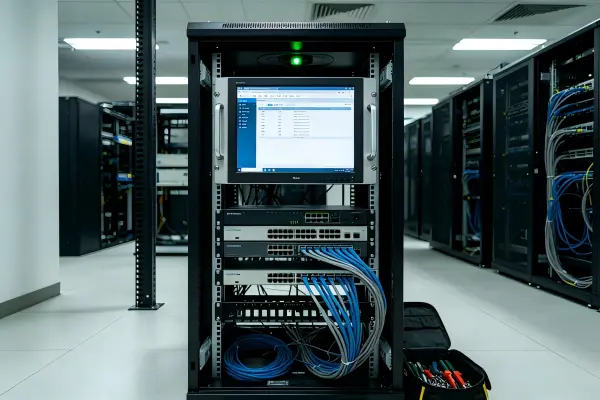
A rack mount display makes sense when the screen will install in a standard rack-based equipment system with compatible rack dimensions, mounting locations, and depth.[6] It is best evaluated for control rooms, server-related systems, test equipment, broadcast environments, network infrastructure, and other rack-organized deployments—not simply because an industrial device has a cabinet or enclosure.
Rack Mount Is a Deployment Route, Not a Quality Grade
Rack mount construction is intended to work with a rack layout. The display may use front rack ears, mounting holes, rails, or other rack-compatible hardware, depending on the model. The critical point is that the supporting equipment must be designed as a rack system.
A general electrical cabinet is not automatically a rack.[7] If the cabinet lacks the expected rail spacing, mounting plane, depth, cable routing, and access arrangement, rack mount may not be the appropriate route.
We suggest that buyers verify the following before selecting a rack-mounted monitor:
- The relevant rack standard and available rack units
- The usable rack width and internal depth
- The location of vertical rails or mounting strips
- Whether the display needs fixed mounting, a slide-out arrangement, or another configuration
- Front and rear cable access
- Clearance for connector bodies and cable bend radius
- Ventilation pathways within the rack
- Operator viewing distance and screen position
Compare Rack Requirements With the Actual System Layout
| System condition | Rack mount relevance | Alternative route to consider |
|---|---|---|
| Standard 19-inch equipment rack with available rack units | High | Rack mount monitor |
| Custom machine front panel with a display opening | Low | Panel mount monitor |
| Kiosk or self-service terminal with custom housing | Usually low | Open frame monitor or customized display |
| Industrial cabinet without rack rails | Uncertain | Panel mount or open frame, depending on placement |
| Test bench with standardized rack enclosure | High | Rack mount monitor |
| Embedded device with limited internal space | Usually low | Compact open frame display or panel mount solution |
Avoid Treating Rack Mount as a Shortcut
Rack mount does not eliminate the need for mechanical review. We still recommend checking the monitor's exact outer dimensions, mounting-ear positions, depth, connector orientation, and weight. A rack unit height alone is not enough to confirm fit.
Likewise, rack mount alone does not guarantee cooling performance, ingress protection, vibration resistance, or suitability for a specific industrial environment.[8] These characteristics depend on the particular monitor, the rack enclosure, air movement, nearby equipment, installation orientation, and operating conditions.
For buyers who need a rack-based display solution, we recommend preparing a rack drawing and describing the system's intended use. At AplusLCD, we can review these inputs during pre-sales discussions and help identify display configurations that align with the stated installation route. The final application decision should remain subject to qualified engineering evaluation.
Frequently Asked Questions
What is the main difference between open frame and panel mount monitors?
We see the main difference in the integration route. A panel mount monitor is generally designed to install through a machine's front panel, while an open frame monitor is generally built into a customer-designed enclosure. The exact fixing method, front finish, and mechanical requirements depend on the specific model.
Can I use an open frame monitor as a panel mount display?
We do not recommend assuming that an open frame monitor can directly replace a panel mount monitor. Some designs may support a custom front-panel integration, but buyers should verify mounting points, bezel coverage, front-surface requirements, depth, and the complete enclosure design before selecting a model.
Is rack mount suitable for any industrial control cabinet?
No. Rack mount is most relevant when the cabinet uses a compatible standard rack structure. A general industrial control cabinet may not have the required rails, width, depth, or mounting arrangement. We recommend confirming the cabinet structure before specifying a rack-mounted display.
What measurements should I provide before requesting an industrial monitor quote?
We recommend providing the available width, height, mounting depth, rear clearance, front cutout size, enclosure panel thickness, fixing position, cable exit space, and required screen size. We also suggest including touch, brightness, interface, and environmental requirements where available.
Does panel mount guarantee IP protection or industrial durability?
No. A panel mount format alone does not guarantee a particular IP rating, cooling capability, vibration resistance, or service life. Buyers should review the documentation for the exact display model and evaluate it within the complete machine enclosure and operating environment.
Conclusion
The right choice in open frame vs panel mount vs rack mount starts with installation location, not with screen size or price. We recommend panel mount for front-enclosure integration, open frame for custom internal display assemblies, and rack mount for genuine standardized rack deployments. Before issuing an RFQ, buyers should confirm cutout dimensions, mounting depth, rear clearance, fixing positions, and enclosure structure. At AplusLCD, we help industrial equipment manufacturers and system integrators evaluate these practical inputs and explore display configurations that fit their project requirements.
Footnotes
-
"Week 0. CAD design FINAL PROJECT UDPATES", https://fab.cba.mit.edu/classes/863.18/CBA/people/elena/week0/. Open-frame display assemblies are commonly supplied for incorporation into customer-designed housings or equipment, with the final enclosure and front presentation determined at the system level. Evidence role: definition; source type: research. Supports: That open-frame displays are display assemblies intended for incorporation into a larger product or custom enclosure.. Scope note: Terminology and included mechanical features vary among manufacturers. ↩
-
"19-inch rack", https://en.wikipedia.org/wiki/19-inch_rack. IEC 60297 specifies mechanical structures for electronic equipment based on the 482.6 mm (19-inch) rack format, providing a standardized basis for rack-mounted equipment installation. Evidence role: definition; source type: institution. Supports: That rack-mounted equipment is designed around standardized mechanical rack structures, including the widely used 19-inch rack format.. Scope note: A rack-compatible display must still be checked against the specific rack, rail arrangement, depth, and mounting hardware. ↩
-
"net BuildingName The Description of the Project ...", https://umaec.umich.edu/for.archs/masterspec/23/MS230900.pdf. Panel-mounted display and operator-interface equipment is generally installed through a prepared opening in an enclosure or machine panel, placing its viewing surface at the operator-facing side. Evidence role: definition; source type: research. Supports: That panel-mounted operator interfaces and displays are installed into an opening in an equipment panel or enclosure face.. Scope note: The precise cutout, retention method, and environmental rating are model-specific. ↩
-
"IP code", https://en.wikipedia.org/wiki/IP_code. IEC 60529 defines ingress-protection classifications for enclosures, while IEC 60068 provides environmental test methods; neither characteristic is established solely by describing equipment as panel mounted. Evidence role: expert_consensus; source type: institution. Supports: That enclosure ingress protection and environmental resistance are separately specified and tested characteristics rather than consequences of a mounting format.. Scope note: Compliance with a standard must be verified for the complete product and, where relevant, the installed enclosure assembly. ↩
-
"SEH 2.0 Fundamentals of Systems Engineering", https://www.nasa.gov/reference/2-0-fundamentals-of-systems-engineering/. Systems-engineering guidance treats performance and risk as properties of the integrated system, including component interfaces, enclosure design, environmental conditions, and maintenance arrangements. Evidence role: general_support; source type: government. Supports: That system performance depends on the interaction of components, interfaces, and the integrated design rather than on an individual component alone.. Scope note: This principle supports the integration rationale generally and does not certify the suitability of any particular display installation. ↩
-
"19-inch rack", https://en.wikipedia.org/wiki/19-inch_rack. Standardized rack systems define key mechanical interfaces—including equipment width, mounting-hole arrangement, and rack-unit height—so rack-mounted equipment must be matched to the rack structure and available installation space. Evidence role: mechanism; source type: institution. Supports: That standardized racks use defined panel widths, mounting arrangements, and rack-unit dimensions that determine equipment compatibility.. Scope note: Rack standards do not ensure compatibility with every monitor's depth, connector orientation, weight, or rail requirement. ↩
-
"19-inch rack", https://en.wikipedia.org/wiki/19-inch_rack. A rack is a mechanical mounting system defined by standardized equipment-support interfaces, whereas an electrical enclosure need not provide the rails, mounting pattern, or usable geometry required for rack-mounted hardware. Evidence role: definition; source type: institution. Supports: That rack systems are defined by standardized mechanical mounting interfaces rather than by the general fact that equipment is enclosed in a cabinet.. Scope note: Some electrical cabinets can be fitted with compliant rack frames or rails and may then support rack-mounted equipment. ↩
-
"OSHA Technical Manual (OTM) - Section III: Chapter 3", http://www.osha.gov/otm/section-3-health-hazards/chapter-3. Ingress protection and environmental durability are addressed through separate specifications and test methods, such as IEC 60529 and IEC 60068, rather than being implied by a rack-mount form factor. Evidence role: expert_consensus; source type: institution. Supports: That ingress protection, vibration tolerance, and environmental performance are evaluated through separate enclosure and environmental test specifications.. Scope note: Passing component-level tests may not establish performance after installation in a particular rack, thermal environment, or application. ↩