Industrial LCD monitors are used when a display must perform a defined task inside equipment while meeting practical requirements for installation, operating conditions, user interaction, and long-term project support. If buyers compare only screen size and price, they can overlook risks that appear after integration. We help buyers evaluate the display against the real machine application.
Industrial LCD monitors are primarily used for machine control, status monitoring, operator guidance, embedded instruments, control cabinets, test equipment, kiosks, and specialized terminals. We select them based on the task the screen must perform, the operating environment, and the mechanical and electrical constraints of the finished equipment. A suitable monitor is not simply "more durable"; it is correctly matched to the project's requirements.
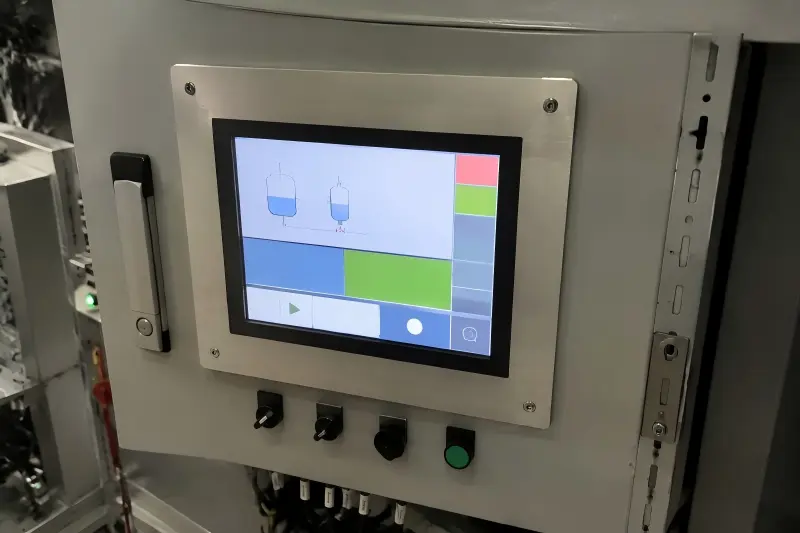
Table of Contents
- What Machine-Control Tasks Are Industrial LCD Monitors Used For?
- How Do Operating Conditions Affect Industrial LCD Monitor Selection?
- How Do Industrial LCD Monitors Fit Into Embedded Equipment?
- When Should Buyers Consider Customized Industrial LCD Monitors?
- Frequently Asked Questions
- Conclusion
The best starting point is not "Which monitor is strongest?" We recommend asking a more useful question: What must the display do, where will it operate, and how must it fit the machine? That question helps equipment makers, integrators, and procurement teams avoid costly specification mismatches.
What Machine-Control Tasks Are Industrial LCD Monitors Used For?
We often see industrial LCD monitors used for machine control tasks where operators need clear, dependable access to live information. A poorly selected display can make settings difficult to read, create an awkward user interface, or fail to fit the equipment enclosure. We therefore begin with the operator's task rather than with a catalog size.
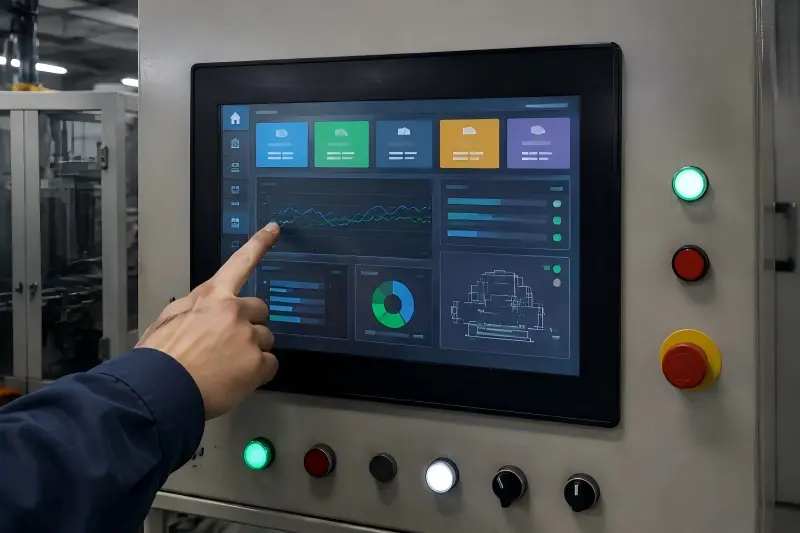
Industrial LCD monitors are used in human-machine interface (HMI) applications for showing machine status, production data, alarms, settings, operating instructions, and process parameters. They can also support touch-based input when an operator must start a process, adjust a value, acknowledge an alarm, or navigate a control interface.[1]
Supporting HMI and Operator Interaction
In many equipment-control applications, the display is the point where the machine communicates with the user. The screen may show a simple operating status, or it may support a detailed interface with data trends, maintenance prompts, alarm logs, and configuration menus.
We commonly discuss these questions with customers before suggesting a display solution:
- Does the operator only need to view information, or must the operator enter commands?
- Will the user wear gloves?
- Does the interface require single-touch, multi-touch, or no touch function?
- Will the monitor show static screens, moving graphics, camera feeds, or detailed text?
- How far away will the operator stand from the screen?
- Is the display installed in a cabinet door, a console, or a separate housing?
These details affect selection. For example, a small display may be adequate for a simple status readout. The same size may be unsuitable for a control interface that requires operators to select small buttons while wearing gloves.
Typical Equipment-Control Uses
Industrial monitor use is often connected to a defined machine function, including:
| Equipment task | What the display may show | Selection consideration |
|---|---|---|
| Machine status monitoring | Run state, fault codes, temperatures, counts | Readability and reliable interface connection |
| Parameter setting | Speed, timing, recipes, limits, calibration values | Touch accuracy, screen layout, access control |
| Operator guidance | Work instructions, warnings, next-step prompts | Viewing angle, text clarity, mounting position |
| Alarm management | Alerts, error descriptions, maintenance notices | Visibility, fast response, interface usability |
| Process visualization | Diagrams, trends, sensor values, camera images | Resolution, screen size, graphics performance |
| Service access | Diagnostics, logs, commissioning screens | Port access, enclosure integration, serviceability |
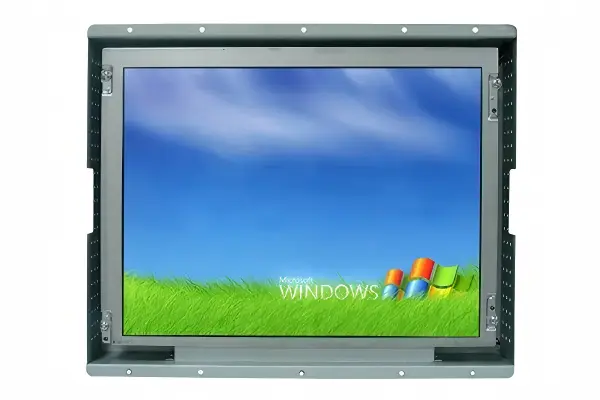
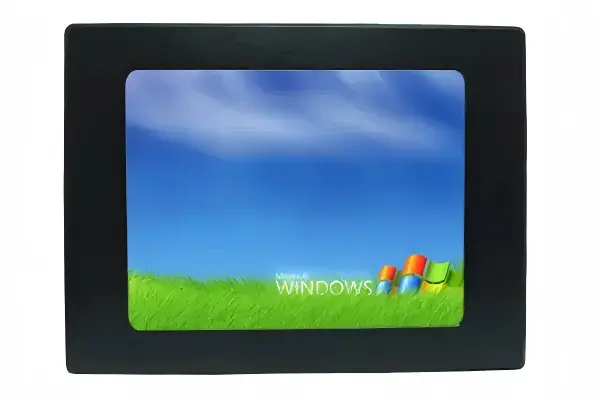
From our manufacturer-side conversations, we have learned that a request for a "10-inch industrial screen" rarely contains enough information for a confident recommendation. We usually need to clarify whether the buyer needs a panel-mount monitor, an open-frame display for integration, or a panel PC that combines display and computing functions.
We treat the display as part of the machine interface, not as a standalone accessory. That distinction changes how we assess the requirement.
How Do Operating Conditions Affect Industrial LCD Monitor Selection?
We know that operating conditions can create hidden display risks. A monitor that looks acceptable in an office or laboratory may not suit a machine location with dust, vibration, heat, long operating hours, or strong ambient light. At the same time, we do not assume every industrial application faces every risk. We evaluate the actual environment.
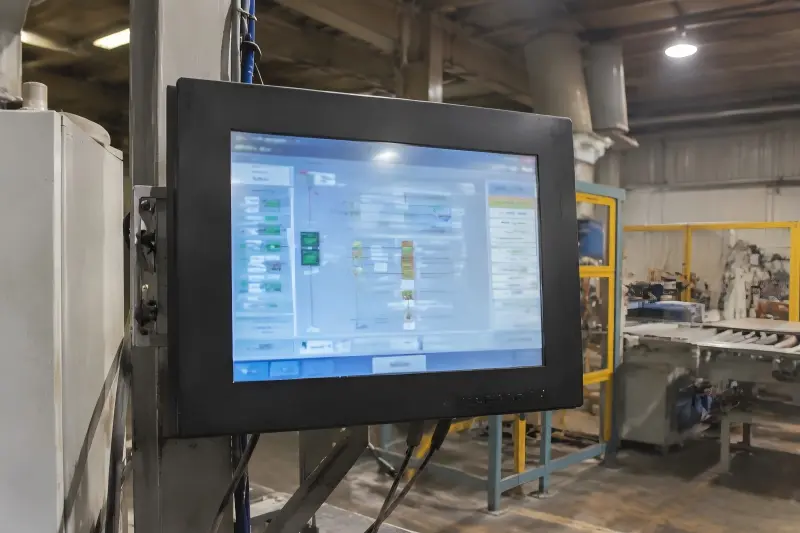
Industrial LCD monitors are selected around the specific operating conditions of the application. Temperature, dust exposure, vibration, continuous use, ambient light, installation position, and cleaning practices can affect the required display design, brightness, enclosure, touch technology, and validation process.[2]
Match the Risk, Not the Label
The word "industrial" does not eliminate the need for specification review. Two industrial display projects can have very different requirements. One monitor may be installed in a clean indoor control cabinet. Another may be installed near a production line, in a transport-related terminal, or in an outdoor-facing kiosk enclosure.
We encourage buyers to define the actual risks before comparing products.
| Operating condition | Why it matters | Questions we ask |
|---|---|---|
| Ambient temperature | Heat or cold can affect display performance and component selection[3] | What is the expected operating and storage temperature? |
| Dust or contaminants | Particles may affect enclosure design, connectors, and maintenance needs | Is the monitor exposed directly, or protected inside a cabinet? |
| Vibration or movement | Mechanical stress may affect mounting and connector retention[4] | Is the unit fixed, mobile, or installed near moving machinery? |
| Strong ambient light | Reflections and low contrast can reduce readability[5] | Is the screen near windows, doors, or direct sunlight? |
| Continuous operation | Long daily operating hours can affect thermal planning and lifecycle needs | How many hours per day will the display run? |
| Cleaning or washdown routines | Cleaning agents and water exposure may affect front-panel requirements | What cleaning process is used around the equipment? |
Brightness Is About Readability, Not a Bigger Number
We frequently see brightness listed as a simple comparison point. However, the right brightness depends on the installed location and the task. A display used indoors in a shaded control area may not need the same brightness as a screen facing strong daylight through a kiosk window.
Higher brightness can be useful when ambient light reduces readability. It can also bring trade-offs involving heat, power consumption, and cost.[6] We therefore recommend that buyers assess the screen in relation to its enclosure, viewing angle, front glass, and surrounding light rather than choosing the highest published number by default.
Verify Documentation for Project-Specific Claims
Buyers should verify any claimed IP rating, temperature range, vibration resistance, lifecycle statement, or certification against the relevant product documentation. They should also confirm that the documented condition applies to the exact configuration being purchased. A standard monitor and a customized version may not have identical specifications or approvals.
We can help clarify available options and documentation, but qualified engineering review remains important for safety-critical, regulated, high-risk, or application-specific decisions.
How Do Industrial LCD Monitors Fit Into Embedded Equipment?
We find that integration constraints are often the reason a promising monitor is rejected late in a project. A display can have the right diagonal size and still fail to fit the panel cutout, interfere with internal components, lack the required connector orientation, or create problems during assembly. We therefore review the equipment structure early.
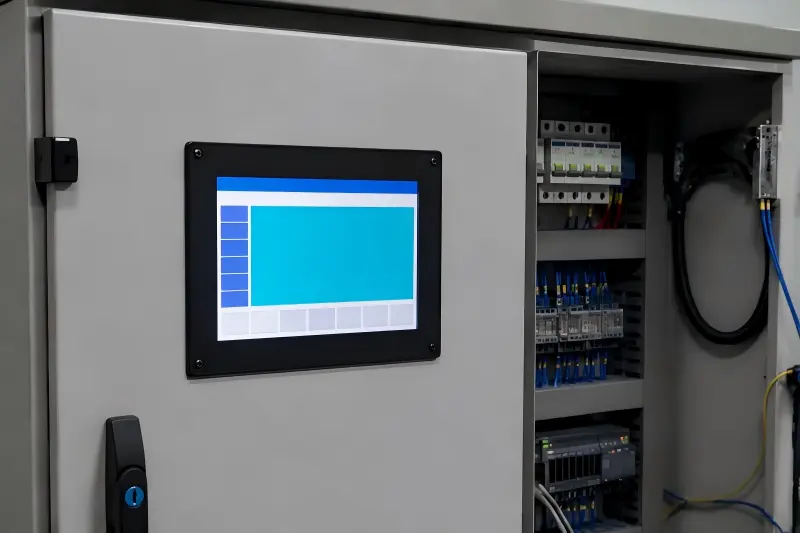
Industrial LCD monitors are used as embedded display components in control cabinets, instruments, test systems, specialized terminals, and equipment housings. Their suitability depends on panel cutout dimensions, mounting method, available depth, interface location, power requirements, thermal space, and touch-screen integration.[7]
The Difference Between Screen Size and Integration Size
Screen size is only one dimension of integration. Buyers also need to examine the overall outer dimensions, active display area, bezel width, rear depth, mounting studs or brackets, connector positions, and cable bend space.
For panel-mount applications, the panel cutout and front mounting method are especially important. For open-frame monitors, the chassis shape and mounting points may determine whether the unit can be secured inside the equipment. For enclosed monitors, the rear housing may affect the available installation depth.
We often request drawings, photos, or a basic installation sketch because these materials reveal issues that a part number alone cannot show.
Key Integration Questions
Before final selection, we suggest confirming the following points:
- Mounting approach: Is the unit panel mounted, VESA mounted, open-frame mounted, rack mounted, or installed behind protective glass?
- Mechanical space: What are the maximum width, height, and depth limits inside the equipment?
- Panel cutout: Does the front panel already have a cutout dimension, or can the enclosure design still change?
- Interface availability: Does the host system provide HDMI, DisplayPort, VGA, DVI, USB, serial communication, or another interface?
- Power supply: What voltage is available, and what power design requirements apply?
- Touch connection: If touch is required, how will USB or another touch interface connect to the host?
- Service access: Can technicians reach connectors, mounting hardware, and controls after installation?
Touch Requirements Should Follow User Behavior
Touch function is another area where we encourage buyers to look beyond a basic feature list. A touch monitor may be useful when an operator needs direct interaction. Yet touch requirements vary with gloves, moisture, user interface layout, cleaning practices, and expected usage frequency.
For example, projected capacitive touch is often considered for modern multi-touch interfaces.[8] Resistive touch may be considered where certain glove or stylus interactions are relevant.[9] The appropriate choice depends on the complete use case and must be verified for the intended application.
In one recurring type of requirement discussion, we see buyers begin with a display size and later mention that the monitor must fit behind an existing metal door with minimal rear clearance. That single detail can change the recommended product structure, cable arrangement, and mounting plan. We believe these conversations should happen before procurement, not after the enclosure has been finalized.
When Should Buyers Consider Customized Industrial LCD Monitors?
We understand why buyers ask for custom display solutions. Standard products may not match the required panel shape, brightness, touch design, mounting position, interface arrangement, or enclosure appearance. However, a vague customization request can create uncertainty about feasibility, cost, lead time, and validation. We encourage buyers to define the requirement clearly.
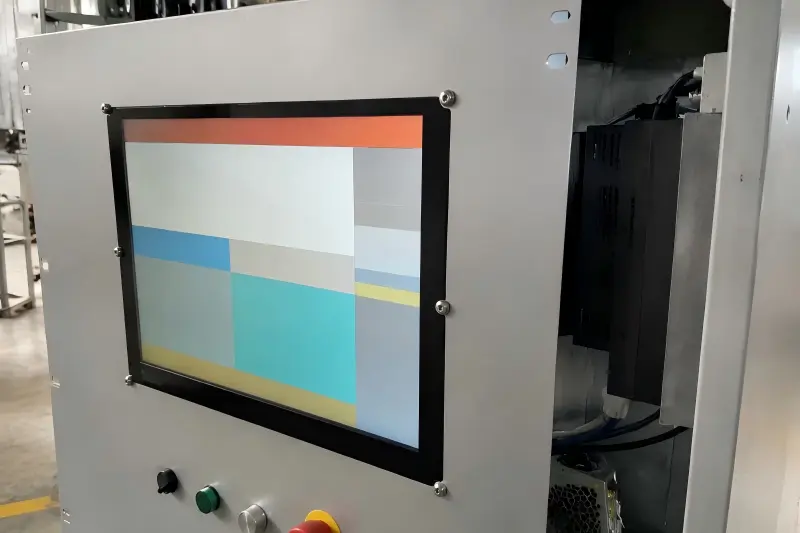
Buyers should consider customized industrial LCD monitors when a standard product cannot meet a necessary equipment requirement, such as a specific size, brightness level, touch function, enclosure design, mounting method, interface option, or branding need. Customization should be treated as a feasibility and validation process, not as an automatic promise.
When Standard Products May Be Enough
A standard monitor can be a practical choice when it fits the mechanical design, supports the available interfaces, meets the environmental needs, and provides acceptable visibility for the operator. Standardization may simplify purchasing and reduce development work, particularly when the equipment design can accommodate available dimensions.
We do not believe customization is always the best route. It should solve a genuine integration or performance requirement.
Common Customization Areas
Depending on product feasibility and project conditions, buyers may explore options such as:
- Display size or aspect ratio for a defined enclosure opening
- High-brightness configuration for challenging ambient light
- Touch-screen type based on operator interaction
- Front-panel or enclosure design for installation and appearance needs
- Mounting method for panel, open-frame, or equipment-specific integration
- Interface configuration to match the host system
- Logo, glass treatment, or color options for brand or project requirements
- Cable or connector arrangement where installation space is limited
Each option should connect to a clear reason. For example, a custom enclosure is not merely an appearance choice if it enables safe panel mounting, protects the display within a terminal, or improves access for installation.
Evaluate Customization Before Committing
We recommend that procurement teams ask for a structured review rather than relying on a broad statement that a display is "customizable." The review should cover:
| Review area | Why it should be confirmed |
|---|---|
| Requirement definition | Prevents unclear or conflicting specifications |
| Mechanical drawings | Confirms fit, cutout, mounting, and rear clearance |
| Electrical interfaces | Ensures compatibility with the host system |
| Sample and validation plan | Helps assess the proposed configuration in the actual equipment |
| MOQ | Customized parts may involve minimum order quantities |
| Lead time | Development, sourcing, and validation can affect project timing |
| Documentation | Supports procurement records and project verification |
| Change control | Helps manage revisions over the product lifecycle |
We position ourselves as a manufacturer-side solution partner in this process. We can clarify options, assess information supplied by the buyer, and recommend a suitable display direction. However, the final application decision should be supported by the buyer's engineering, quality, and compliance teams where appropriate.
Frequently Asked Questions
Are industrial LCD monitors only used in factories?
No. We see industrial LCD monitors used in equipment-control systems, embedded instruments, test equipment, kiosks, self-service terminals, transportation-related systems, medical equipment interfaces, and specialized terminals. The common factor is not the industry label. It is the need to fit a defined equipment task and operating environment.
What is the difference between an industrial monitor and a commercial monitor?
An industrial monitor is generally evaluated for equipment integration, operating conditions, interface needs, mounting, supply continuity, and application-specific reliability requirements. A commercial monitor may be suitable for some projects, but buyers should compare the actual specification, installation requirements, documentation, and expected use rather than relying on category names alone.
Do I need a touch screen for an industrial application?
You need a touch screen only when direct user interaction supports the equipment task. A view-only status display may not require touch. If touch is needed, buyers should consider gloves, user-interface design, moisture, cleaning, input accuracy, and the available connection to the host device.
How do I choose the right brightness for an industrial LCD monitor?
We recommend choosing brightness based on the installed environment and readability target. Consider direct or indirect sunlight, reflections, front glass, viewing distance, and enclosure design. A higher brightness value is not automatically better because it may affect power, heat, and cost. Confirm the specification for the exact configuration.
Can industrial LCD monitors be customized for an existing machine enclosure?
They may be customized in areas such as dimensions, mounting, touch, brightness, enclosures, and interfaces, subject to feasibility review. Buyers should provide panel drawings, available space, interface details, operating conditions, target quantity, and project timing. MOQ, development work, validation, and lead time should be discussed early.
How does temperature affect LCD?
Temperature affects LCD response time, contrast, and backlight performance. Cold slows the liquid crystal's molecular response, which can cause ghosting or blurring on fast-moving images, while extreme heat can accelerate panel aging and reduce backlight life. Industrial LCD monitors rated for -20°C to +70°C use wide-temperature panels and thermally managed backlights to stay stable in uncontrolled environments. If your equipment runs near heat sources, outdoors in summer, or in cold storage, confirm the monitor's operating temperature range against your actual installation conditions.
Conclusion
Industrial LCD monitors are used wherever a display must do more than show an image. They support machine control, operator guidance, status monitoring, embedded instruments, specialized terminals, and equipment interfaces. We recommend that buyers evaluate the required task, operating conditions, installation structure, electrical connections, and user interaction before comparing only size and price. At AplusLCD, we work with equipment makers and integrators to clarify these requirements and explore practical industrial display solutions for their projects. Need a custom unit? Browse our industrial LCD displays — size, brightness, touch, and mounting can all be configured around your enclosure, with no minimum order quantity.
Footnotes
-
"Designing HMI and SCADA Laboratory Work for Engineering ...", https://dc.etsu.edu/cgi/viewcontent.cgi?params=/context/honors/article/2068/&path_info=Barteck_Thesis.pdf. Research on touchscreen HMIs documents their use for direct interaction with control interfaces, including navigation and entry or confirmation of operator commands. Evidence role: general_support; source type: research. Supports: That touch-enabled HMIs can provide direct operator input for navigation, parameter entry, and control-related acknowledgement actions.. Scope note: The exact suitability of touch input for a particular alarm or control action depends on the system's safety design and human-factors requirements. ↩
-
"Fault Induction and Environmental Failure Testing", https://csrc.nist.gov/csrc/media/events/physical-security-testing-workshop/documents/papers/physecpaper16.pdf. Environmental-testing standards specify methods for assessing how electrotechnical equipment responds to conditions such as temperature, vibration, and contaminant exposure, making these conditions relevant design and validation inputs. Evidence role: mechanism; source type: institution. Supports: That environmental factors such as temperature, vibration, contaminants, and exposure conditions are addressed through equipment design and environmental testing.. Scope note: Standards establish test methods and conditions; they do not prescribe a single monitor design for every installation. ↩
-
"Studies Of Liquid Crystal Response Time - ucf stars", https://stars.library.ucf.edu/cgi/viewcontent.cgi?article=1631&context=etd. Studies of liquid-crystal displays report temperature-dependent changes in electro-optical behavior, including response characteristics, supporting the need to consider expected operating temperatures in display selection. Evidence role: mechanism; source type: paper. Supports: That liquid-crystal display optical and dynamic characteristics vary with temperature, and that component operating ratings must be considered in system design.. Scope note: The magnitude of temperature effects varies by LCD technology, backlight design, and the product's specified operating range. ↩
-
"Vibration Performance Comparison Study on Current Fiber ...", https://ntrs.nasa.gov/api/citations/20090006729/downloads/20090006729.pdf. Guidance on vibration qualification for electronic hardware recognizes that dynamic mechanical loads can affect structural attachments and electrical interconnections, including connectors. Evidence role: mechanism; source type: government. Supports: That vibration can impose mechanical loads on electronic assemblies and interconnections, requiring appropriate mounting and retention design.. Scope note: Actual risk depends on vibration frequency, acceleration, duration, mounting geometry, and the connector and retention system used. ↩
-
"Chapter 5", https://hf.tc.faa.gov/hfds/download-hfds/hfds_pdfs/Ch5_Displays_and_printers.pdf. Human-factors research on visual displays finds that ambient illumination and reflected glare can reduce effective contrast and impair screen legibility. Evidence role: mechanism; source type: research. Supports: That ambient illumination, reflected glare, and display contrast affect the legibility of information presented on screens.. Scope note: Readability also depends on text size, viewing distance, viewing angle, content design, and the individual user's visual capability. ↩
-
"Providing Sustainable Performance in Thermally ...", https://www.bu.edu/peaclab/files/2016/10/ESWEEK16_sahin.pdf. Technical studies of LCD backlighting identify a relationship between higher light output, increased electrical power consumption, and associated thermal-management considerations. Evidence role: mechanism; source type: paper. Supports: That increasing LCD backlight output generally increases electrical power demand and can increase thermal-management requirements.. Scope note: Cost effects are product- and supply-chain-specific and are not determined by brightness alone. ↩
-
"maintainability design criteria for packaging of spacecraft ...", https://ntrs.nasa.gov/api/citations/19700025059/downloads/19700025059.pdf. Electronic-system integration guidance treats mechanical packaging, electrical interfaces, power distribution, connector access, and thermal control as interdependent design constraints. Evidence role: general_support; source type: government. Supports: That embedded electronic assemblies require coordinated consideration of mechanical fit, interfaces, power, connector access, and thermal management.. Scope note: The relative importance of each constraint depends on the host equipment architecture and the selected display product. ↩
-
"Review of Capacitive Touchscreen Technologies - PMC - NIH", https://pmc.ncbi.nlm.nih.gov/articles/PMC8309784/. Projected-capacitive touchscreen technology uses a capacitive sensing grid and is widely associated with the detection of multiple simultaneous touch points. Evidence role: definition; source type: encyclopedia. Supports: That projected-capacitive touch sensing can detect touch through a conductive sensing grid and is commonly used to support multi-touch interaction.. Scope note: Multi-touch performance can vary with controller design, cover glass, gloves, moisture, and firmware configuration. ↩
-
"Explained: How Touchscreens Work", https://www.designreview.byu.edu/collections/explained-how-touchscreens-work. Resistive touchscreen operation is based on pressure bringing conductive layers into contact, which permits input by a stylus or other pressure-applying object rather than requiring a bare conductive finger. Evidence role: mechanism; source type: encyclopedia. Supports: That resistive touchscreens register input through pressure-induced contact between layers and can therefore be actuated by a stylus or other pressure-applying object.. Scope note: Glove compatibility depends on glove construction, applied force, screen construction, and the particular touchscreen implementation. ↩