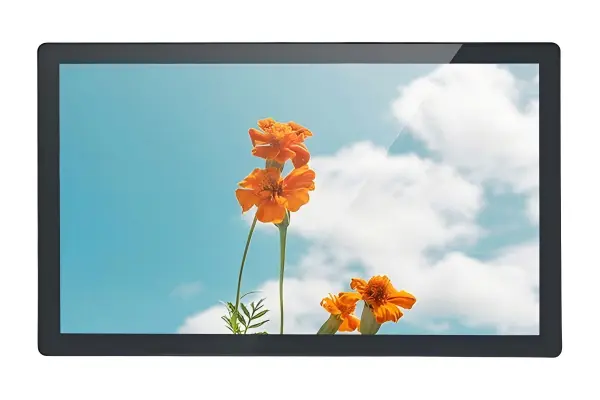
The disadvantages of LCD screens can create costly problems when a display looks acceptable on a specification sheet but fails in its real operating environment. I often hear from equipment manufacturers after they discover sunlight glare, heat buildup, or limited viewing angles too late. The solution is to evaluate LCD limitations against actual installation conditions before selecting a panel.
The disadvantages of LCD screens include limited readability in strong ambient light, backlight aging, temperature sensitivity, viewing-angle limitations, motion response constraints, and power or heat concerns during continuous use. These limitations do not make LCD unsuitable for industrial projects, but buyers must match brightness, panel type, enclosure design, duty cycle, and service requirements to the intended environment.
The Six Limits at a Glance
The table below is a quick scan tool for the six limits discussed in the rest of this article. Each row is a starting point — the section that follows explains the mechanism, the mitigation, and the trade-off in more detail.
| Limitation | Common situation | Mitigation | Trade-off | What to verify for your project |
|---|---|---|---|---|
| Bright-light readability | Window-side, semi-outdoor, outdoor, bright warehouse, polished floors | High-nit panel, AR/AG coating, optical bonding, sun hood, high-contrast UI | More power, more heat, more complex service, higher BOM | Site illuminance, viewing direction, direct-sun exposure, cover-glass spec, thermal margin |
| Backlight aging | 24/7 operation, high brightness, sealed enclosures, retail signage | Industrial-grade backlight, brightness derating, duty-cycle plan, serviceable bezel | Lifetime depends on actual duty and temperature; replacement needs downtime | Set brightness, daily run hours, internal enclosure temperature, end-of-life luminance threshold |
| Temperature sensitivity | Cold storage, unheated warehouse, vehicle cold start, sealed enclosure heat, sun-loaded cabinet | Wide-temperature panel grade, heater, fan or heat sink, sun hood, thermal simulation | Heater/cooling component size, power, cost | Minimum and maximum ambient, cold-start behavior, internal hot spot, panel surface temperature |
| Viewing angle & color shift | Shared viewing, suspended or angled mount, operators wearing polarized eyewear | IPS or VA panel, compensation film, adjusted mounting geometry, high-contrast UI | Panel cost; response-time trade-off; polarization cannot be fully solved | Real viewer positions and heights, polarization eyewear, required view-angle range |
| Motion response | Live video, animation, fast machine status, vehicle information | Higher-refresh, lower-response panel, wider temperature grade, simplified motion content | Panel cost; the response figure is only valid at the rated temperature | Content type, operating temperature at the panel, touch-response needs |
| Power and heat | Continuous high-brightness operation, sealed metal enclosure | Brightness derating, duty schedule, ventilation, thermal monitoring | Brightness and lifetime are coupled; derating must be designed in | Average load, internal hot spot, brightness setting, ambient temperature range |
I do not treat every LCD panel as the same. A display that works reliably inside a controlled factory cabinet may be a poor choice for an outdoor kiosk, a vehicle terminal, or a medical device used around the clock. The important question is not simply whether LCD has disadvantages, but whether those disadvantages create operational risk in your project.
Where These Limits Apply — and Where They Do Not
"LCD" covers several different technologies, so I want to be explicit about the scope of the six limits below.
- Architecture: The limits apply to conventional transmissive LCDs, the architecture used in most industrial monitors — the liquid-crystal cell modulates light supplied by a backlight[1]. They do not transfer directly to transflective or reflective LCDs, which use ambient light differently and therefore behave differently in bright environments, or to OLED, micro-LED, and e-paper displays, each of which has its own failure modes.
- Panel mode: Within transmissive LCD, TN, VA and IPS differ in viewing-angle behavior, color shift and response time. A viewing-angle limit described for a TN panel is not a limit of IPS, and vice versa.
- Backlight design: Backlight type (edge-lit vs. direct-lit), LED grade, drive current and the presence of local dimming change how brightness, uniformity and aging behave. Two panels with the same rated nits can age differently.
- Temperature grade: A consumer-grade panel (typically 0–50 °C) and an industrial wide-temperature panel (commonly −30 to 80 °C, with wider grades available) are not interchangeable. Low-temperature response lag is largely a matter of which grade you specify.
- Complete assembly: Cover glass, touch layer, optical bonding, enclosure sealing and airflow determine what the panel actually experiences. An industrial panel inside a poorly ventilated sealed enclosure can run hotter than a consumer panel in open air.
Read each limitation below as a risk to evaluate for your configuration, not as an unavoidable property of every LCD. Where a limit is architecture-specific, I say so in the section.
Are the Disadvantages of LCD Screens Most Serious in Bright Light?
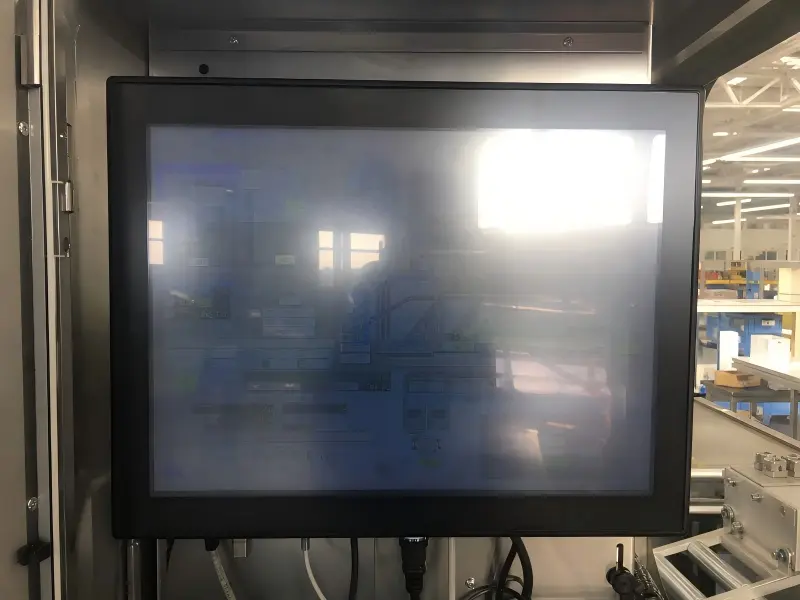
Strong ambient light is one of the most common reasons an LCD becomes difficult to use. A screen can appear crisp in an office or showroom, yet look washed out beside a window, under warehouse lighting, or outdoors. This issue can frustrate operators, delay work, and lead to expensive field modifications.
LCD screens can become unreadable in bright environments when the display brightness, contrast, surface treatment, and installation angle do not overcome reflected light.[2] Higher-brightness panels, anti-glare treatments, optical bonding, hoods, and better mounting positions can improve visibility, but each option may increase cost, power consumption, thermal load, or design complexity.
Why ambient light changes the viewing experience
LCD brightness is usually specified in nits or cd/m². However, I advise buyers not to treat this number as a complete readability guarantee. A brightness rating is measured under controlled conditions. The actual user experience depends on several interacting factors:
- Ambient light level: Indoor lighting, skylights, direct sun, and reflected outdoor light create very different demands.
- Screen surface: A glossy cover can produce sharper perceived contrast indoors but may reflect strong light more visibly.[3]
- Viewing direction: A screen facing a window or a light source may perform worse than the same screen mounted at another angle.
- Cover glass and touch layers: Additional layers can introduce reflections and reduce transmitted light.
- Displayed content: Small gray text on a bright background is harder to read than high-contrast interface elements.
In real customer inquiries, I often see a common pattern: a buyer asks for a "sunlight-readable LCD" without providing the installation location. I then need to ask whether the display sits under a canopy, inside a vehicle, on a loading dock, or directly exposed to the sun. Those situations require different solutions.
Mitigation options—and their trade-offs
| Option | What it can improve | Main trade-off to assess |
|---|---|---|
| Higher-brightness LCD panel | Visibility in high ambient light | More power use and heat |
| Anti-glare surface treatment | Diffused reflections | May slightly reduce perceived sharpness |
| Optical bonding[4] (see also our bonding vs. air gap comparison) | Reduced internal reflections and stronger assembly | Higher cost and more complex service replacement |
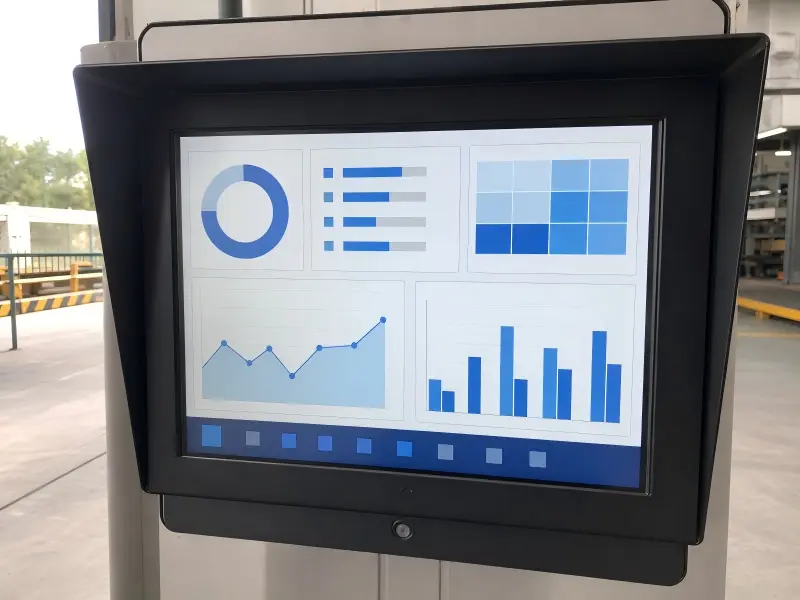
| Sun hood or recessed enclosure | Blocks direct light | Adds mechanical size and may affect airflow |
| UI contrast optimization | Faster readability for users | Requires software and interface design work |
I recommend that industrial equipment manufacturers test representative screen content under expected lighting whenever possible. A display does not need to be directly in sunlight to suffer. Bright overhead LEDs, polished floors, stainless-steel surroundings, and nearby windows can all affect perceived readability.
When a project requires reliable public-facing outdoor readability with severe direct sun exposure, I believe buyers should assess LCD carefully against alternative technologies and mechanical shading strategies. High brightness helps, but it does not eliminate glare, heat, or long-term operating concerns — nits, optical bonding and anti-reflective glass have to be specified together for the actual installation, which is how our high brightness monitor selection guide works through outdoor projects. For the underlying readability principle and how to verify it after installation, see our sunlight readable display guide.
How Do Backlights Create LCD Screen Maintenance Risks?
Backlight dependency is another important limitation — but note that it is a limitation of transmissive LCD specifically. An LCD panel does not emit its own light in the same way as some emissive display technologies. It depends on a backlight system to make the image visible.[1] Reflective and transflective LCDs supplement or replace that backlight with ambient light, and OLED emits light per pixel, so neither shares this particular maintenance profile. As a transmissive backlight changes over time, brightness and uniformity can change too.
Backlight degradation is one of the practical disadvantages of LCD screens because display brightness gradually declines with use and thermal stress.[5] The real maintenance risk depends on the specific backlight design, brightness setting, operating temperature, ventilation, and daily duty cycle. Buyers should define acceptable end-of-life brightness and replacement access before deployment.
Why published lifespan numbers need context
I am cautious when I see a generic LCD lifespan figure applied to every product. A useful backlight-life statement needs context, including:
- Which model is being discussed?
- What brightness level is used during operation?
- What ambient and internal enclosure temperature applies?
- How many hours per day will the screen run?
- What does "end of life" mean for this application?
For one project, a display may remain acceptable after some brightness reduction because it operates indoors with low ambient light. For another project, the same reduction may make the interface unreadable because the display is installed in a bright terminal or semi-outdoor cabinet.
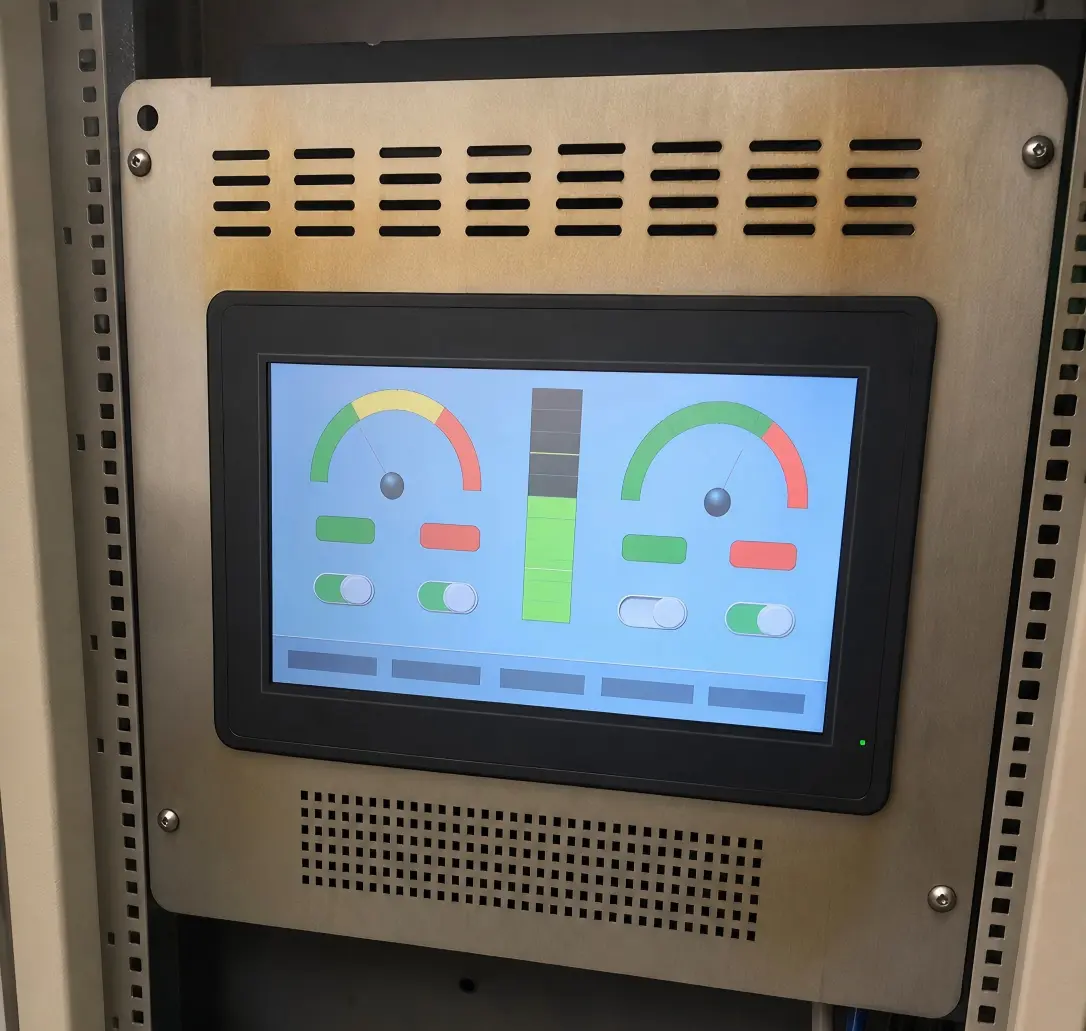
I have worked through inquiries where the buyer initially focused only on screen size and resolution. After discussing the expected operating schedule, the real issue became service access. If a monitor is mounted behind a sealed machine door or built into a kiosk, replacing it later may involve much more than swapping a display. The installation can require downtime, labor, revalidation, or enclosure disassembly. In those builds I specify an IP65 panel mount monitor with a front-sealed bezel, so a service visit does not start with dismantling the enclosure.
Continuous operation raises the stakes
A display used for a few hours each day faces a different operating profile from a display running 24/7.[6] Continuous use can increase the importance of:
- Backlight heat management
- Power supply quality
- Enclosure ventilation
- Brightness control settings
- Replacement planning
- Long-term supply availability
- Field-service accessibility
I encourage buyers to think about the display as a system component, not just a panel. The LCD, touch layer, cover glass, power design, enclosure, and mounting arrangement all affect maintainability.
A dimming schedule can sometimes reduce stress during low-demand periods. For example, an indoor machine interface may not require maximum brightness during every shift. Still, I do not assume that dimming is appropriate for every application. Safety-critical information, public-facing interfaces, and always-visible dashboards may need consistent visual performance.
The goal is not to avoid LCD automatically. The goal is to identify when the expected maintenance burden is acceptable and when a different display architecture, accessibility plan, or brightness strategy is necessary.
Do the Disadvantages of LCD Screens Increase in Extreme Temperatures?
Temperature is one of the most underestimated LCD selection factors. Many buyers consider the room temperature around a machine but do not account for internal enclosure heat, direct sun, nearby electronics, cold-start conditions, or seasonal changes. These variables can affect appearance, response behavior, and long-term stability.
Temperature-related disadvantages of LCD screens can include slower response in cold conditions, increased thermal stress in hot conditions, altered image performance, and greater backlight or component strain.[7] Suitable panel grades, thermal design, heaters, ventilation, and temperature-aware enclosure choices can reduce risk, but the final operating range must be confirmed for the selected model.
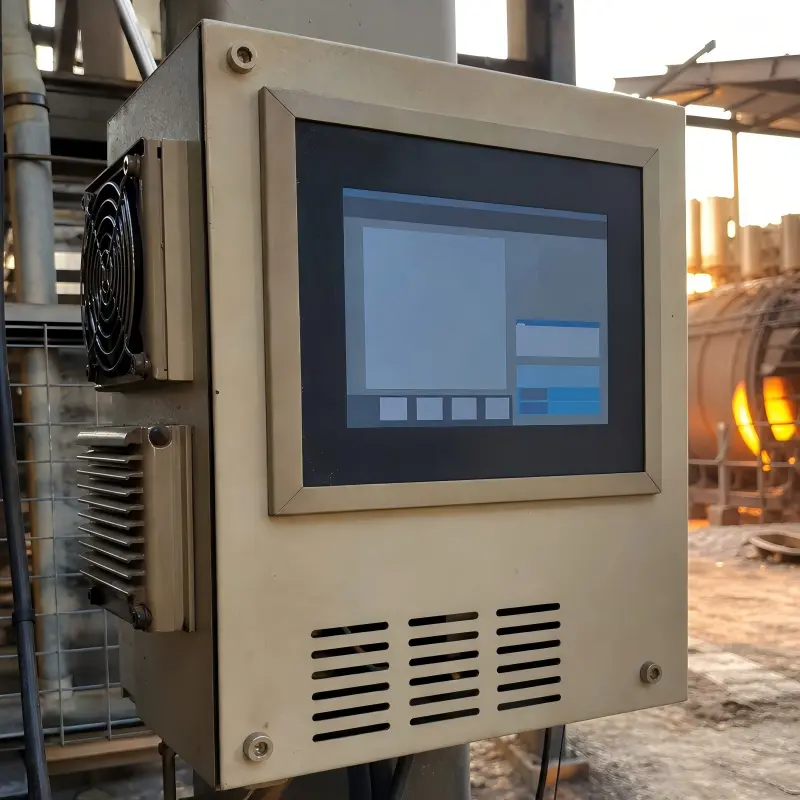
Cold conditions can affect response behavior
In low temperatures, LCD liquid crystal material may respond more slowly. I do not present this as a universal failure point because behavior depends on the panel design and approved operating range. However, I ask customers to consider whether their interface contains moving graphics, video, fast-changing alarms, or touch-driven workflows.
A display inside a heated control room may have very different needs from one installed in an unheated warehouse, outdoor cabinet, rail application, or refrigerated environment. A cold-start condition also matters. The equipment may be turned on when the display itself is much colder than its normal operating state.
In practice this is mostly a panel-grade question rather than an LCD limitation. Industrial wide-temperature panels are commonly rated from −30 °C (with wider grades available), and a heated front glass or enclosure heater extends the usable range further. Putting a consumer-grade panel rated 0–50 °C into an unheated warehouse is a specification error, not evidence that LCD cannot handle cold. The two cases should never be quoted as the same result.
Heat often comes from more than the weather
Heat issues are not limited to outdoor projects. I regularly recommend that buyers map the complete thermal environment:
- Direct solar load through front glass
- Heat from processors, power supplies, and LED drivers
- Limited airflow inside sealed enclosures
- Dark enclosure finishes that absorb heat
- Mounting near motors, ovens, or other heat-generating equipment
- High-brightness backlight operation
Higher brightness can be essential for visibility, but it can also add thermal load. This is one of the trade-offs that needs to be discussed early. A high-brightness display in a compact, sealed metal enclosure may require more than simply selecting a brighter panel — the ambient range, enclosure and duty cycle have to be assessed together, which is the starting point of our industrial LCD monitor selection guide.
Questions I ask before recommending an LCD configuration
| Selection question | Why I ask it |
|---|---|
| What are the lowest and highest ambient temperatures? | The surrounding environment affects display behavior |
| Is the display exposed to sun or radiant heat? | Surface temperature can exceed air temperature[8] |
| Is the enclosure sealed? | Sealed enclosures can trap heat |
| Does the system run continuously? | Long duty cycles increase thermal exposure |
| Can airflow, fans, or heat sinking be used? | Mechanical design influences temperature control |
| What happens during cold start? | Startup conditions may differ from steady-state use |
I recommend confirming the operating and storage specifications for the exact panel, monitor, or panel PC under consideration. A broad product category label such as "industrial LCD" does not replace model-specific validation.
In some severe environments, LCD may be unsuitable without substantial thermal engineering. I think it is better to state that clearly before production than to force a display solution into conditions it cannot reliably support.
Can Viewing Angle and Response Time Limit LCD Usability?
Viewing angle and response behavior can affect both user experience and operational safety. These disadvantages may not be obvious when someone evaluates an LCD directly from the front. However, many industrial users stand beside machines, look upward at suspended displays, or share screens with several people.
Viewing-angle and response limitations are disadvantages of LCD screens when users need consistent color, contrast, and legibility from off-center positions or during fast-changing content.[9] Panel technology, polarizer design, mounting height, display orientation, and interface layout influence real-world results, so buyers should evaluate the expected user position rather than only front-view specifications.
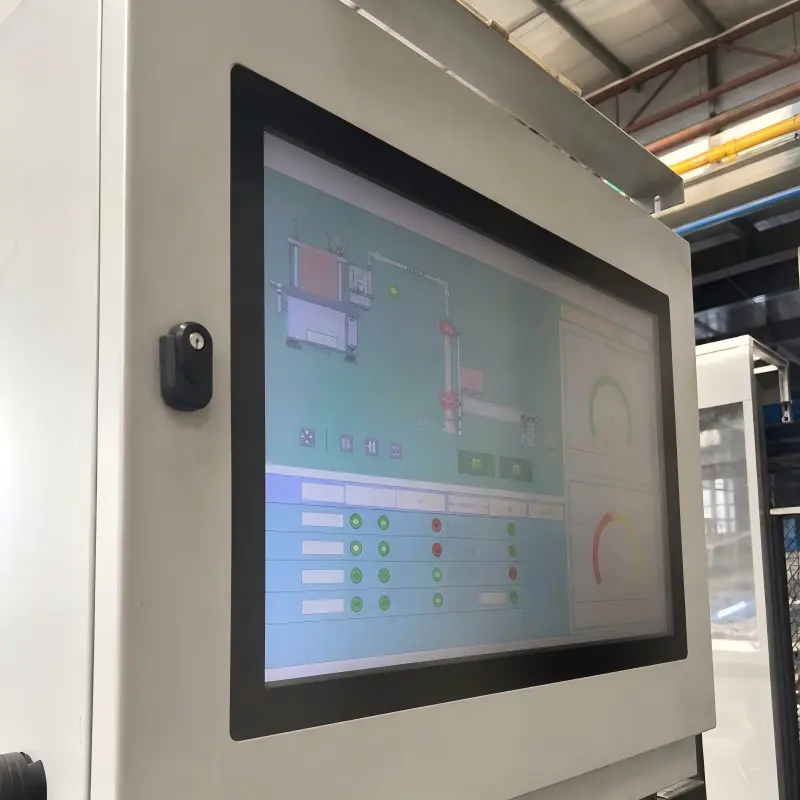
A specification is not the same as a user's viewpoint
LCD viewing-angle specifications may look broad, but I encourage buyers to test what matters for the application:
- Can the operator read alarms while standing to one side?
- Does the display remain clear when viewed from above or below?
- Do colors or dark interface areas shift at an angle?
- Is the screen mounted in portrait or landscape orientation?
- Will several users view the display at once?
- Does polarized safety eyewear affect visibility?[10]
Panel type can influence color consistency, contrast behavior, and off-axis appearance. TN, VA and IPS behave differently here: TN panels typically show the strongest off-axis contrast and color shift, while IPS panels are usually chosen when several people share a screen or when color consistency matters — at the cost of different response and contrast characteristics. Compensation films and specific polarizer designs narrow the gap further, so a viewing-angle figure quoted for one panel mode should not be read as the LCD-wide result.
Still, I avoid suggesting that one panel category is automatically best for every project. The correct decision depends on brightness needs, budget, temperature range, response expectations, and visual requirements.
Response behavior matters for the content
Response time can also become relevant when the interface displays:
- Live camera feeds
- Moving production data
- Rapidly changing machine status
- Animation-heavy software
- Vehicle information
- Video content for digital signage
For a static human-machine interface, modest motion artifacts may not matter. For a moving-image application, users may notice blur, smearing, or delayed transitions more easily. Temperature can also affect response characteristics, especially when the operating environment becomes cold.[11]
I once reviewed a general industrial display inquiry where the customer's original specification requested a standard monitor. After I asked where operators would stand, the project changed direction. The screen was mounted high on a production line and viewed at an angle by multiple workers. The buyer needed to assess viewing behavior and mounting geometry, not just resolution.
Design choices that reduce usability problems
I usually suggest evaluating these practical adjustments before assuming a panel change is the only answer:
- Adjust mounting height and tilt so the typical user faces the display more directly.
- Use high-contrast interface design with readable fonts and clear alarm colors.
- Review portrait versus landscape orientation based on operator position.
- Test with actual protective eyewear if workers wear polarized glasses.
- Request evaluation samples when off-axis readability is critical.
- Match the panel to content behavior, especially for video or fast data.
These measures can reduce risk, but they cannot make every LCD equally suitable for every viewing scenario. A display that must be readable from many positions, under changing light, and during continuous operation needs a more careful selection process.
Frequently Asked Questions
Are LCD screens bad for industrial applications?
LCD screens are not inherently bad for industrial applications. I see them used successfully in automation, kiosks, transportation, retail, medical equipment, and digital signage. The key is to match the LCD's brightness, temperature range, viewing characteristics, enclosure, and duty cycle to the real operating environment.
What is the biggest disadvantage of an LCD screen?
For many industrial projects, the biggest disadvantage is reduced readability in strong ambient light. However, this is not universal. In another application, continuous operation, enclosure heat, viewing angle, or maintenance access may create a larger risk. I always start with the installation conditions.
Can high-brightness LCD screens work in sunlight?
High-brightness LCD screens can improve visibility in bright environments, but they do not automatically guarantee readability in direct sunlight. Reflections, cover glass, display orientation, thermal load, and enclosure design still matter. I recommend evaluating brightness together with anti-glare treatment, optical bonding, shading, and thermal management.
Do LCD screens degrade over time?
LCD systems can experience brightness reduction over time because they rely on backlight components. The rate and practical impact depend on the selected model, brightness setting, operating temperature, daily operating hours, and the application's required visibility level. Buyers should define maintenance and acceptable brightness requirements early.
When should I avoid using an LCD screen?
I recommend extra caution when the project involves extreme temperatures, severe direct sunlight, very limited service access, demanding multi-angle viewing, or high thermal load inside a sealed enclosure. In some cases, LCD may still work with the right design. In other cases, another display approach may be more appropriate.
Conclusion
The disadvantages of LCD screens become serious when display selection ignores the real operating environment. I recommend that every industrial buyer begin with four practical questions: What ambient light will the screen face? How long will it run? What temperatures will it experience? From which positions will users view it? High brightness, optical treatments, better panel selection, and thermal design can reduce specific limitations, but each solution brings trade-offs. If you are planning an industrial display project, I can help you translate your operating conditions into a practical LCD, monitor, or panel PC specification.
Related Reading
- Industrial LCD Monitor Solutions
- High Brightness & Sunlight Readable LCD Monitors
- Sunlight Readable Display Guide: Principles & Verification
- Optical Bonding vs Air Gap: Sunlight Readability
A note on the references below. Each footnote was checked against the specific claim it supports, with particular attention to backlight lifetime, temperature effects, motion response and maintenance conditions. Where a claim depends on the selected panel, operating temperature, duty cycle or installation, the footnote's scope note states that dependency explicitly rather than presenting the finding as a universal LCD property.
Footnotes
-
"Transflective liquid-crystal display", https://en.wikipedia.org/wiki/Transflective_liquid-crystal_display. In conventional transmissive LCDs, liquid-crystal cells control the transmission of light supplied by a backlight; unlike emissive displays, the cells do not themselves produce the visible illumination. Evidence role: mechanism; source type: encyclopedia. Supports: A conventional transmissive LCD modulates light from a backlight rather than emitting light directly at each pixel.. Scope note: This general description does not cover every LCD architecture, including reflective and transflective variants. ↩ ↩2
-
"(PDF) LCDs and light levels", https://www.academia.edu/83371128/LCDs_and_light_levels. Ambient illumination and specular reflections can reduce a display's effective contrast and thereby impair legibility, particularly when the display luminance is insufficient relative to the surrounding scene. Evidence role: mechanism; source type: research. Supports: Ambient light and reflected glare reduce the effective contrast of electronic displays, which can impair visual readability.. Scope note: The magnitude of the effect depends on the display construction, content, viewing direction, and lighting geometry. ↩
-
"Preventing Visual Discomfort |", https://www.lonestar.edu/16766.htm. Studies of display reflections distinguish specular glossy surfaces from diffuse anti-glare treatments: glossy surfaces can make reflected light sources more visible, whereas diffusion reduces the distinctness of reflections. Evidence role: mechanism; source type: paper. Supports: Glossy display surfaces tend to preserve specular image appearance but can make reflected light sources more conspicuous than diffuse anti-glare surfaces.. Scope note: Perceived sharpness and contrast depend on the particular coating, ambient illumination, and viewed content. ↩
-
"Liquid Optical Clear Resin (OCR): A Practical, Engineer- ...", https://scalar.usc.edu/works/optical-bonding-in-industrial-displays/liquid-optical-clear-resin-ocr-a-practical-engineer-focused-guide. Optical bonding replaces intervening air gaps with an optically matched adhesive layer, reducing internal-interface reflections that arise from refractive-index differences. Evidence role: mechanism; source type: research. Supports: Eliminating air gaps between display layers can reduce Fresnel reflections at internal interfaces.. Scope note: The resulting outdoor readability and mechanical-service implications vary with the cover material, adhesive, and complete display assembly. ↩
-
"Lumen Maintenance and Light Loss Factors:", https://www.pnnl.gov/main/publications/external/technical_reports/PNNL-22727.pdf. LED-based backlights exhibit lumen depreciation during operation, and reliability studies identify elevated operating temperature as an important accelerator of light-output degradation. Evidence role: mechanism; source type: paper. Supports: LED light output declines with operating time, and higher junction or ambient temperatures can accelerate degradation mechanisms.. Scope note: Backlight lifetime and luminance retention are model-specific and depend on drive current, thermal design, and the manufacturer's end-of-life criterion. ↩
-
"DEVELOPMENT OF A FULLY AUTOMATED LED ...", https://tsapps.nist.gov/publication/get_pdf.cfm?pub_id=912240. Because light-source depreciation is commonly characterized as a function of operating hours and temperature, continuously operated displays accumulate relevant aging exposure substantially faster than intermittently used displays. Evidence role: general_support; source type: research. Supports: Accumulated operating time and operating temperature are central variables in LED light-source lifetime and maintenance calculations.. Scope note: This does not establish a single maintenance interval, which must be based on the selected display, duty cycle, and environmental conditions. ↩
-
"Low temperature effects on the response time of liquid ...", https://www.academia.edu/19188567/Low_temperature_effects_on_the_response_time_of_liquid_crystal_displays. The electro-optic response of liquid-crystal displays is temperature dependent, and lower temperatures generally increase switching times because liquid-crystal viscosity rises; high-temperature exposure must likewise be assessed against component-specific limits. Evidence role: mechanism; source type: paper. Supports: Liquid-crystal electro-optic response is temperature dependent, with lower temperatures generally increasing response times; elevated temperatures can also affect display materials and associated electronics.. Scope note: The usable temperature range and degree of image change are specific to the panel design and its qualified operating specifications. ↩
-
"Meteorological Monitoring Guidance for Regulatory ...", https://www.energy.gov/documents/epa-2000-met-monitoring-guidance. A surface exposed to solar radiation absorbs heat and can reach a temperature above the surrounding air, with the result governed by irradiance, surface absorptance, convection, and thermal conduction. Evidence role: mechanism; source type: government. Supports: Absorbed solar radiation can raise the temperature of exposed surfaces above ambient air temperature.. Scope note: Actual display and enclosure temperatures require site-specific thermal analysis or measurement. ↩
-
"1 ADVANCEMENTS IN LUMINANCE VIEW ANGLE ...", https://wp.optics.arizona.edu/kupinski/wp-content/uploads/sites/91/2023/11/SamSytsma_MastersReport.pdf. Display-science literature documents viewing-direction-dependent changes in LCD luminance and chromaticity and identifies finite liquid-crystal transition times as a contributor to motion artifacts in dynamic imagery. Evidence role: general_support; source type: paper. Supports: LCD optical output can vary with viewing direction, while finite pixel transition times contribute to motion artifacts in changing images.. Scope note: The severity of off-axis shifts and motion artifacts differs substantially among panel modes, compensation methods, refresh rates, and operating temperatures. ↩
-
"Optical Activity of Sucrose: Laptop + Sunglasses", https://blogs.reed.edu/chem201202/2014/10/optical-activity-of-sucrose-laptop-sunglasses/. Because LCDs employ polarizing filters, polarized eyewear can markedly reduce the light transmitted from a display when the eyewear and display polarization axes approach a crossed orientation. Evidence role: mechanism; source type: education. Supports: LCDs use polarizing filters, and polarized eyewear can reduce transmitted light when its transmission axis is poorly aligned with the display polarization.. Scope note: The visibility effect depends on display orientation, eyewear polarization angle, panel construction, and the user's viewing position. ↩
-
"Appendix B: Sensor Characteristics - Lake Shore Cryotronics", https://physics.umd.edu/courses/Phys371/AnlageSpring17/Temperature%20Sensor%20Characteristics%20from%20LakeShore%20Cryotronics%20LSTC_appendixB_l.pdf. Liquid-crystal response time is temperature dependent: cooling generally increases material viscosity and lengthens optical switching times, which may make dynamic transitions more noticeable. Evidence role: mechanism; source type: paper. Supports: Lower temperatures increase liquid-crystal viscosity and can lengthen LCD optical switching times.. Scope note: The effect is not a universal failure threshold and must be evaluated against the selected panel's rated range and application content. ↩