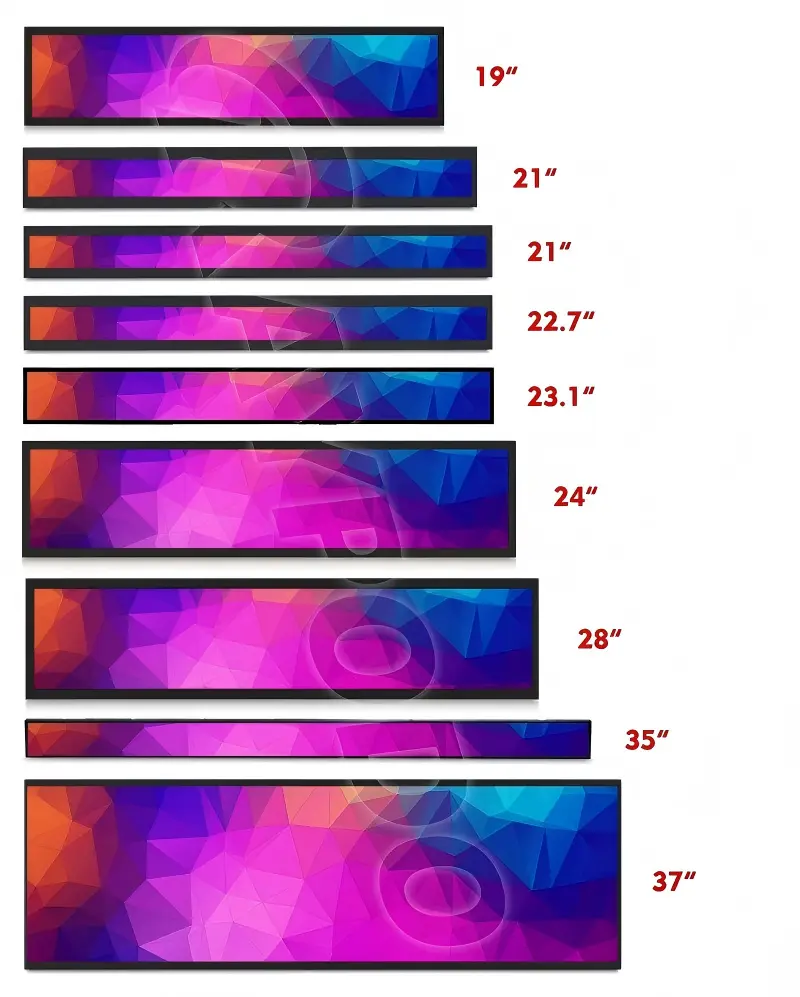
An ultra wide monitor can create a frustrating integration problem when buyers choose it by diagonal inches alone. A display that looks suitable online may be too wide for the enclosure, too tall for the opening, or difficult to mount. We recommend starting with the physical installation envelope instead.
An ultra wide monitor does not have one fixed physical size because its width and height depend on both diagonal measurement and aspect ratio[1]. For industrial integration, we first check the available width, height, depth, cutout, bezel clearance, mounting points, and cable space before selecting a display size or requesting a custom format.
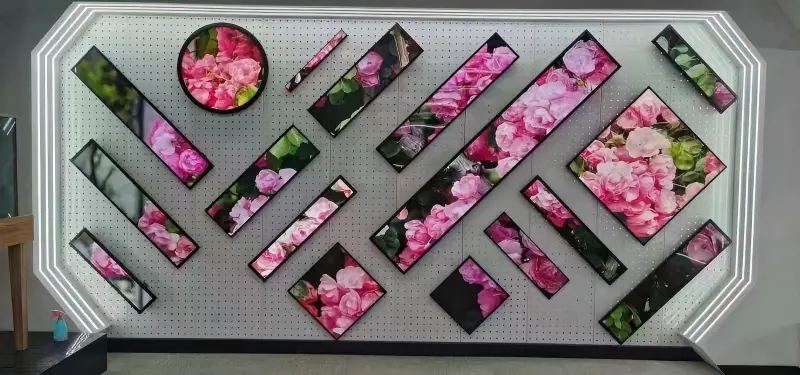
In our discussions with equipment makers and kiosk developers, we often find that “What inch size do I need?” is not the most useful first question. The more important question is whether the display, housing, touch structure, and mounting arrangement will fit the device design.
Why Does an Ultra Wide Monitor’s Diagonal Size Not Tell the Full Story?
An ultra wide monitor may appear to have a familiar diagonal size, but the physical shape can still create unexpected space problems. When buyers rely only on inches, they can overlook width limits, cutout constraints, and mounting clearance. We avoid this by reviewing aspect ratio and dimensional drawings early.
A monitor’s diagonal measurement describes the distance from one active display corner to the opposite corner.[2] It does not directly state the screen’s usable width, height, outer housing dimensions, or installation requirements.[3] Two displays with similar diagonals can have very different shapes when their aspect ratios differ.[4]
Diagonal inches are only a reference point
The diagonal is useful for comparing display categories, but it is not enough for mechanical design. A wider aspect ratio distributes more of that diagonal measurement across horizontal space. As a result, an ultra-wide format can require substantially more enclosure width than a conventional display with a similar diagonal size[5].
For example, a display’s apparent size changes according to its aspect ratio:
| Measurement to Compare | What It Tells Us | Why It Matters |
|---|---|---|
| Diagonal size | Corner-to-corner active display distance | Helps classify display scale |
| Aspect ratio | Relationship between width and height | Indicates screen shape |
| Active area[6] | Visible image area | Defines usable content space |
| Outer dimensions | Full monitor or panel footprint | Determines enclosure fit |
| Depth | Rear-space requirement | Affects electronics and cable routing |
We recommend that buyers use diagonal inches only as an initial reference. The next step should be checking the active width and active height in millimeters.
In our experience, a customer may have enough diagonal space in a concept drawing but still lack the horizontal clearance needed for an ultra-wide display.
This issue is especially common in:
- Industrial control panels with fixed cabinet widths
- Kiosks with narrow front bezels
- Vending machines with limited door space
- Transportation equipment with shallow installation depth
- Self-service terminals that need rear cable access
We also recommend confirming whether the intended content is designed for a stretched or panoramic layout. A wide display can improve information visibility, but software, user interface layout, and viewing distance should support that format.
Which Ultra Wide Monitor Dimensions Should Buyers Check First?
An ultra wide monitor should be evaluated through several separate dimensions, not one “size” number. Buyers often confuse the visible display area with the panel footprint or monitor housing. We help customers separate these measurements before a drawing becomes a production commitment.
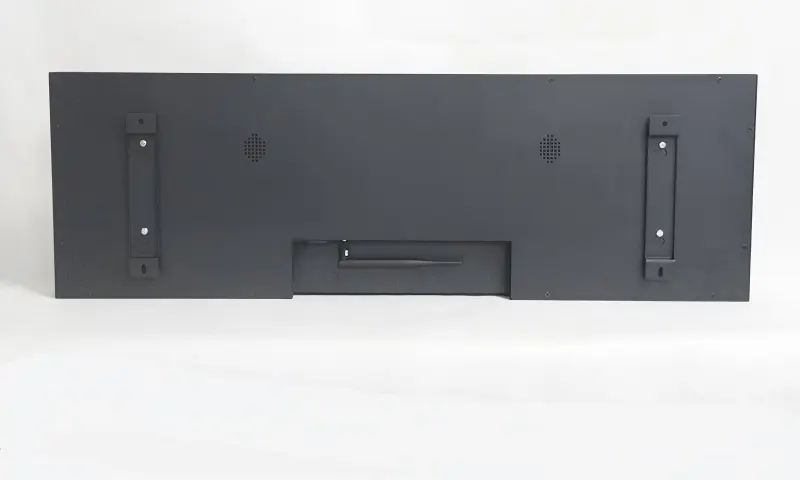
The first dimensions to verify are the available enclosure width and height, required visible area, opening or cutout size, display depth, bezel overlap, and mounting space. We then compare those requirements with the current product drawing and datasheet rather than relying only on product-page images or diagonal measurements.
Five dimensions that are commonly confused
The following terms may look similar in a quotation or drawing, but they serve different mechanical purposes.
| Dimension | Meaning | Buyer Check |
|---|---|---|
| Active area | The illuminated, visible image area | Does the user have enough usable viewing space? |
| Panel dimensions | Physical LCD panel dimensions | Does the panel fit behind the front structure? |
| Monitor outer dimensions[7] | Full product width, height, and depth | Does the housing fit inside the enclosure? |
| Cutout or opening | Required opening in the front panel | Does the front-panel aperture match the design? |
| Mounting/fixing dimensions | Hole positions, brackets, studs, or VESA pattern | Can the display be securely installed? |
Start with the installation envelope
We suggest that buyers define the maximum allowable installation envelope before selecting an ultra-wide display. This is the total space available inside and around the product enclosure.
A practical mechanical review should include:
- Maximum width and height: Measure the physical space available, including internal ribs, doors, hinges, and adjacent components.
- Maximum depth: Confirm rear clearance for the display, controller board, cables, connectors, and ventilation.
- Visible window size: Define the part of the display that users must see through the front panel.
- Bezel overlap: Allow enough front-panel material to cover display edges while avoiding blockage of the active area.
- Mounting method: Confirm whether the design uses rear brackets, side fixing, panel mount structures, VESA mounting[8], or a custom frame.
- Service access: Check whether installers can reach connectors, fasteners, and replacement parts after assembly.
We have seen specification discussions become much more efficient when customers share a simple mechanical drawing early. Even a preliminary drawing can reveal whether a standard format is realistic or whether a customized width, brightness, touch structure, or mounting design may be worth evaluating.
However, we do not treat an online specification as a replacement for drawing review. Qualified mechanical and application-specific evaluation remains important before production release.
When Should Buyers Consider a Custom Ultra Wide Monitor?
A custom ultra wide monitor may be relevant when a standard product cannot meet the required visible area, enclosure opening, brightness, touch function, interface direction, or mounting arrangement. The need for customization should come from confirmed integration requirements, not from diagonal size preferences alone.
We recommend considering a custom solution after buyers have documented the physical envelope and application conditions. A standard monitor can be a practical option when it fits the space and operating requirements, while a custom display system may help when the enclosure or user experience requires a different format.
A practical pre-inquiry checklist
When customers contact us about an ultra-wide display, we can usually begin a productive evaluation with the following information:
- Required visible display width and height
- Maximum enclosure width, height, and depth
- Front-panel cutout or opening drawing
- Preferred mounting method and fixing space
- Bezel allowance around the viewing area
- Required touch technology, if applicable
- Brightness requirement based on ambient light
- Interface type and connector location preferences
- Operating environment and installation orientation
- Estimated project volume and supply timeline
- Whether a standard format is acceptable or a custom ratio is required
Standard versus customized formats
A standard product may reduce evaluation time when its outer dimensions, mounting method, and interface arrangement already suit the equipment design. Still, “standard” does not automatically mean suitable. We recommend verifying the current drawing, datasheet revision, connector placement, and mounting details with the supplier.
A customized solution may be considered when the project needs:
- A non-standard width-to-height relationship
- A particular front bezel or open-frame structure
- Higher brightness for bright indoor or semi-outdoor locations
- Project-specific touch integration
- Modified interfaces or cable routing
- Different mounting brackets or fixing-hole positions
We approach these discussions as specification-confirmation work. We first clarify the installation constraints, then assess whether a standard industrial monitor, open-frame display, touch monitor, or customized display system is the more appropriate path.
Frequently Asked Questions
What is the most important measurement for an ultra wide monitor?
We consider the available installation width and height the most important starting measurements. Buyers should then verify the active area, outer dimensions, depth, cutout size, and mounting positions. A diagonal inch value alone cannot confirm whether the monitor will physically fit.
Is the active area the same as the monitor size?
No. The active area is the visible image portion of the LCD. The monitor size may include the LCD panel edge, touch layer, bezel, housing, control board, and mounting structure. We recommend checking a dimensional drawing for each separate measurement.
Can I use a standard ultra wide monitor in a kiosk?
A standard ultra wide monitor may work in a kiosk if its outer dimensions, cutout requirements, depth, thermal conditions, touch option, and mounting design match the kiosk structure. We recommend reviewing the current product drawing and validating the installation mechanically before final selection.
When is a custom stretched display necessary?
A custom stretched display may be useful when the available enclosure opening has a non-standard shape or when standard formats leave unused space. Buyers should first confirm visible-area needs, mechanical limits, brightness requirements, and mounting details before deciding that customization is necessary.
Conclusion
An ultra wide monitor is not defined by diagonal inches alone. We recommend that industrial buyers begin with the real integration envelope: available width, height, depth, cutout, bezel clearance, mounting method, and cable access. By separating active area, panel dimensions, outer housing size, and fixing requirements, buyers can reduce avoidable redesign risk. If you are evaluating an ultra-wide display for equipment, kiosks, or self-service terminals, we can help review your drawings and display requirements.
Related Reading
Footnotes
-
"Display aspect ratio - Wikipedia", https://en.wikipedia.org/wiki/Display_aspect_ratio. For a rectangular display, the diagonal and aspect ratio together determine the corresponding width and height through the Pythagorean relationship. Evidence role: mechanism; source type: encyclopedia. Supports: The geometric relationship between a rectangle's diagonal, aspect ratio, width, and height.. ↩
-
"Display size", https://en.wikipedia.org/wiki/Display_size. Display diagonal size is conventionally specified as the corner-to-corner distance across the visible or active image area. Evidence role: definition; source type: institution. Supports: How display diagonal size is conventionally measured relative to the visible or active image area.. Scope note: Exact conventions can vary where manufacturers specify panel, viewable-image, or complete-product dimensions separately. ↩
-
"TFT LCD Display Datasheet ER-TFT040-3", https://www.buydisplay.com/download/manual/ER-TFT040-3_Datasheet.pdf?srsltid. LCD module documentation typically distinguishes active area from mechanical outline dimensions and mounting details; therefore, diagonal size alone does not define the complete installed footprint. Evidence role: general_support; source type: research. Supports: That display documentation commonly separates active area from mechanical outline dimensions and mounting information.. Scope note: The particular housing, cutout, and mounting requirements remain product- and enclosure-specific. ↩
-
"Aspect ratio (image)", https://en.wikipedia.org/wiki/Aspect_ratio_(image). At a fixed diagonal measurement, a change in aspect ratio necessarily changes the width and height of the display rectangle. Evidence role: mechanism; source type: education. Supports: That changing the aspect ratio at a fixed diagonal changes a display's width and height.. ↩
-
"Which Monitor is Right for you? Wide vs Ultrawide | 16:9 vs 21:9", https://www.youtube.com/watch?v=aeitpysXJDg. Dimensional calculations for equal-diagonal displays show that wider formats such as 21:9 occupy more horizontal space than conventional 16:9 formats. Evidence role: general_support; source type: research. Supports: Dimensional comparisons showing that a 21:9 display is wider than a 16:9 display with the same diagonal.. Scope note: The magnitude of the difference depends on the specific aspect ratios and whether dimensions refer to active area or the finished monitor enclosure. ↩
-
"What is TFT LCD TV and LCD Monitor Panel? - Rose-Hulman", https://www.rose-hulman.edu/class/ee/hoover/ece331/old%20stuff/LCD%20Panel%20Info/What%20is%20TFT%20LCD%20TV%20and%20LCD%20Monitor%20Panel.htm. In display-module specifications, active area denotes the portion of the panel used to present the image. Evidence role: definition; source type: institution. Supports: The use of "active area" to describe the display region intended to show an image.. Scope note: The visible area in a finished device can be smaller if a bezel, cover lens, or enclosure obscures part of the panel. ↩
-
"Measurement: Length, width, height, depth - Elementary Math", https://elementarymath.edc.org/resources/measurement-length-width-height-depth/. Mechanical outline dimensions specify the physical width, height, and depth of a display assembly and are distinct from its active image area. Evidence role: definition; source type: research. Supports: That mechanical or outline dimensions represent the full physical product footprint, distinct from active area.. Scope note: A monitor's final outside dimensions may include additional housing, controls, and mounting hardware beyond the underlying LCD module. ↩
-
"VESA mount", https://en.wikipedia.org/wiki/VESA_mount. VESA's Flat Display Mounting Interface specifies standardized mounting patterns intended to support compatible flat-display mounting hardware. Evidence role: definition; source type: institution. Supports: The role of VESA's Flat Display Mounting Interface as a standardized interface for mounting flat displays.. Scope note: Compliance with a VESA pattern does not by itself establish that an enclosure has adequate load capacity, clearance, or service access. ↩