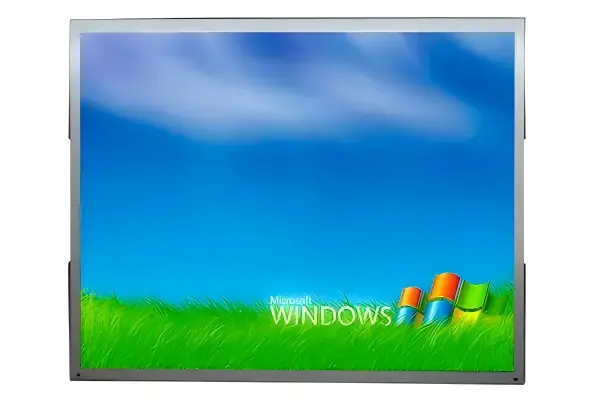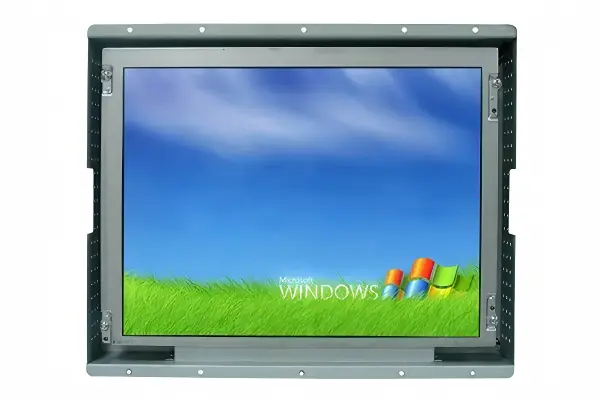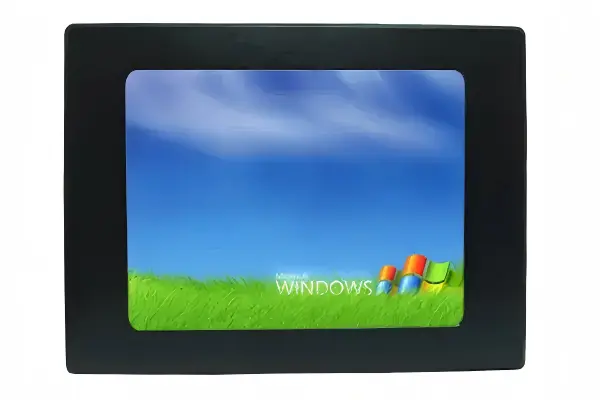
Kiosk displays for PV monitoring can look suitable on a specification sheet but become difficult to read once they are installed in a bright lobby, control area, or semi-outdoor service point. A poor match can hide alarms, weaken dashboard usability, and force costly redesigns. I recommend starting with the real viewing environment before comparing screen size, resolution, or brightness.
The right kiosk display for PV monitoring is the one that keeps dashboard data, alarm states, trend charts, and touch controls legible at the actual installation location. Buyers should assess ambient light, screen orientation, viewing distance, viewing angle, dashboard layout, operating hours, enclosure space, and interface requirements before selecting display size, resolution, brightness, or touch technology.
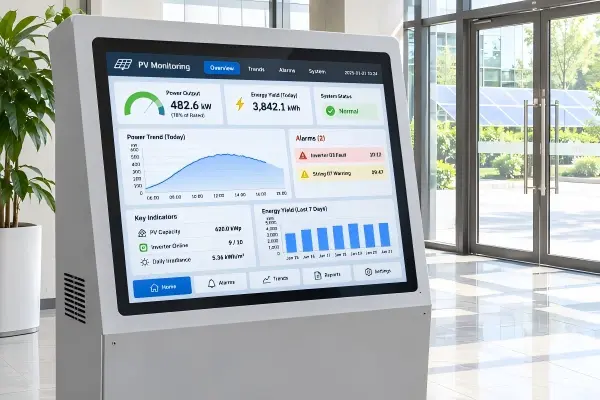
In my pre-sales conversations with integrators, the first request often sounds simple: “We need a 21.5-inch Full HD screen.” After a few questions, the requirement often changes. The planned kiosk may sit beside glass doors, serve users standing two meters away, or need an anti-glare touch surface. Those details should drive the display decision.
Why Should Kiosk Displays for PV Monitoring Start With the Viewing Task?
Many procurement teams begin with inches, pixels, and price. That approach can create problems when the final screen must show small labels, color-coded alarms, equipment status, or historical trends under real ambient light. I encourage buyers to define what users must actually see and do first.
Kiosk displays for PV monitoring should be selected around the viewing task: who uses the screen, what information they need to read, how far away they stand, and whether they need to interact with the dashboard. A display that looks sharp at close range may not make critical monitoring information readable from a few meters away.[1]
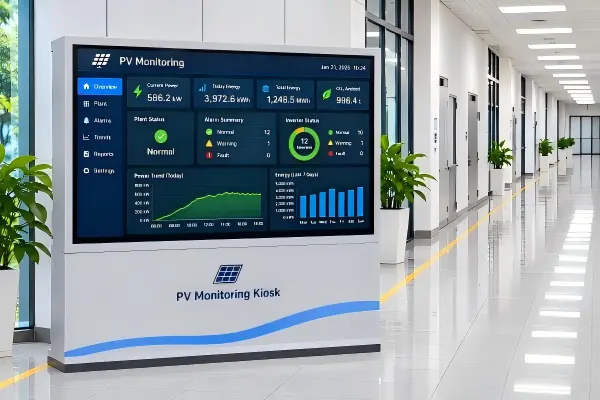
Define the user and the task
A PV monitoring kiosk can support several different users. A visitor may only need a high-level energy-status screen. A facility operator may need to read alerts, compare trend lines, acknowledge messages, or access system pages. A maintenance technician may need closer access to detailed data.
These tasks create different display requirements.
| Viewing task | Typical user behavior | Display-selection priority |
|---|---|---|
| Public information display | Views from several meters away | Large text, strong contrast, wide viewing angle |
| Operator status monitoring | Reads dashboard at short-to-medium distance | Legible charts, alarms, and small labels |
| Service interaction | Uses touch controls at close range | Touch accuracy, surface durability, mounting ergonomics |
| Control-room reference | Continuous viewing for long periods | Stable brightness, visual comfort, 24/7 suitability |
I have seen customers begin with a compact display because their enclosure drawing had limited space. Then they shared a dashboard screenshot with multiple trend charts, small legends, and dense status blocks. In that situation, the concern was not simply “more pixels.” The real question was whether the software layout could remain readable at the expected standing distance.
Review the dashboard before issuing an RFQ
I recommend that buyers provide a screenshot, wireframe, or even a rough layout of the monitoring interface. That allows the display supplier and integration team to discuss practical questions:
- Are alarm messages visible without scrolling?
- Can users distinguish normal, warning, and fault states?
- Are trend-chart labels readable from the expected distance?
- Does the dashboard use low-contrast colors that may wash out in daylight?
- Are touch targets large enough for finger operation?
- Does the interface assume landscape or portrait orientation?
Resolution matters, but it does not solve every readability issue. A very high-resolution panel can still show text too small if the interface scales poorly. Likewise, a lower-resolution display can work well when the dashboard uses clear type, good contrast, and sensible information hierarchy.
I generally advise integrators to validate the dashboard at realistic scale before approving a production display. A screen sample can help, but the content must also match the final user experience.
How Do Ambient Light and Placement Affect Kiosk Displays for PV Monitoring?
A display that performs well in a controlled office may lose readability near windows, entrances, skylights, or outdoor-facing structures. Glare and reflected light can make dark dashboards, thin text, and alarm colors difficult to interpret. Brightness should respond to the site, not become a competition for the highest number.
Ambient light, screen orientation, and viewing angle strongly affect kiosk displays for PV monitoring. Buyers should assess daylight, reflections, enclosure design, and screen placement before setting a brightness target. Higher brightness can help in demanding locations, but it is not automatically the best or most economical solution.
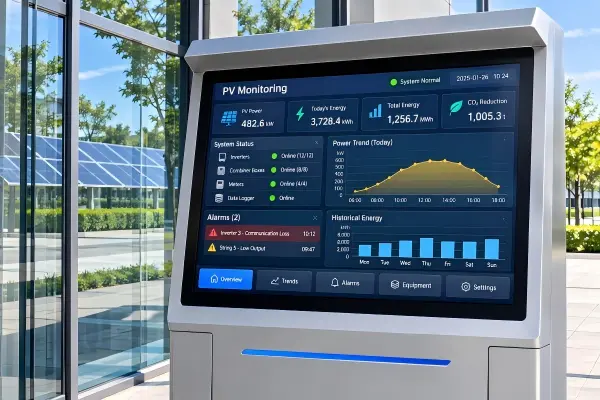
Map the installation environment
I usually ask customers to describe the location in practical terms. “Indoor” is not enough because an indoor lobby with direct afternoon sun is very different from an internal equipment room.
Useful questions include:
- Is the kiosk installed in an enclosed room, lobby, covered walkway, or semi-outdoor area?
- Does direct sunlight reach the screen at any time of day?
- Is the kiosk near glass, polished floors, metal surfaces, or white walls that create reflections?
- Will users face the screen from the front, side, above, or below?
- Does the site operate during daylight only, or around the clock?
- Can the enclosure include a hood, recessed mounting, or adjusted tilt angle?
A customer may initially request a standard commercial brightness level because the kiosk is “inside.” When we learn that the display faces a glass façade, the evaluation changes. The correct solution may involve a brighter panel, an anti-glare treatment, a different mounting angle, or a revised enclosure opening. Often, several moderate improvements work better than relying on brightness alone.
Treat brightness as part of a system
Brightness is typically measured in cd/m², also called nits.[2] Buyers should use that value as one part of the overall readability assessment. They should also consider contrast, panel surface, optical bonding options where appropriate, enclosure shading, and content design. Where daylight drives the requirement, our high brightness monitor solutions overview maps brightness tiers to installation environments.
| Site condition | Common display concern | Evaluation approach |
|---|---|---|
| Internal control room | Visual comfort during long shifts | Avoid unnecessary brightness; review viewing angle and dashboard contrast |
| Bright lobby | Daylight and glass reflections | Check sun path, screen orientation, anti-glare surface, and brightness range |
| Covered outdoor kiosk | Changing ambient light | Assess enclosure protection, glare control, thermal design, and readable content |
| Semi-outdoor industrial site | Dust, temperature variation, reflected light | Verify environmental design with the project team and qualified professionals |
For industrial display procurement, I also recommend verifying whether the full kiosk assembly—not only the LCD panel—can manage heat, ventilation, ingress protection, and power conditions at the intended site. PV-site-specific electrical, environmental, and compliance requirements should be confirmed by the project team for the actual installation.
Do Resolution and Screen Size Guarantee Readable PV Dashboard Data?
Buyers often assume that a larger screen or higher resolution will automatically improve monitoring usability. In practice, readability depends on the relationship between physical screen size, interface design, viewing distance, and user behavior. A dashboard can remain hard to use if its most important information is too small or poorly organized.
Screen size and resolution help kiosk displays for PV monitoring show detailed information, but neither specification guarantees readability. Buyers should evaluate pixel density, dashboard scaling, text size, chart design, and the real viewing distance together rather than selecting a panel from one headline specification.
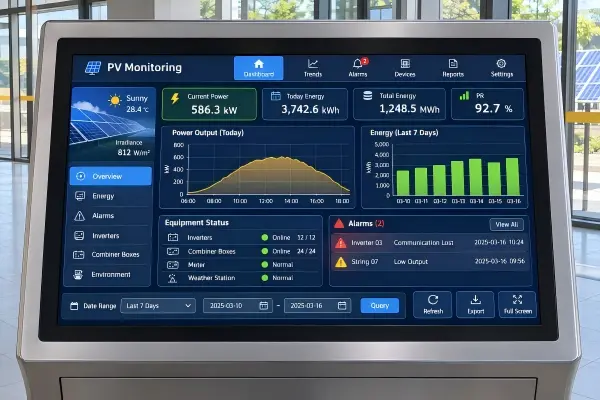
Look beyond the resolution label
Terms such as Full HD, 4K, and UHD are useful, but they do not describe the complete user experience. The same resolution can appear on screens of different physical sizes. That changes pixel density and affects how software elements appear.[3]
For example, a dashboard designed for a desktop monitor may include:
- Small date selectors
- Fine chart gridlines
- Dense legends
- Low-contrast gray labels
- Compact alarm lists
- Tiny touch icons
- Multi-column tables
These elements may be technically visible but not comfortably readable in a kiosk environment. The problem becomes more serious when users stand farther away or when daylight reduces perceived contrast.[4]
Use realistic content validation
I recommend a simple validation process before a buyer commits to production:
- Load representative dashboard content on a candidate display.
- Place the display at the expected mounting height and angle.
- Test from the closest and farthest normal viewing positions.
- Check the interface under representative ambient light.
- Ask users to identify alarms, read values, and navigate common actions.
- Record any scaling, color, or touch issues before finalizing the enclosure.
A short test can prevent a costly mismatch between software and hardware. In one anonymized discussion, an integrator initially focused on moving from Full HD to a higher-resolution display. After reviewing the interface, the more useful change was to enlarge priority alarm blocks and improve label contrast. The display still mattered, but the dashboard design solved the main usability risk.
Consider viewing angles carefully
Viewing angle is especially relevant for kiosk displays installed in public areas or narrow corridors. Users may approach from the side before standing directly in front of the screen. A suitable industrial-grade LCD panel should maintain acceptable color and contrast across the intended viewing zone.
Buyers should ask suppliers for panel information and evaluate the screen in the planned orientation. If the kiosk uses portrait mode, confirm that the panel and thermal arrangement are suitable for that orientation.[5] This is an application-specific decision, so I recommend qualified engineering review before final approval.
What Should Integrators Include in a Kiosk Display RFQ?
An incomplete RFQ usually produces a generic quotation. A clear RFQ gives suppliers enough context to recommend a practical display configuration, identify risks early, and reduce changes after samples are approved. It also supports fairer comparison between suppliers.
An RFQ for kiosk displays for PV monitoring should include installation conditions, viewing requirements, dashboard content, mechanical dimensions, interface needs, power requirements, operating hours, and touch expectations. This information helps suppliers propose a display that fits the kiosk and the monitoring task instead of merely matching a screen size.
A practical pre-RFQ checklist
I suggest that integrators gather the following information before requesting a quotation:
| RFQ item | Why it matters |
|---|---|
| Installation location | Helps assess ambient light, temperature, and enclosure needs |
| Viewing distance and angle | Supports size, resolution, and panel-viewing-angle evaluation |
| Dashboard screenshot or layout | Reveals text, chart, alarm, and touch usability requirements |
| Operating hours | Helps assess suitability for continuous or extended operation |
| Enclosure dimensions | Confirms active area, outer dimensions, mounting, and ventilation |
| Display orientation | Affects mechanical design and panel suitability |
| Interface requirement | Confirms HDMI, DP, VGA, USB touch, serial, or custom requirements |
| Power input | Supports selection of 12V, 24V, or wide-voltage configurations |
| Touch requirement | Determines PCAP, resistive, infrared, SAW, or non-touch options |
| Quantity and project schedule | Helps plan samples, pilot orders, and production lead time |
Evaluate the supplier as well as the display
For B2B kiosk projects, I believe supplier selection matters as much as panel selection. Buyers should ask how the supplier controls component sourcing, quality inspection, aging tests, engineering changes, and long-term availability.
At AplusLCD, we support industrial and commercial display projects from sample evaluation through batch production. Our team can discuss open-frame monitors, panel-mount displays, high-brightness configurations, touch options, and custom OEM/ODM display requirements. We also encourage buyers to verify certification documents and confirm that the final system meets the compliance requirements of its target market.
For example, CE, FCC, RoHS, REACH, and other documentation may be relevant depending on the destination and complete product configuration. Buyers should verify current documents, test scope, and applicability rather than assuming that a component certificate automatically covers an assembled kiosk.
Frequently Asked Questions
What brightness should I choose for a PV monitoring kiosk display?
I do not recommend one universal brightness value. The right range depends on ambient light, direct sun exposure, screen orientation, enclosure shading, and dashboard contrast. Buyers should assess the actual site conditions and test representative content before finalizing a brightness specification.
Is a 4K display always better for PV monitoring dashboards?
A 4K display can provide more detail, but it is not always better. If software scaling makes labels and icons too small, usability may decline. Buyers should evaluate dashboard layout, physical screen size, and normal viewing distance together before choosing resolution.
Do kiosk displays for PV monitoring need touch functionality?
Touch is useful when operators need to acknowledge alarms, change views, or access detailed information at the kiosk. A non-touch display may be sufficient for public information or passive status viewing. The required interaction model should determine whether touch is necessary.
Should I choose an open-frame or panel-mount display for a kiosk?
Open-frame displays are often suitable when an integrator is building a custom enclosure and needs flexible mounting. Panel-mount displays can simplify front installation and create a cleaner integrated appearance. The enclosure design, service access, and sealing requirements should guide the choice.
What should I verify before approving a display sample?
Buyers should verify dashboard readability, glare performance, viewing angle, touch response, interfaces, mounting dimensions, power input, thermal behavior, and operating stability. The project team should also confirm site-specific environmental and compliance requirements for the finished kiosk system.
Conclusion
Choosing kiosk displays for PV monitoring starts with the user’s viewing task, not a fixed screen size or resolution label. I recommend that integrators assess ambient light, viewing distance, dashboard density, screen placement, touch needs, enclosure limits, and operating conditions before procurement. A well-defined RFQ and realistic content test can reduce redesign risk and improve long-term usability. If you are specifying a PV monitoring kiosk, our AplusLCD team can help review display, touch, brightness, interface, and custom integration requirements before you move to samples or production.
Footnotes
-
"Text Legibility and Readability of Large Format Signs in Building and Sites", https://idea.ap.buffalo.edu/wp-content/uploads/sites/110/2019/08/11.pdf. Ergonomic display guidance recognizes that legibility is affected by the angular size of characters and symbols at the viewer’s distance, so content readable at close range may require larger presentation at longer distances. Evidence role: general_support; source type: institution. Supports: Ergonomic guidance relating viewing distance and displayed character size to legibility.. Scope note: The guidance supports the general relationship; actual dashboard readability also depends on contrast, font, visual acuity, and ambient illumination. ↩
-
"Candela", https://www.nist.gov/si-redefinition/candela. NIST's candela overview explains that luminance is described in candelas per square metre (cd/m²), the unit display specifications commonly call a nit. Evidence role: definition; source type: government. Supports: The candela as the SI base unit for photometry and the use of cd/m² for luminance.. Scope note: NIST covers the candela definition; "nit" is display-industry shorthand for cd/m² rather than a term defined on that page. ↩
-
"Pixel density", https://en.wikipedia.org/wiki/Pixel_density. Pixel density is determined by the number of pixels within a physical display dimension; therefore, displays with the same resolution but different sizes present pixels and unscaled interface elements at different physical sizes. Evidence role: definition; source type: encyclopedia. Supports: The relationship between a display's pixel resolution, physical dimensions, and pixel density.. Scope note: Operating-system scaling and application rendering can alter the final apparent size of software elements; the Wikipedia article also carries a citation-needed maintenance notice, so treat it as a background definition rather than primary research. ↩
-
"Dark Mode Vogue: Do light-on-dark displays have measurable benefits to users?", Tara Sethi (2022), https://scholars.bentley.edu/etd_all/1/. This human-factors thesis examines display polarity (light-on-dark versus dark-on-light) in bright and dim environments and reports measurable differences in user performance and preference. Evidence role: general_support; source type: research. Supports: The narrower point that display polarity and ambient illumination affect visual-task performance.. Scope note: The study does not directly measure kiosk viewing distance or daylight-driven contrast loss; those parts of the surrounding statement are general ergonomic inferences that should be validated on the final dashboard. ↩
-
"Page orientation", https://en.wikipedia.org/wiki/Page_orientation. The article's sections on rotating CRT and LCD monitors note that cooling vents are designed for natural convection from bottom to top, that sideways rotation can cause heat buildup, and that LCD viewing angle and contrast change in portrait orientation. Evidence role: general_support; source type: encyclopedia. Supports: The general caution that display orientation interacts with enclosure cooling and viewing-angle performance.. Scope note: Whether a specific industrial LCD may operate in portrait orientation must be determined from its manufacturer documentation and the completed kiosk's thermal validation; the Wikipedia article also carries citation-needed and original-research maintenance notices. ↩