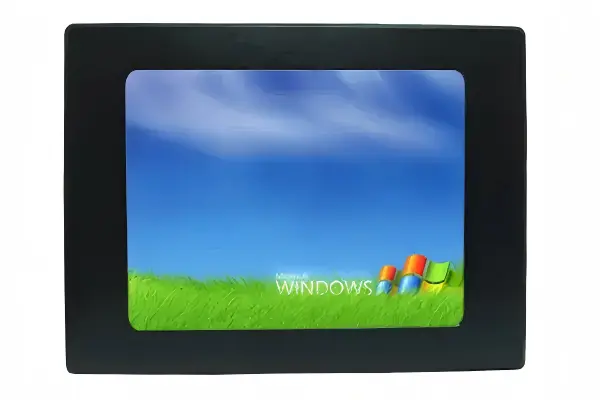
A panel mount monitor can look like a straightforward size choice until a sample arrives and does not fit the cabinet opening. A mismatched bezel, mounting depth, or seal can delay an OEM project. We recommend starting with the enclosure drawing and application risks before choosing a display size.
To select a panel mount monitor with PCAP touch and IP65 protection, we start with the cabinet cutout, bezel limits, and mounting method. We then confirm touch conditions and the exact area covered by the IP rating. Nominal screen size alone cannot establish mechanical compatibility, touch performance, or installed protection.
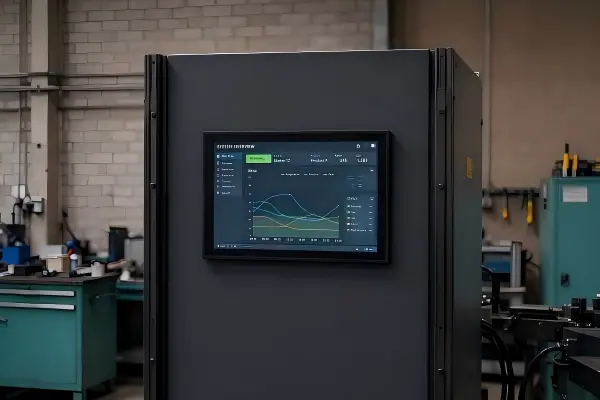
In specification-confirmation discussions, we often turn a request for “a 15-inch IP65 touch monitor” into a more detailed set of requirements. Below, we explain what we ask for, why each detail matters, and how we suggest OEM buyers review a sample.
How Does Panel Mount Monitor Size Affect Mechanical Fit?
A panel mount monitor may have the requested screen diagonal and still fail to fit an existing kiosk or ATM enclosure. That gap between a size description and a mounting drawing can lead to sample delays or cabinet rework. We treat the diagonal as a starting point, not a fit check.
A monitor’s nominal size describes its display diagonal. It does not establish the cabinet cutout, outer bezel dimensions, active viewing area, mounting depth, or fastener locations. We recommend comparing the model-specific mechanical drawing with the enclosure drawing before approving a quotation or ordering a sample. Current panel-mount sizes and configurations are listed in our panel mount monitor category, and the trade-offs between mounting styles are compared in our open frame vs panel mount vs rack mount guide.
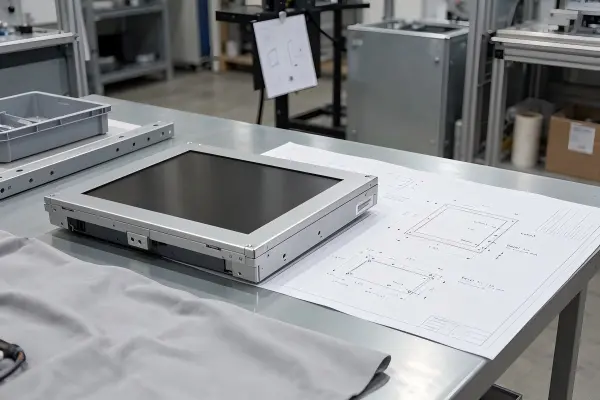
What we check beyond the diagonal
Two displays with the same nominal diagonal can have different aspect ratios, active areas, bezels, and mounting structures. A replacement project is especially sensitive to those differences because the cabinet opening may already be fixed.
We review the following dimensions together:
- Cutout width and height: The opening in the cabinet or front panel.
- Outer bezel width and height: The visible frame that must fit within the available front surface.
- Active viewing area: The portion of the screen that displays the image.
- Mounting depth: The space needed behind the front panel, including any protruding parts.
- Mounting features: The locations and clearances for brackets, studs, clips, or other hardware.
- Cable clearance: The room required for connectors and the cable bend radius.
We also ask whether the cabinet has a fixed overlay, printed graphics, a recess, or nearby controls. A bezel may cover the cutout but interfere with a keypad or decorative panel.
Why “selection by size” still needs drawings
The table below shows how we use common size requests. It does not establish standard cutout dimensions or compatibility.
| Nominal size request | What we confirm before selection | Example risk |
|---|---|---|
| 10.1-inch | Cutout, bezel limits, depth, and aspect ratio | A compact cabinet leaves little connector clearance |
| 15-inch | Viewing area, front-frame footprint, and mounting points | A replacement bezel does not cover an existing opening |
| 21.5-inch | Cabinet support, cutout, mounting method, and rear space | The enclosure structure interferes with mounting hardware |
For each option, we ask for the current drawing revision and the supplier’s dimensional tolerances. If the cabinet drawing is incomplete, we suggest resolving those gaps before comparing prices. A lower-cost monitor is not a useful match if the enclosure must be redesigned to accept it.
What Panel Mount Monitor Drawings Should OEM Buyers Provide?
A supplier cannot confirm mechanical compatibility from an inch size and a product photograph. Yet early inquiries often contain only those two details. We find that a clearer drawing package helps both sides identify fit risks before a sample is built or a quotation is treated as final.
Before quoting a panel mount monitor, we typically request the enclosure cutout drawing, allowable outer dimensions, front-bezel constraints, panel thickness, available rear depth, and installation structure. We also ask whether the design is new or must fit an existing cabinet. The supplier should return a model-specific drawing for review. Standard starting configurations are summarized on our panel mount monitor solutions page.
Build a usable drawing package
We do not expect every first inquiry to include a finished engineering package. However, we do need enough information to identify open decisions. A dimensioned sketch can be a useful starting point when a controlled CAD drawing is not yet available.
Our initial checklist usually includes:
- Cabinet cutout: Width, height, shape, corner details, and applicable tolerances.
- Front surface: Maximum bezel footprint, available flat sealing surface, and nearby obstructions.
- Mounting arrangement: Panel thickness, access to the rear, preferred hardware, and installation sequence.
- Rear clearance: Available depth and restrictions around power, video, and touch connectors.
- Viewing requirements: Required active area, orientation, and any overlay that could obscure the image.
- Project status: New enclosure, existing production cabinet, or replacement of a discontinued monitor.
We also ask the OEM to identify which dimensions are fixed and which can change. That distinction can prevent a proposal from assuming that the cutout is adjustable when the cabinet tooling is already complete.
Review both drawings, not just the supplier’s dimensions
A supplier drawing should be compared against the enclosure drawing at the same revision level. We suggest marking the cutout, bezel overlap, mounting points, and connector keep-out areas directly on the review copy. The engineering team can then record any assumptions that still need confirmation.
For example, a monitor may have sufficient overall rear depth but still place a side-facing connector against an internal bracket. A single depth number would not reveal that conflict. The drawing review should therefore include the shape and position of rear components, not only the deepest point.
Our checkpoint: We do not treat a nominal size match as mechanical approval. We ask the buyer’s engineering team to confirm the drawing and installation method for the specific model.
If sealing or cabinet structure is critical, we recommend that a qualified engineer review the complete assembly. A monitor manufacturer can supply dimensions and mounting information, but the OEM remains responsible for evaluating the final enclosure design.
How Should We Select PCAP Touch for a Panel Mount Monitor?
PCAP touch is attractive for self-service equipment, but a touch screen that works well with a bare finger in a sample review may behave differently under another interaction condition. Gloves, moisture, cover glass, and electrical integration all deserve attention before we approve a configuration.
We select projected capacitive, or PCAP, touch against the expected use conditions rather than assuming universal compatibility. We specify the touch medium, glove type, water exposure, cover glass, and required tuning. Then we ask the supplier what the proposed model supports and validate a representative sample in the intended assembly.
Describe the interaction, not just the touch technology
When an OEM requests PCAP, we ask who will use the screen and what may be between the user’s finger and the sensor. A thin disposable glove and a thick work glove are different requirements. Likewise, occasional droplets and a wet front surface are not interchangeable test conditions.
The inquiry should describe:
- Touch medium: Bare finger, a named glove type, or another intended input.
- Expected moisture: Dry use, occasional droplets, cleaning exposure, or another defined condition.
- Cover glass: Proposed thickness, construction, and whether an additional overlay is planned.
- Interaction: Single-touch or multi-touch needs, plus any important gestures.
- Integration: Operating system, touch interface, cable routing, and relevant electrical conditions.
- Acceptance criteria: The actions users must be able to complete during the sample review.
We avoid promising that one PCAP configuration will work with every glove or liquid. Touch behavior depends on the sensor, controller, tuning, glass, and assembled product. If the project changes any of those elements, we recommend reassessing the touch requirement.
Make the sample test representative
A useful sample review goes beyond tapping a few icons on a bench. We suggest testing the monitor with the intended cover glass, enclosure, power arrangement, and software interface wherever practical. The team should also use representative gloves and introduce moisture only in the manner defined for the project.
For a vending machine, for example, the OEM might check whether a user wearing the specified glove can select menu buttons near the edges of the screen. The team can record missed inputs, unintended inputs, and any areas that need further review. The supplier can then assess whether tuning or another configuration is appropriate.
We document the sample configuration and software version alongside the results. That record gives procurement and engineering a shared reference when they approve a design or request a change. It also helps avoid treating an early demonstration as proof that every later configuration will behave identically.
What Does an IP65 Panel Mount Monitor Rating Cover?
An IP65 description can create false confidence if the quotation does not identify the protected surfaces and installation assumptions. A front panel may be intended for exposure while the rear electronics remain inside the cabinet. We ask for that distinction before we compare monitors or finalize an enclosure design.
IP65 describes a defined level of dust and water-jet protection under the applicable ingress-protection test conditions. It does not automatically mean that every surface of a monitor is protected or that the assembled cabinet is sealed. We verify the model, protected area, mounting assumptions, and supporting documents for each project.
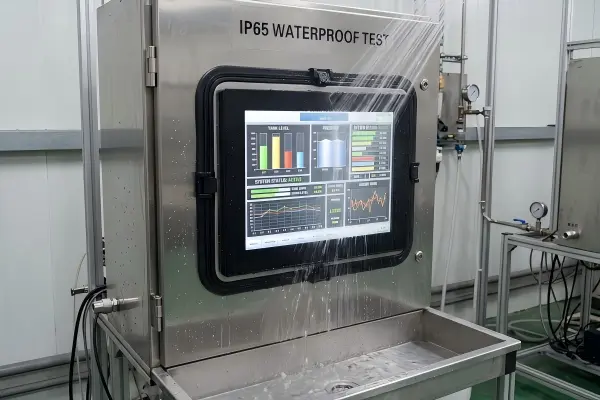
Read the rating with the installation conditions
Under the IEC 60529 IP code, the first digit 6 indicates dust-tight protection, and the second digit 5 refers to protection against water jets under specified test conditions. IP65 does not mean the equipment is rated for immersion. It also does not establish resistance to every cleaning method, chemical, pressure, or direction of exposure in an actual installation.
For a panel-mounted display, we ask the supplier to identify whether the rating applies to the front face, the rear, or another defined part of the product. We also request the mounting and sealing conditions associated with the claim.
| Item to verify | Question we ask |
|---|---|
| Protected area | Does the stated rating apply to the front only or to another defined area? |
| Model and configuration | Does the document cover the exact size, touch construction, and bezel configuration we are considering? |
| Seal and mounting | What gasket, panel surface, hardware, and installation conditions are assumed? |
| Supporting evidence | Is a relevant test report or other documentation available, and what does it cover? |
| Cabinet assembly | How will the OEM assess the seal after the monitor is installed? |
A front-rated monitor does not automatically give the whole cabinet the same rating. The enclosure opening, gasket compression, surface condition, mounting hardware, and other cabinet penetrations can all affect the assembled result.
Connect documentation to sample approval
We recommend that engineering review the supplier’s drawing and protection documentation before the sample is ordered. If the OEM changes the bezel, gasket, mounting structure, or cover glass, we ask whether the existing documentation still applies to that configuration.
After installation, a qualified team should evaluate the complete assembly against the project’s environmental and compliance requirements. If formal testing is required, the team should agree on the test plan and acceptance criteria before production.
At AplusLCD, we support OEM specification and sample discussions for industrial displays. We suggest that buyers request the current model-specific documents rather than assuming a rating or certification applies across an entire product range. The final decision should reflect the target market, application, and installed design.
Frequently Asked Questions
Can we replace a 15-inch panel mount monitor with any other 15-inch model?
No. We cannot establish replacement compatibility from the diagonal alone. We compare the existing cutout, bezel footprint, viewing area, mounting points, rear depth, and connectors with the proposed model’s drawing. We also check whether the original cabinet allows any mechanical changes.
Does IP65 mean the back of the monitor can get wet?
Not necessarily. A supplier may describe IP65 protection for a defined front area rather than the complete monitor. We ask for the exact protected area, installation assumptions, and supporting documentation. We also evaluate the assembled cabinet separately against the project’s exposure requirements.
Will PCAP touch work with gloves?
It may, but glove performance depends on the specified glove, sensor, controller, cover glass, and tuning. We recommend describing the glove and required interactions in the inquiry. Then we suggest testing a representative sample in the intended assembly before approving the touch configuration.
What should we include in a request for quotation?
We include the cabinet cutout drawing, allowable bezel dimensions, mounting method, rear clearance, display requirements, touch conditions, and required protection scope. We also identify the target market, expected quantities, and project schedule. Those details help the supplier flag open questions before quoting.
Conclusion
We choose a panel mount monitor by confirming the enclosure and application first, then assessing the display configuration. The screen diagonal does not prove fit; PCAP needs defined interaction conditions; and IP65 claims need model-specific scope and installation documentation. A representative sample gives engineering a chance to check those assumptions before production.
If you are planning a kiosk, ATM, vending machine, or other OEM project, contact AplusLCD with your cutout drawing and initial requirements. Our team can review the configuration with you and discuss an appropriate sample.