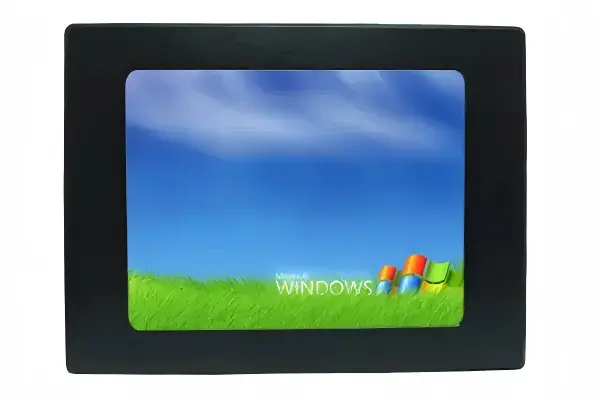
An industrial panel mount monitor can look easy to select until it reaches the machine door or control cabinet. A wrong cutout, bezel, bracket, or panel-thickness match can delay assembly and add rework costs.[1] We help buyers reduce that risk by treating panel mounting as a mechanical integration decision, not only a display-specification decision.
An industrial panel mount monitor is a display designed to install from the front of an equipment panel and secure to that panel through a defined bezel, cutout size, mounting method, and acceptable panel-thickness range.[2] It creates a clean integrated machine interface, but buyers must verify mechanical dimensions, rear clearance, fastening details, and service access before considering it a replacement or direct fit.
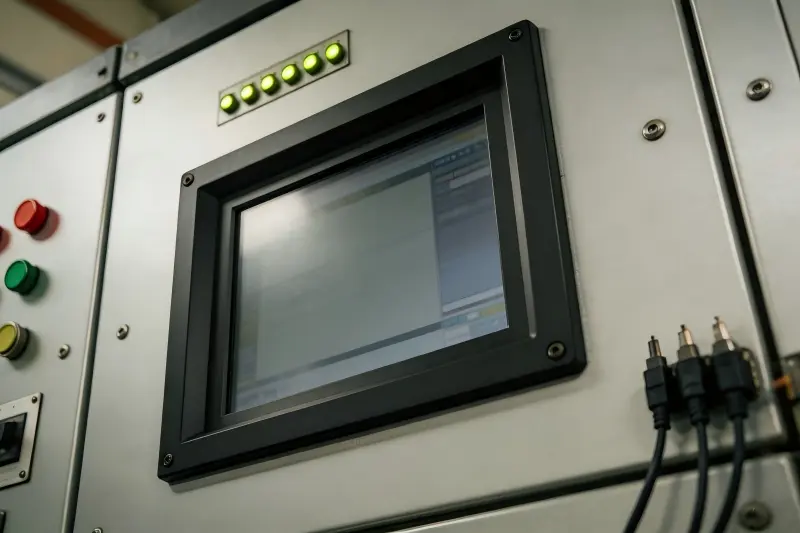
The screen size, resolution, brightness, and touch option still matter. However, in our solution-confirmation conversations, the first questions are usually more practical: What is the existing cutout? How thick is the panel? How is the current monitor fixed? Is there enough clearance behind the panel? Those answers often determine whether a model is suitable.
How Does an Industrial Panel Mount Monitor Install in Equipment Panels?
An equipment manufacturer may find a monitor with the right image size and interface, then discover that it cannot be secured safely in the available front panel. This creates unnecessary redesign work. An industrial panel mount monitor addresses this integration task through a defined front-installation structure, but the buyer must match that structure to the machine panel.
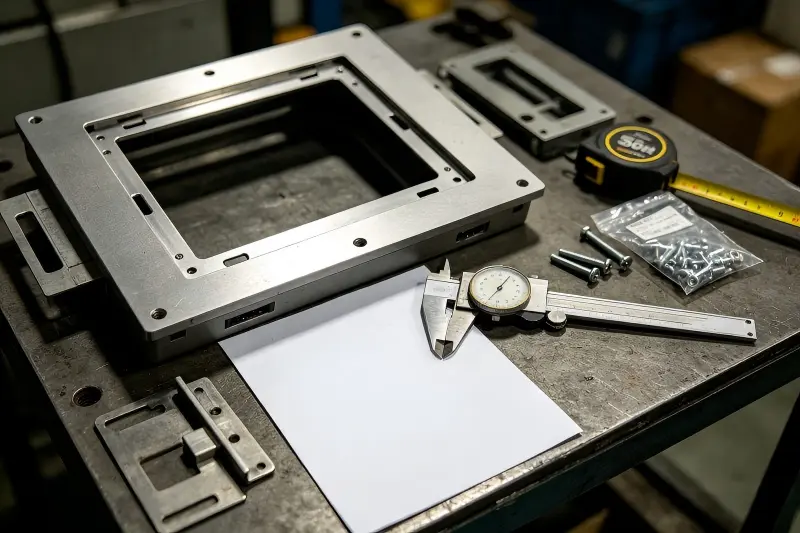
An industrial panel mount monitor typically installs through a prepared panel cutout. The monitor is inserted from the front, while its front bezel rests against the panel surface. Rear mounting brackets, clamps, screws, studs, or another specified fixing system hold the unit in place. The manufacturer's dimensional drawing should confirm the required cutout, panel thickness, fixing locations, and rear-space requirements.
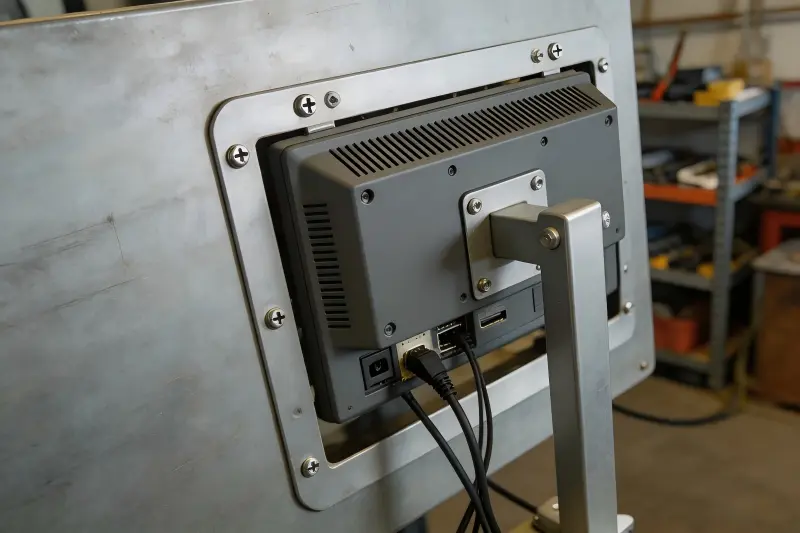
A Panel Mount Design Has More Than One Critical Dimension
We often see buyers focus on the visible screen opening first. That is understandable because it is the part operators use. Yet the visible area is only one element of a panel-mounted display assembly.
A typical panel mount solution involves several related dimensions:
- Display diagonal: The nominal screen size, such as 10.1 inch, 15 inch, or 21.5 inch.
- Active area: The actual visible image area of the LCD panel.
- Front bezel dimensions: The outside width and height visible on the machine front.
- Panel cutout dimensions: The opening that must be made in the equipment panel.
- Rear enclosure dimensions: The depth and width required behind the panel.
- Mounting-bracket footprint: The space needed for clamps, screws, or other fixing hardware.
- Panel-thickness range: The material thickness that the mounting hardware can accommodate.
An industrial panel mount monitor is therefore not simply a monitor "that fits in a hole." It is a display assembly with a defined interface between the monitor body and the customer's equipment panel.
In one type of pre-sales inquiry we frequently receive, a customer provides only a photo and says, "The opening is around 15 inches." My first follow-up is not usually about resolution. I ask for the cutout width and height, panel thickness, rear photo, and outer dimensions of the existing unit.
Common Front-Panel Installation Elements
The exact structure varies by model. Buyers should not assume every unit has the same mounting hardware or sealing arrangement. Still, many industrial monitor designs use a combination of the following components:
| Installation element | Typical purpose | Buyer verification point |
|---|---|---|
| Front bezel | Covers the edge of the panel cutout and provides a finished appearance | Confirm outer dimensions and bezel overlap |
| Mounting clamps or brackets | Secure the monitor from the rear | Confirm quantity, location, and tool access |
| Screws or studs | Apply clamping force | Confirm thread type and installation procedure |
| Gasket or sealing strip | May support a closer fit against the front panel | Verify the specific model's documentation and intended conditions |
| Rear enclosure | Protects internal electronics and provides connection access | Confirm depth, ventilation, and cable clearance |
| Cutout drawing | Defines the required panel opening | Use the latest approved drawing before production |
We recommend that buyers request the current mechanical drawing before freezing sheet-metal tooling or placing a replacement order. A drawing is more reliable than a nominal product label because a "15-inch panel mount monitor" can have very different bezel and cutout dimensions from another 15-inch model.
Why Is Screen Size Not Enough for an Industrial Panel Mount Monitor Replacement?
A replacement project can become risky when a buyer assumes that two monitors with the same diagonal size are interchangeable. The old unit may have a different bezel shape, rear depth, mounting clamps, or cutout requirement. This can lead to a monitor that powers on correctly but cannot be installed correctly in the machine.
Screen diagonal size does not determine whether an industrial panel mount monitor will replace an existing unit. Buyers should compare the existing panel cutout, external dimensions, visible area, bezel geometry, rear clearance, mounting method, panel thickness, connector positions, and maintenance access. Two monitors with the same nominal size can require different equipment-panel designs.
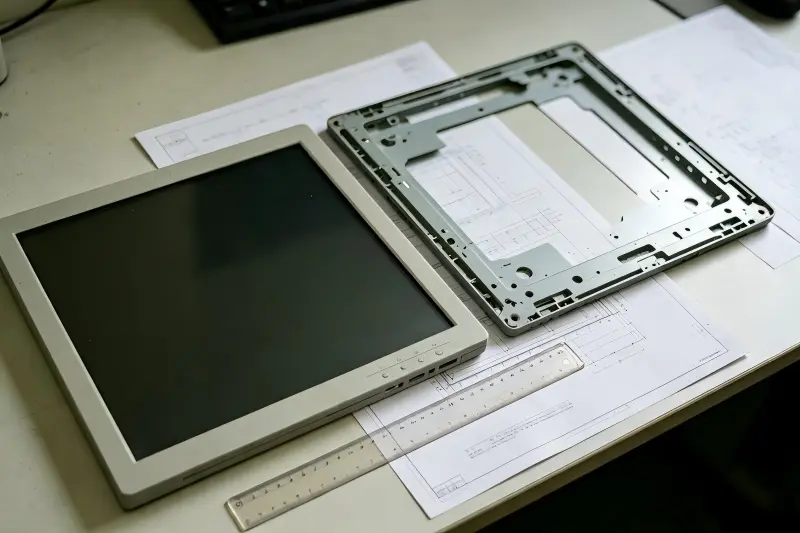
Same Diagonal, Different Mechanical Reality
A 15-inch display generally describes the diagonal dimension of the LCD's active area. It does not tell us the full monitor width, height, or depth. It also does not tell us whether the product has a narrow bezel, wide bezel, integrated touch, a rear cover, or a specific clamp arrangement.
For example, two nominal 15-inch industrial displays may differ in several practical ways:
| Comparison item | Monitor A | Monitor B | Replacement impact |
|---|---|---|---|
| Nominal LCD size | 15 inch | 15 inch | Appears equivalent at first glance |
| Panel cutout | May be wider or taller | May be narrower or shorter | Existing opening may not match |
| Front bezel | Wide flange | Narrow flange | Old cutout edges may remain visible |
| Rear depth | Shallower body | Deeper body | May interfere with components or doors |
| Bracket position | Side clamps | Top/bottom clamps | Existing structure may block installation |
| Connector direction | Rear-facing | Bottom-facing | Cable bend radius may change |
| Touch construction | Optional | Integrated | Outer dimension and viewing area may differ |
These are examples, not fixed specifications. Buyers should always compare actual product documentation for the proposed model.
Use a Mechanical Compatibility Checklist First
When a customer asks us, "Can this replace my existing monitor?" we treat the question as a compatibility review. We do not start by saying yes based on the screen diagonal alone.
We usually ask for the following information:
Existing panel cutout width and height
Measure the actual opening in millimeters. If possible, measure at several points because older panels may not be perfectly square.Front-panel material and thickness
Identify whether the panel is sheet metal, stainless steel, aluminum, plastic, or another material. Then confirm the thickness where the monitor will be clamped.Current monitor's outer dimensions
Measure the full front bezel width and height. This helps us assess whether a new bezel will cover the existing opening cleanly.Available rear clearance
Check the space behind the panel for the monitor body, connectors, cable bending, clamps, and nearby components.Existing fixing method
Note whether the original unit uses clamps, studs, screws, welded brackets, adhesive, or a custom frame.Front-panel condition
Inspect for scratches, oversized openings, warped surfaces, paint damage, or previous modifications that a replacement bezel may not cover.Service access requirements
Consider whether technicians can reach mounting screws, signal connectors, power connectors, and any removable components after installation.
In my experience, clear photos with a ruler or caliper beside the opening can speed up an initial discussion. Final selection should still rely on approved drawings and qualified engineering evaluation for the specific machine application.
What Should Buyers Verify Before Selecting an Industrial Panel Mount Monitor?
A product may appear suitable in a catalog but become difficult to integrate because key installation conditions were not collected early. This is especially common in retrofit projects, where the original mechanical documentation is incomplete. A structured review helps buyers avoid ordering based on appearance alone.
Before selecting an industrial panel mount monitor, buyers should verify the panel cutout, panel thickness, front bezel coverage, monitor outer dimensions, rear depth, cable space, mounting hardware, display requirements, and service access. They should also review model-specific drawings, interface information, environmental documents, and applicable certifications rather than assuming these details are standard.
Start With the Equipment Panel, Not the Product Page
For a new machine design, the equipment panel can be designed around the selected monitor. For a retrofit, the monitor must often work within the limits of an existing opening. These are different procurement situations.
We recommend separating requirements into three groups.
1. Mechanical Requirements
Mechanical requirements determine whether the monitor can physically integrate into the panel.
- Required panel cutout dimensions
- Maximum permitted outer bezel dimensions
- Panel thickness
- Rear clearance depth
- Allowed weight on the door or hinged panel
- Mounting method and installation access
- Position of nearby switches, emergency stops, labels, and handles
- Cable routing and bend radius
- Access for future monitor replacement
2. Display and Operator Requirements
After confirming the mechanical envelope, buyers can evaluate the operator-facing display needs.
- LCD size and aspect ratio
- Resolution and content layout
- Brightness for the intended lighting environment
- Viewing angle
- Touch function, if required
- Touch technology suitable for the intended user interaction
- Video input and control interfaces
- Power input requirements
- Expected operating hours and product supply needs
A larger screen may improve readability, but it can also require a larger cutout, more rear clearance, and a redesigned machine door. We encourage buyers to assess the whole human-machine interface rather than choosing only by the largest possible diagonal.
3. Supplier and Documentation Requirements
A suitable product also requires dependable information. During supplier selection, buyers can ask for documents and samples appropriate to the project stage.
| Supplier evaluation item | Why it matters |
|---|---|
| Dimensional drawing | Supports cutout and bezel verification |
| 2D/3D mechanical files, when available | Helps mechanical design and interference checks |
| Mounting instruction | Clarifies clamp placement and installation sequence |
| Interface specification | Confirms signal, power, and connector requirements |
| Model-specific test or certification documents | Supports the buyer's compliance review |
| Sample availability | Allows physical fit and user-interface evaluation |
| Change-control communication | Helps long-term machine programs manage revisions |
| Warranty and service process | Clarifies support expectations after delivery |
AplusLCD provides industrial display solutions with options for size, brightness, touch, enclosure configuration, mounting, and interfaces. However, we recommend that each buyer confirm the specific model configuration and application conditions before final approval. A product family description should not replace a reviewed specification sheet.
When Is an Industrial Panel Mount Monitor the Right Choice?
Machine builders often want a clean, integrated operator interface, but they may not need the same display structure for every project. A panel-mounted design can be a strong choice for a finished equipment front, while an open-frame monitor may better suit another enclosure design. The key is matching the product structure to the integration task.
An industrial panel mount monitor is often appropriate when an OEM or automation integrator needs a display that mounts neatly into a machine door, control cabinet, or equipment front panel with a defined bezel and fixing method. It is not automatically better than an open-frame monitor; the right choice depends on enclosure responsibility, mechanical design, appearance, access, and maintenance requirements.
Panel Mount and Open Frame Serve Different Integration Roles
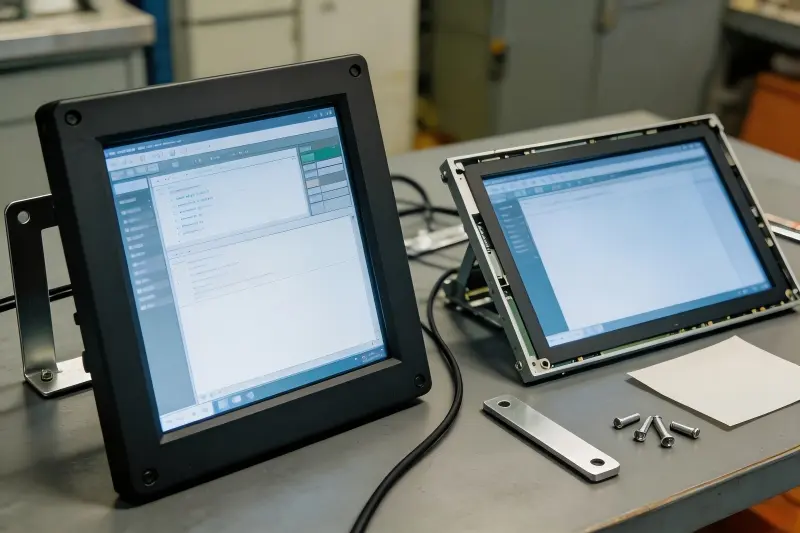
We avoid describing panel mount monitors as universally superior. They solve a particular installation problem: creating a finished front-panel installation with a defined visible bezel and a rear mounting structure.
An open-frame monitor may be appropriate when the customer plans to build a custom front housing, integrate the display behind protective glass, or use an internal mounting frame.[3] In that case, the machine builder may take greater responsibility for the final enclosure design.
| Consideration | Panel mount monitor | Open-frame monitor |
|---|---|---|
| Main installation role | Mounts into a prepared equipment panel | Integrates into a customer-designed enclosure or frame |
| Front appearance | Usually includes a finished front bezel | Depends on customer's final housing design |
| Cutout planning | Requires model-specific panel opening | May allow more custom mechanical integration |
| Enclosure responsibility | Shared according to product structure and application | Often more responsibility sits with the equipment designer |
| Retrofit suitability | Can be useful when bezel and cutout match | Can be useful where custom adaptation is planned |
| Maintenance approach | Depends on rear access and fixing method | Depends on the custom enclosure design |
Consider the Full Machine Lifecycle
The best display structure is not only about initial assembly. It should also support practical maintenance over the life of the machine.
For example, a panel mount solution may simplify the finished appearance of a kiosk, automation cabinet, or self-service terminal. Yet a buyer should still confirm how a technician will remove it later. If brackets can only be reached after removing other electrical components, replacement time may increase.[4]
I have seen projects where the original display fit correctly, but its rear connectors were positioned close to a structural cross-member. The team could install the unit only by connecting cables in a specific order. That situation did not always require a different monitor, but it did require a clear installation procedure.
For any application involving demanding environmental, electrical, safety, or regulatory conditions, buyers should work with qualified professionals and review the relevant model-specific documents. Do not assume that an industrial label alone confirms a particular ingress rating, temperature range, certification, or fitness for a specialized application.
Frequently Asked Questions
What is the difference between a panel mount monitor and a regular monitor?
A panel mount monitor is designed for integration into an equipment panel through a defined front bezel, cutout, and fixing method. A regular desktop monitor usually relies on a stand or external mounting arrangement. Buyers should verify the mechanical drawing because panel mount structures differ by model.
Can I replace a 15-inch panel mount monitor with another 15-inch model?
Not necessarily. The same 15-inch diagonal does not guarantee the same cutout, bezel size, rear depth, mounting brackets, or connector location.[5] You should compare the existing monitor's dimensional drawing and physical measurements with the proposed replacement model before ordering.
How do I measure a panel cutout for an industrial monitor?
Measure the actual width and height of the opening in millimeters, preferably at more than one point.[6] You should also measure panel thickness, front bezel space, rear clearance, and nearby obstructions. Photos of the front and rear installation area can support an initial supplier review.
Does every industrial panel mount monitor have an IP rating?
No. Environmental protection characteristics vary by model, configuration, installation method, and final equipment design. Buyers should request and verify the relevant model-specific documentation rather than assuming a particular IP rating from the product category alone.
Should I choose a panel mount monitor or an open-frame monitor?
Choose based on the integration task. A panel mount monitor can suit a clean finished equipment front with a defined cutout and bezel. An open-frame monitor can suit custom housings or internal integration. Review enclosure responsibility, maintenance access, front-panel design, and mechanical constraints before deciding.
Conclusion
An industrial panel mount monitor is a front-of-panel integration solution, not simply a screen that appears to fit an opening. Successful selection depends on the relationship between the equipment panel and the monitor's cutout, bezel, mounting hardware, outer dimensions, rear clearance, and service access. We recommend that buyers collect mechanical measurements before comparing display specifications. If you are planning a new machine panel, retrofit, or replacement project, contact AplusLCD with your drawings, photos, and requirements so we can help you evaluate a suitable industrial display configuration.
Related Reading
Footnotes
-
"A comprehensive framework for evaluating bridge project ...", https://pmc.ncbi.nlm.nih.gov/articles/PMC12921036/. Manufacturing-quality research recognizes that design and assembly nonconformities can require rework and contribute to added production cost and schedule disruption. Evidence role: general_support; source type: research. Supports: Research or manufacturing guidance showing that design nonconformities and assembly errors can create rework, schedule disruption, and additional cost.. Scope note: Such sources generally address manufacturing operations broadly and may not quantify the effect of monitor-panel dimensional mismatches specifically. ↩
-
"Longhorn Racing Solar - University Wiki Service", https://cloud.wikis.utexas.edu/wiki/spaces/LHRSOLAR/pages/441353763. Technical documentation for panel-mounted human-machine-interface equipment describes installation through a specified enclosure cutout, with a front flange or bezel and a defined rear fixing arrangement. Evidence role: definition; source type: institution. Supports: An independent technical reference defining panel-mounted display equipment in terms of installation through an enclosure opening and associated mounting features.. Scope note: Mechanical details, including allowable panel thickness and fixing hardware, remain model-specific. ↩
-
"Open Frame Monitors: Definition, Use Cases & Best Practices", https://www.viewsonic.com/library/business/open-frame-monitor-guide/. Open-frame displays are commonly supplied for integration into a system designer's enclosure or mounting structure, which may include a custom front panel or protective cover layer. Evidence role: definition; source type: research. Supports: A technical definition of open-frame displays as components intended for incorporation into a customer-designed housing, frame, or protective front assembly.. Scope note: The final protective, sealing, thermal, and mechanical performance is determined by the complete enclosure design rather than by the display component alone. ↩
-
"Design for Maintainability OCHMO-TB-036", https://www.nasa.gov/wp-content/uploads/2023/12/ochmo-tb-036-design-for-maintainability.pdf. Maintainability guidance identifies physical accessibility of components, connectors, and fasteners as a factor affecting the time and effort required to perform maintenance and replacement tasks. Evidence role: mechanism; source type: government. Supports: Maintainability guidance establishing that accessibility of components and fasteners affects maintenance task time and effort.. Scope note: Actual replacement time also depends on technician training, safety procedures, tooling, wiring complexity, and machine configuration. ↩
-
"Flat-panel display", https://en.wikipedia.org/wiki/Flat-panel_display. Nominal display diagonal specifies screen size but does not establish standardized bezel dimensions, enclosure depth, panel-cutout geometry, mounting hardware, or connector placement. Evidence role: general_support; source type: encyclopedia. Supports: Technical references or comparative product drawings showing that nominal screen diagonal does not standardize a device's mechanical envelope or interfaces.. Scope note: The conclusion is based on variation among product designs; compatibility must still be established from the drawings of the particular old and replacement units. ↩
-
"Dimensional Tolerances in Construction and for Surface ...", https://www.access-board.gov/research/building/dimensional-tolerances/. Dimensional-inspection practice uses measurements at more than one location to identify variation in an opening's size and geometry that may affect component fit. Evidence role: mechanism; source type: education. Supports: Metrology guidance explaining that measurements at multiple locations can reveal variation in size, squareness, or form.. Scope note: The number and location of measurements should be selected according to the required tolerance and the geometry of the panel. ↩