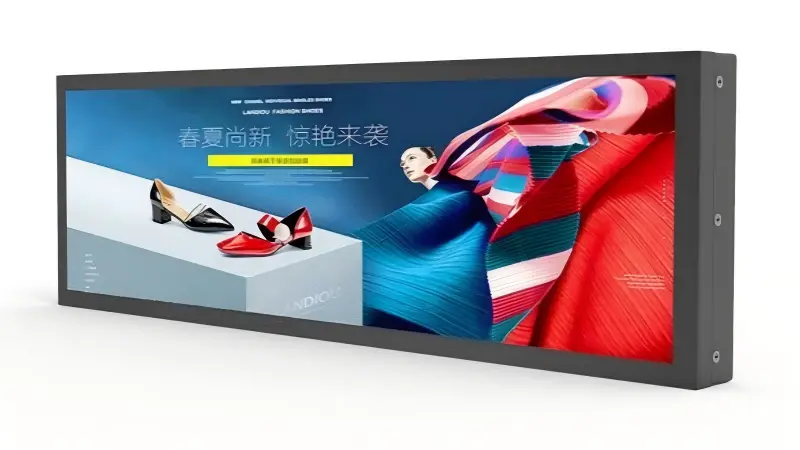
A stretched bar LCD display can look like the obvious answer for a narrow shelf, cabinet, wall recess, or promotional zone. However, a screen that fits physically can still fail to communicate clearly. I recommend starting with the real installation space, viewer position, and reading task before comparing display dimensions.
A stretched bar LCD display should be selected by matching the available installation area, viewing distance, orientation, and content-reading requirements—not by screen size alone. Buyers should first confirm what people need to notice or read, where they will stand, and how the display will be mounted. Only then can they choose a standard format or define necessary customization.

In our project discussions at AplusLCD, I often see an inquiry begin with a desired screen shape, such as a long and narrow display for a retail fixture. That is useful, but it is not enough. The better specification process begins with the site conditions that determine whether the message will remain visible, readable, and practical to install.
How Should Buyers Assess a Stretched Bar LCD Display Installation Site?
A stretched display project can become difficult when buyers define the product before they define the environment. A cabinet opening may appear ideal for a narrow screen, but mounting depth, viewing angles, content layout, and cable access can create problems later. I suggest assessing the site before requesting a quotation.
Buyers should assess a stretched bar LCD display site by measuring the usable opening, mounting depth, orientation, viewing distance, viewer angle, ambient light, and available service access. They should also identify the message that must be readable, such as price, product name, wayfinding information, or promotional content.
Start With the Usable Physical Space
I encourage buyers to measure more than the visible front opening. The actual available space may be reduced by brackets, ventilation requirements, door movement, internal electronics, structural ribs, or cable-routing channels.
A practical site drawing should include:
- Visible opening width and height
- Total internal depth
- Maximum permitted bezel area
- Mounting-hole locations
- Space for signal and power connectors
- Ventilation clearances
- Front-access or rear-access service requirements
- Nearby obstructions, such as doors, shelves, handles, or other screens
A stretched bar LCD display may fit within a cabinet cutout but still be difficult to mount if the connectors point toward a blocked surface. Likewise, a thin display may not solve the issue if the installation needs a protective cover or a custom metal enclosure.
Six Dimensions to Check Separately — Not Just the Diagonal
A diagonal size cannot be converted into a fitting decision. The six dimensions below move independently, and each one can fail on its own:
| Dimension | What it decides | What to request from the supplier | Where mismatches usually come from |
|---|---|---|---|
| Active area (mm) | How much image space your content actually gets, and at which native pixel count | Active width × height in mm, plus native resolution | Assuming the diagonal implies the height — it does not |
| Module / assembly outline (mm) | Whether the unit fits the opening at all | Outline drawing including bezel, brackets and any cover glass | Outline quoted as active area; brackets or glass excluded |
| Mounting cutout (mm) | The opening you actually cut, and its tolerance | Recommended cutout with tolerances and corner radii | Cutout copied from a previous model; edge sealing ignored in chilled or damp areas |
| Rear depth (mm) | Whether the enclosure has room behind the screen | Depth including controller board, driver and stand-offs | Depth measured on the bare panel, not on the complete assembly |
| Cable space and exit direction | Whether it can be installed, and later serviced | Connector positions, cable exit angle, minimum bend radius, harness length | Connectors facing a blocked surface; no finger room to plug in |
| Orientation and tilt | Viewing geometry, content layout, and touch reach | Landscape / portrait, tilt angle, and whether the panel is rated for that orientation | Content authored for landscape and installed in portrait |
Why the diagonal is misleading — four real examples from our current model list:
| Model | Diagonal | Active area (W × H, mm) | Native resolution | Rated brightness for that model |
|---|---|---|---|---|
| AP-212OPLB / 21.2" | 21.2" | 529.416 × 99.265 | 1920 × 360 | 500 nits |
| AP-231OPLB / 23.1" | 23.1" | 585.6 × 48.19 | 1920 × 158 | 700 nits |
| AP-24OPLB / 24" | 24" | 597.888 × 112.104 | 1920 × 360 | 300 nits |
| AP-48OPLB / 48.0" | 48.0" | 1194.05 × 223.884 | 3840 × 720 | 1000 nits |
Read that table carefully, because it contains two traps. The 21.2", 23.1" and 24" models sit within three inches of each other on the diagonal, yet their active heights differ by more than a factor of two — 99.3 mm, 48.2 mm and 112.1 mm — so "about 23 inches" describes three very different screens. And the brightness figures are per model, not per series: 300, 500, 700 and 1000 nits respectively. One model's rating must never be written into an RFQ as the capability of the whole range.
Scope of these figures: they are single-model entries from our current model list. The series as a whole is specified as 8.8"–93.8", 250–1000 nits, and custom aspect ratios from 2.16:1 to 24:1, but outline dimensions, cutout dimensions, rear depth and cable exit direction are not part of that model data — those come only from the outline and mounting drawings for the specific model you are quoted. If your site needs brightness outside the standard range, treat it as a custom configuration to be confirmed, not as a stock option.
You can compare the current standard formats on the stretched bar LCD display category page. For the full mechanical package — front cutout, rear clearance, fixing points, front-face design and service access — see Define the Mechanical Envelope First in our OEM integration guide.
Consider Viewing Position, Not Only Viewing Distance
Viewing distance matters, but it does not work alone.[1] I also ask where viewers will approach from, whether they will stand still, and how long they will have to absorb the content.
For example, a shelf-edge display may be viewed from a short distance, but customers may only look at it for a few seconds. A transportation information display may be viewed from farther away, while passengers may need to identify route information quickly. These are different reading tasks.
| Site factor | Why it matters | Buyer question |
|---|---|---|
| Viewing distance | Affects text size and content detail | How far away will most viewers be? |
| Viewing angle | Affects apparent brightness and legibility | Will viewers look straight at the screen or from the side? |
| Dwell time | Determines how much information can be communicated | Do viewers have two seconds or thirty seconds? |
| Ambient light | Influences required brightness and contrast[2] | Is the screen near daylight, store lighting, or direct sun? |
| Installation height | Affects eye-line and mounting orientation | Will the display sit at shelf level, counter level, or overhead? |
In my experience, this site-first discussion helps system integrators avoid treating a narrow display as a simple decorative element. The display must support a communication task. If that task is unclear, the specification will usually remain incomplete.
Why Can a Stretched Bar LCD Display Fit Physically but Still Fail to Communicate?
A stretched screen can fit perfectly inside a retail fixture and still deliver poor signage value. The problem often appears when the visible area is too narrow for the intended message, the content is designed for a conventional screen, or viewers cannot read the essential information from their normal position.
A stretched bar LCD display can fail commercially when its active area, proportions, resolution, brightness, or placement do not support the intended content. Physical fit only confirms installation feasibility; it does not confirm that pricing, promotions, directions, or product details will be easy for viewers to notice and understand.
Narrow Space Changes Content Design
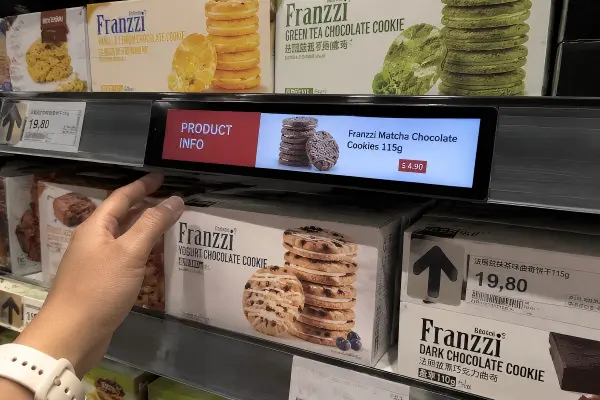
A stretched bar LCD display is not simply a standard LCD display with a different shape. Its proportions affect how content should be planned. A very wide display can work well for ticker-style text, product comparisons, pricing strips, menu information, or short promotional animations. It may work poorly for content that depends on large imagery, multi-column layouts, or dense paragraphs.
I have seen early-stage discussions where the buyer had already prepared a standard 16:9 advertising layout. In those situations, I first recommend reviewing whether the content can be redesigned for the actual active area. Cropping a conventional design into a bar format may leave text too small or product images incomplete.
A Five-Step Content Fit Check
The most reliable way to settle whether a format works is to build one real screen at the target panel's native resolution and look at it. Not a scaled mock-up, and not a crop of a 16:9 layout.
- Build the canvas at native resolution. For a 23.1" bar that means 1920 × 158, not 1920 × 1080 trimmed down. If the canvas is not the panel's native pixel grid, everything below is measured on the wrong thing.
- Place the priority element first, in real pixels. Put the one thing that must be understood — the price, the route number, the status — where it will actually sit, then check its rendered pixel height before adding anything else.
- Check the small and variable elements. Currency symbols, decimal separators, units, icons, logos, QR codes and barcodes. For dynamic fields, lay out the longest possible value, not the typical one: a four-digit price, the longest product name in the catalogue, a two-digit-to-three-digit stock count.
- Review at the real distance and angle, including off-axis. Look at the screen from the positions viewers actually occupy, not from the front at arm's length. Check the lowest-contrast element and any alarm or status colour separately, since those fail first under bright lighting.
- Give motion enough time, then re-check on hardware. Static frames are easier to read than scrolling or animated content, so confirm the dwell time is long enough for a passer-by. Finally repeat the review on a sample unit or a 1:1 print, in every language version you ship.
If a step fails, the fix is usually a content decision — fewer words, larger type, one message instead of three — rather than a bigger or brighter panel.
Readability Is a Commercial Requirement
For retail signage and customer-facing information systems, the key question is often simple: Can the customer understand the message quickly enough?
The answer depends on several linked factors:
Text hierarchy
The most important information should remain prominent. This may be a price, product category, route number, promotion, or instruction.Font size
Small fonts may look acceptable on a desktop design preview but become hard to read at real viewing distance.[3]Contrast
Low-contrast text or images can lose impact under bright retail lighting.[4]Content length
A narrow display is often more effective with concise messages than with long descriptions.Motion and timing
Animated content should allow enough time for viewers to notice and read the message. Fast-moving content can be missed by people walking past.[5]
A display specification should support the message hierarchy, not force the message to adapt to an unsuitable screen.
Compare the Screen With the Task
I suggest buyers evaluate the display against the primary task rather than asking which aspect ratio is "best." There is no universal stretched display size, resolution, or proportion that works for every project.
| Intended task | Typical content priority | Evaluation focus |
|---|---|---|
| Shelf-edge pricing | Price, product name, promotion | Short viewing distance, text clarity, cabinet fit |
| Retail promotion | Product image, offer, brand message | Brightness, visual impact, content layout |
| Wayfinding | Direction, location, instruction | Viewing angle, text size, installation height |
| Queue or menu display | Item names, availability, pricing | Readability, update method, dwell time |
| Equipment status | Alerts, process data, simple instructions | Interface, reliability, integration method |
A stretched bar LCD display can be highly effective when its proportions match the message. It can be less suitable when the site requires detailed visual storytelling in a very narrow area. I recommend that buyers test representative content on a scaled layout or sample unit before committing to volume production. You can also review the standard stretched bar LCD display series to compare the active areas, resolutions, and brightness levels available against your content plan.
What Should Be Included in a Stretched Bar LCD Display RFQ?
Many display RFQs start with only a requested diagonal size or a photo of an installation location. That information starts the conversation, but it does not allow a supplier to evaluate fit, content usability, integration needs, or production risk. A stronger RFQ reduces redesign cycles.
A complete stretched bar LCD display RFQ should include installation dimensions, orientation, viewing conditions, content purpose, required interfaces, power requirements, quantity, and target market compliance needs. Buyers should provide drawings or photos when possible and identify which dimensions are fixed versus flexible.
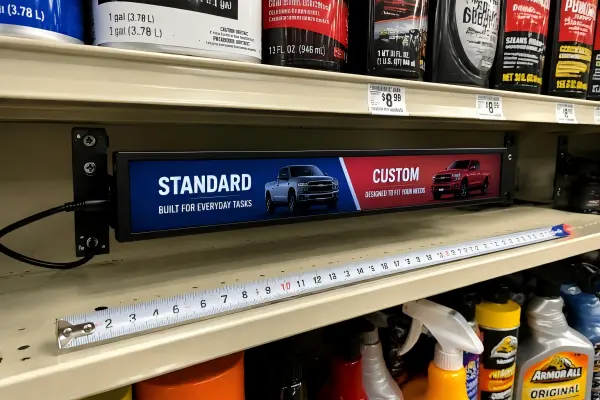
Practical Pre-RFQ Checklist
Before contacting suppliers, I recommend collecting the following details internally. A buyer does not need every answer at the first stage, but clear information supports a more useful technical discussion.
Installation and Mechanical Requirements
- Available width, height, and depth
- Maximum display outer dimensions
- Visible-area requirement
- Landscape or portrait orientation
- Bezel limitations
- Mounting method: VESA, side brackets, panel mount, open-frame integration, or custom brackets
- Access requirement for maintenance
- Enclosure requirement, if any
- Need for protective glass or touch functionality
Viewing and Content Requirements
- Normal viewer distance
- Expected viewing angle
- Approximate dwell time
- Indoor, semi-outdoor, or outdoor environment
- Ambient light conditions
- Required readable information
- Content format: static image, video, scrolling text, interactive UI, pricing data, or dashboard
- Content-management system or media-player compatibility
Electrical and Integration Requirements
- Input interface, such as HDMI, DisplayPort, LVDS, or USB
- Power input, including 12V, 24V, or wide-voltage requirements
- Required operating schedule, including 24/7 operation
- Required brightness range
- Touch technology, if applicable
- Quantity for sample, pilot run, and production
- Required delivery schedule and Incoterms
Ask Suppliers the Right Questions
Supplier selection should include more than a comparison of unit pricing. I advise buyers to ask how the supplier will verify the proposed configuration.
Useful questions include:
- Can the supplier provide an outline drawing and mounting drawing before production?
- What panel source and lifecycle information can the supplier document?
- How will the display be tested before shipment?
- Is the proposed brightness appropriate for the stated environment?
- Can the supplier support a sample before a larger order?
- What documents are available for the target market, and which certificates should the buyer verify for the final configuration?
- How are DOA, repair, and replacement procedures handled?
Two deeper parts of supplier evaluation are deliberately not repeated here, because they belong to the integration stage rather than to format selection. The electrical and signal confirmation list — video input, native resolution and timing, power input, controller-board location, start-up behaviour, backlight control, touch interface — together with the seven-area sample validation plan (mechanical fit, image output, host compatibility, touch function, power behaviour, thermal conditions, serviceability) are set out in What Must Buyers Verify Before Ordering Custom OEM Stretched LCD Display Samples. That article also carries the complete OEM inquiry package. The checklist above is therefore an internal collection step before you send anything, not a substitute for either.
At AplusLCD, we first verify the site dimensions, viewing conditions, and intended content task in stretched-bar display discussions. Then we can discuss practical options such as panel format, brightness, interfaces, mounting structure, and enclosure design. This order helps keep customization tied to an actual application need rather than an assumption.
When Should Buyers Choose a Standard or Custom Stretched Bar LCD Display?
Buyers can lose time and budget by requesting customization before they know whether a standard display format already supports the site and content. On the other hand, a standard unit may create installation or readability compromises when the project has fixed mechanical constraints. The decision should follow the site assessment.
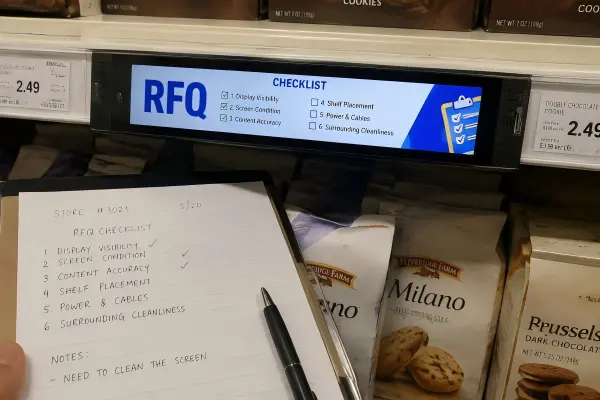
Buyers should choose a standard stretched bar LCD display when available dimensions, content layout, brightness, interfaces, and mounting needs align with an existing format. They should consider customization only when a defined site or integration requirement cannot be met with a standard product.
Standard Displays: Lower Complexity When the Fit Is Real
A standard stretched bar LCD display may be appropriate when the project has:
- A flexible cabinet or mounting area
- Content designed for common bar-display proportions
- Standard video interfaces
- Typical indoor lighting conditions
- Conventional mounting methods
- No special sealing, enclosure, or branding requirement
Standard selection can simplify sample evaluation and reduce engineering changes. However, I would not call a standard display the correct option merely because it is available quickly. Buyers should still confirm active area, outer dimensions, viewing performance, connector locations, and content compatibility. The stretched bar LCD display range is a practical place to compare standard formats before requesting a quote.
Customization: Use It to Solve a Defined Constraint
Customization becomes relevant when a documented requirement cannot be satisfied with a standard configuration. The table below is the decision in one place: read the middle column as the condition under which a standard model usually holds, and the right-hand column as what actually triggers a custom build.
| Decision area | Usually satisfied by a standard model | What actually triggers customization |
|---|---|---|
| Size and cutout | Cabinet or mounting area has tolerance; outline can adapt | The display must match a fixed cabinet opening or equipment structure |
| Aspect ratio and content | Content works at common bar proportions | The layout needs a ratio or zone split no stock format provides |
| Bezel or front glass | Conventional appearance and mounting are acceptable | A specific appearance, protection level, or flush fit is required |
| Brightness | Typical indoor lighting | High ambient light or window-facing sites — or a deliberately low-light environment |
| Interface | HDMI, DisplayPort or another standard input | The host system uses a non-standard or legacy signal connection |
| Power input | Conventional supply | The equipment requires 12V, 24V, or a wide-voltage power range |
| Touch function | No touch required | The application requires PCAP, resistive, infrared, or another touch approach |
| Enclosure | Standard brackets or VESA mounting | A complete housing, panel mount, or open-frame integration is needed |
| Branding | Standard labelling and packaging | Private label, logo treatment, or customized packaging |
| Compliance | The standard model already carries the needed documents for the target market | Documents must be verified for the final customized configuration and market |
Two rows deserve emphasis because they are the ones buyers most often get wrong. Brightness and compliance are per-configuration, not per-series: a rating documented for one model does not carry over to a different size, and a document covering one configuration does not automatically cover its customized variants.
I recommend treating customization as an engineering decision, not a marketing feature. Every custom change can affect drawings, samples, production planning, testing, lead time, and long-term maintenance.[6] The buyer should ask which changes are essential for the application and which preferences can be satisfied through standard options.
For application-specific decisions, qualified engineering evaluation remains important. Buyers should also verify relevant compliance documents for the final product configuration and target market rather than assuming that a document for one model covers every customized version.[7]
Frequently Asked Questions
What is a stretched bar LCD display used for?
A stretched bar LCD display is commonly used for shelf-edge pricing, retail promotions, menu boards, transportation information, wayfinding, digital signage, kiosk integration, and constrained-space installations. Its narrow format works best when the content and viewing conditions match the available active area.
How do I choose the right stretched bar LCD display size?
I recommend starting with the usable installation dimensions, viewing distance, orientation, and required readable content. The correct size is the one that fits the structure while allowing viewers to understand the key message. A larger or longer screen is not automatically more effective.
Is a high-brightness stretched bar display always necessary?
No. High brightness may be appropriate for bright retail areas, window-facing installations, or semi-outdoor environments. However, it can add cost, power consumption, and thermal considerations. Buyers should assess actual ambient light conditions before specifying brightness.
Can a stretched bar LCD display be customized for a retail fixture?
Yes, customization may include mechanical dimensions, bezel design, mounting brackets, brightness, touch function, power input, interfaces, and enclosure design. I recommend defining the fixture constraints and user task first, then determining whether customization is truly required.
What should I send a supplier before requesting a quote?
Buyers should send dimensions, installation photos or drawings, orientation, viewing distance, ambient light conditions, content type, interface and power needs, quantity, and target delivery schedule. This information helps the supplier recommend a display that is both installable and suitable for the intended communication task.
Conclusion
The best stretched bar LCD display is not simply the one that fills a narrow space. I recommend evaluating the installation area, mounting limits, viewer position, ambient light, dwell time, and essential content before selecting a format. This site-first approach helps buyers avoid displays that fit physically but communicate poorly. If you are planning a retail, shelf-edge, promotional, or constrained-space signage project, contact AplusLCD with your drawings, content goals, and environmental requirements for an initial feasibility discussion.
Footnotes
-
"Estimating the legibility of a single letter E viewed at different display ...", https://pubmed.ncbi.nlm.nih.gov/23254109/. Human-factors studies of visual displays show that legibility depends on interacting variables—including viewing distance, viewing angle, luminance and contrast, and the visual task—rather than distance alone. Evidence role: mechanism; source type: paper. Supports: Human-factors evidence that display legibility is influenced by multiple interacting conditions, including viewing distance, angle, luminance, contrast, and task.. Scope note: Measured effects vary with display technology, character design, environmental illumination, and the user population. ↩
-
"Enhancing legibility in educational settings: Optimizing projection ...", https://pmc.ncbi.nlm.nih.gov/articles/PMC10957382/. Display-visibility research finds that ambient illumination can reduce effective screen contrast and thereby alter the luminance and contrast conditions needed for readable visual information. Evidence role: mechanism; source type: research. Supports: Research showing that ambient illumination affects effective display contrast and the luminance needed for visual readability.. Scope note: Appropriate brightness cannot be inferred from ambient-light level alone because glare geometry, surface reflections, content design, and viewing distance also matter. ↩
-
"VMS Legibility Standards and Research", https://www.access-board.gov/research/communication/variable-message-signing/vms-legibility/. Legibility guidance for visual information relates character size to viewing distance, indicating that text judged at close range may not remain readable at the intended observer distance. Evidence role: general_support; source type: government. Supports: Recognized guidance or research relating character height and viewing distance to the legibility of displayed information.. Scope note: Recommended character-size ratios are context dependent and must account for contrast, font form, illumination, viewing time, and whether the observer is moving. ↩
-
"Lighting and Reflections - Video Displays, Work, and Vision", https://www.ncbi.nlm.nih.gov/books/NBK216496/. Vision and display studies show that ambient illumination and reflected light can lower effective screen contrast, reducing the visibility of low-contrast text and imagery. Evidence role: mechanism; source type: paper. Supports: Evidence that ambient illumination and reflections reduce effective display contrast and can impair visual detection or reading.. Scope note: The resulting loss of visibility depends on display surface treatment, screen orientation, lighting direction, and the luminance values of the content. ↩
-
"Psychological Impact and Influence of Animation on Viewer's ...", https://pmc.ncbi.nlm.nih.gov/articles/PMC9453061/. Studies of dynamic visual information indicate that limited exposure time can constrain noticeability and comprehension, particularly when observers are moving past a display and content changes rapidly. Evidence role: general_support; source type: paper. Supports: Research on limited exposure time and message comprehension for dynamic visual information viewed by moving observers.. Scope note: The effect of motion speed depends on text size, animation design, display location, observer speed, and whether the message contains a stable static interval. ↩
-
"(PDF) Engineering Change Management in the Engineer-to-Order ...", https://www.academia.edu/77845094/Engineering_Change_Management_in_the_Engineer_to_Order_Production_Environment_Insights_from_Two_Case_Studies. Engineering-management research associates product customization and design changes with added documentation, validation, coordination, production-planning, and lifecycle-management demands. Evidence role: general_support; source type: research. Supports: Manufacturing and engineering-management research connecting product variety or engineering changes with additional coordination, validation, production-planning, and lifecycle-management work.. Scope note: The scale of these effects varies substantially with modularity, supplier capability, manufacturing volume, and the nature of the requested change. ↩
-
"Equipment Authorization", https://www.fcc.gov/engineering-technology/laboratory-division/general/equipment-authorization. Regulatory conformity guidance explains that changes to a product can affect the validity of prior assessments and may require updated evaluation or documentation under the rules applicable to the product and market. Evidence role: general_support; source type: government. Supports: Regulatory guidance explaining that product modifications can require renewed or updated conformity assessment, depending on the applicable rules and nature of the change.. Scope note: Whether a customized display requires retesting or a new declaration is determined by the applicable jurisdiction, product category, standards, and specific modification. ↩