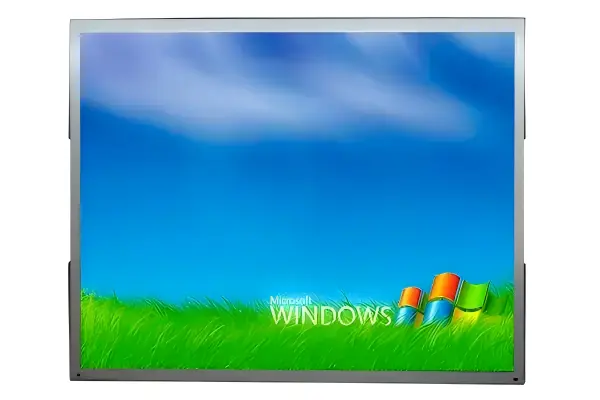
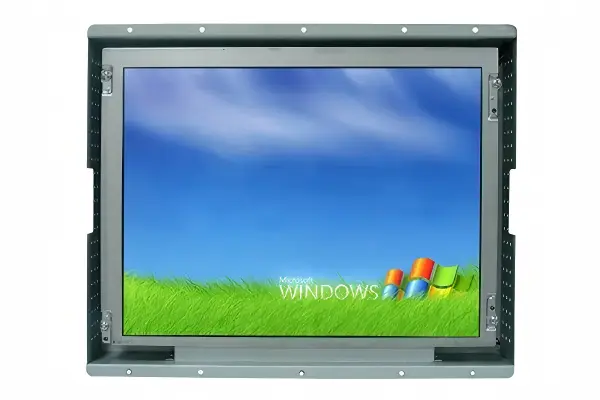
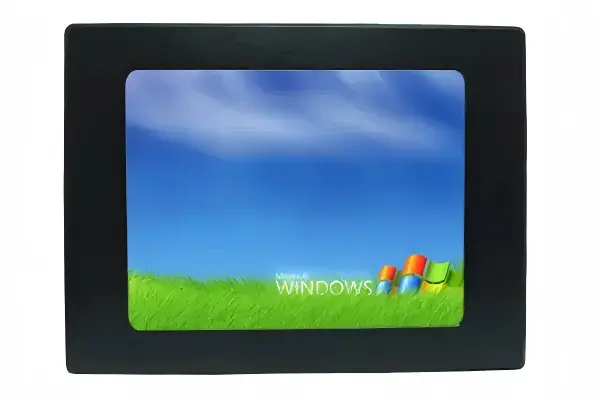
Industrial LCD displays are engineered specifically for use in harsh environments where standard consumer displays would fail. From extreme temperatures to vibration and dust, industrial LCDs are designed to withstand the most demanding conditions while delivering reliable performance over extended periods. They are built to run continuously, stay readable in bright ambient light, and integrate cleanly into machinery, control cabinets, kiosks, and embedded equipment.
This guide explains what makes an LCD display "industrial," how it differs from a consumer display, and what to consider when specifying one for your application.
What is Industrial LCD?
Industrial LCD displays are specialized displays designed for use in industrial environments. Unlike consumer displays, which are optimized for aesthetics and cost, industrial LCDs prioritize reliability, durability, and long-term performance.
The term "industrial" describes a set of engineering decisions rather than a single certification. Industrial LCD panels are selected and screened for consistent brightness, color stability, and wide-temperature behavior. The drive electronics, power supply, and housing are designed around continuous operation and the physical conditions of the installation site — heat, cold, moisture, vibration, dust, or washdown. The result is a display that behaves predictably on a machine that runs around the clock.
Key Features of Industrial LCDs
Industrial LCD displays feature several key characteristics that distinguish them from consumer displays:
- Extended temperature range: Panels rated for wide-temperature operation, typically from -20°C to 60°C or broader, allow installation in non-climate-controlled cabinets and outdoor-facing enclosures.
- High brightness options: Panels from 300 nits up to 1000+ nits for sunlight-readable or high-ambient-light applications, often combined with optical bonding and anti-glare treatment.
- Ruggedized construction: Aluminum or steel housings, reinforced mounting (panel mount, open frame, or VESA), and shock-resistant internal layout.
- Sealed designs with IP ratings: Front bezels rated IP65 or higher keep out dust and washdown fluids; full IP-rated versions suit harsher exposure.
- Long operating lifespan: LED backlights rated for 50,000 hours or more, with components selected for 24/7 duty.
- Wide input voltage: Accepts common industrial DC rails (for example 9-36V), simplifying integration into machine power systems.
- Flexible interfaces and touch: HDMI, DisplayPort, VGA, and USB-C inputs, plus industrial-grade touch options such as PCAP, resistive, and infrared.
Industrial vs Consumer LCD
The key difference between industrial and consumer LCD displays lies in their design philosophy. Consumer displays are optimized for aesthetics and cost, with a typical lifespan of 3-5 years. Industrial displays, on the other hand, are engineered for reliability and longevity, with lifespans of 50,000-100,000 hours.
| Aspect | Industrial LCD | Consumer LCD |
|---|---|---|
| Operating temperature | -20°C to 60°C or wider | 0°C to 40°C typical |
| Environmental protection | IP65+ front bezel options | Minimal ingress protection |
| Duty cycle | 24/7 continuous | 8-12 hours per day |
| Backlight lifespan | 50,000-100,000 hours | 20,000-30,000 hours |
| Brightness | 300-1000+ nits options | 250-300 nits typical |
| Mounting | Panel mount, open frame, VESA | Desk mount only |
| Design priority | Reliability and service life | Appearance and price |
The longer lifespan is not only about the panel. Industrial displays are designed so that the backlight, touch panel, and interface board can be serviced or replaced, and manufacturers support spares and documentation for the product's supported life. For equipment makers, matching the display's life to the machine's life avoids planned mid-life replacements.
Common Applications
Industrial LCD displays are used in a wide range of applications, including manufacturing, process control, transportation, and public infrastructure. They're essential components in HMI panels, SCADA systems, and digital signage.
- Machine control and HMI: Operator interfaces on production lines show machine status, alarms, and process parameters, often with touch input for starting processes and acknowledging alerts.
- Process control and SCADA: Control-room and cabinet-mounted displays present real-time data, trends, and alarm logs over long shifts.
- Digital signage: High-brightness and ultra-stretched panels deliver content in retail, transportation, and corporate environments, including outdoor-facing kiosks.
- Medical and healthcare: Display quality, cleanability, and reliability matter in patient monitoring and clinical equipment.
- Transportation and infrastructure: Ticketing, wayfinding, and information displays operate in public spaces with dust, weather, and around-the-clock schedules.
For OEMs and integrators building the display directly into their own enclosure, an LCD panel kit — TFT panel, controller board, touch, and accessories — provides a complete build-your-own display solution without buying a finished monitor.
How to Choose an Industrial LCD
Start with the installation and operating conditions: where the display is mounted, what temperature and dust exposure it faces, how bright the ambient light is, and how many hours per day it runs. Then define the interface: what the display must show, whether touch is required, and what video and power connections the host equipment provides. Finally, match the form factor — open frame for integration, panel mount for enclosure installation, or a panel PC when computing power is needed on board.
Frequently Asked Questions
How long do industrial LCD displays last?
Quality industrial LCD displays typically offer 50,000 to 100,000 hours of operation, depending on usage patterns and environmental conditions.
Can I use a consumer display in an industrial application?
While possible in some cases, consumer displays are not recommended for industrial applications due to their limited temperature range, lack of environmental protection, and shorter lifespan.
What brightness do I need for an industrial display?
300-500 nits suits most indoor HMI environments, while 700-1000+ nits is recommended for locations near windows, in bright shop-floor lighting, or in direct outdoor sunlight.
What is the difference between open frame and panel mount monitors?
Open frame monitors are mounted behind a panel or into a machine, while panel mount monitors install through an enclosure cutout with a sealed front bezel.
Need Expert Guidance?
Our technical team is ready to help you select the right industrial LCD display for your application.
Get Free Quote