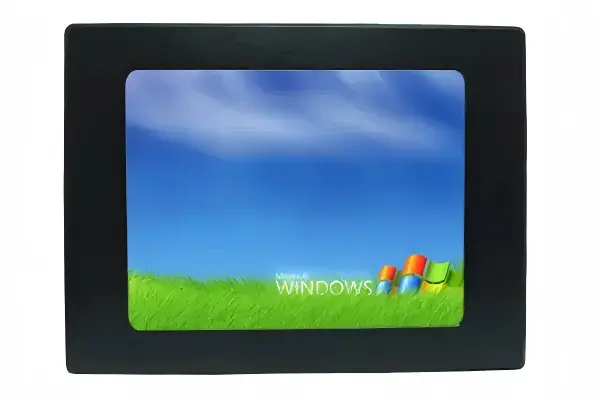
What Is a Medical LCD Display and Why It Matters
A medical LCD is a display designed for clinical environments where image consistency, hygiene, and long operating hours are more important than consumer-grade aesthetics. In healthcare, the display is often part of a diagnostic or treatment workflow, so brightness, contrast, viewing angle, and calibration can directly affect how accurately staff interpret images and patient data.
You may see medical LCDs used as a healthcare display in radiology, operating rooms, patient monitoring stations, telemedicine carts, and laboratory systems. Compared with general-purpose monitors, they typically offer more stable image performance, better enclosure options, and features aligned with hospital cleaning and EMC requirements.
How Medical LCD Technology Works
At the core, a medical LCD uses the same liquid crystal panel architecture as other industrial displays: a backlight passes through liquid crystal cells, color filters, and polarizers to create the visible image. The difference is in how the display is engineered and controlled. Medical models often use higher-quality panels, tighter luminance uniformity, and factory calibration to keep grayscale and color reproduction more predictable.
For diagnostic viewing, many systems rely on DICOM calibration. DICOM, or Digital Imaging and Communications in Medicine, includes a grayscale standard function that helps ensure a displayed image matches the intended brightness curve. This is especially important for modalities such as X-ray, CT, and mammography, where subtle differences in gray levels can affect interpretation.
In surgical and procedure rooms, the display may be optimized differently. A surgical monitor generally prioritizes high brightness, wide viewing angles, low latency, and stable color under changing ambient light. In these settings, the display must remain readable from multiple positions while integrating smoothly with cameras, endoscopy systems, and medical video sources.
| Specification | Typical Medical LCD Range | Why It Matters |
|---|---|---|
| Brightness | 300-1000 nits, depending on use case | Improves readability in bright clinical rooms and OR environments |
| Resolution | Full HD to 4K and above | Supports fine detail in imaging and patient data |
| Viewing Angle | Typically 178°/178° for IPS panels | Maintains image consistency for multiple viewers |
| Color/Grayscale Calibration | DICOM or factory calibrated | Helps preserve diagnostic accuracy |
| Surface Treatment | Antimicrobial or easy-to-disinfect front surface | Supports infection control procedures |
| Ingress Protection | Often IP65 front panel or higher | Helps protect against cleaning fluids and dust |
Key Benefits of Medical LCD Displays
The main benefit of a medical grade display is consistency. In healthcare, image quality should remain stable across shifts, users, and operating conditions. That consistency helps reduce uncertainty when staff review scans, monitor vitals, or control imaging equipment.
- Better image reliability: Factory calibration and stable backlighting help maintain predictable grayscale and color output.
- High resolution: A high resolution panel supports detailed imaging, multi-window layouts, and clearer data visualization.
- Improved hygiene support: Smooth bezel design and optional antimicrobial surface treatments can make cleaning easier.
- Wide viewing angles: Important when multiple clinicians need to view the same screen from different positions.
- Long operating life: Industrial components are generally better suited to 24/7 hospital use than consumer displays.
- System integration flexibility: Medical LCDs can be configured with touch, enclosure, mounting, and connectivity options for carts, walls, and consoles.
For procurement teams, these benefits usually translate into lower risk during deployment. A display that performs consistently and is easier to clean can reduce service calls, improve workflow, and support long-term standardization across departments.
Limitations and Trade-offs to Consider
Medical LCDs are not automatically the right choice for every healthcare project. Higher specification displays may require more careful integration, more precise calibration, and stricter maintenance procedures. If you need diagnostic-grade performance, you may also need periodic quality checks to ensure the image remains within target limits.
There are also trade-offs between antimicrobial surfaces, touch performance, and cleaning chemistry compatibility. Some coatings can affect tactile feel or require specific disinfectants. In addition, a display labeled as medical grade does not by itself guarantee compliance with your full system requirements; the final device still needs to be evaluated as part of the complete equipment design.
Finally, not every application needs DICOM calibration. For administrative terminals, patient check-in kiosks, or general chart viewing, a standard industrial display may be sufficient if it meets the environmental and hygiene requirements.
Where Medical LCD Displays Are Used
Medical LCDs appear across many healthcare environments, and the required specification can vary significantly by use case. A radiology workstation may prioritize grayscale accuracy, while a surgical suite may need brightness, sterilization compatibility, and low-latency video input.
| Application | Primary Display Priorities | Typical Features |
|---|---|---|
| Radiology / PACS | DICOM accuracy, grayscale stability, high resolution | Factory calibration, high pixel density, uniform luminance |
| Surgical Room | Brightness, viewing angle, low latency | Wide color gamut, anti-reflection surface, multiple inputs |
| Patient Monitoring | Readability, reliability, 24/7 operation | High contrast, alarm visibility, durable enclosure |
| Telemedicine Cart | Camera image clarity, mobility, touch integration | PCAP touch, slim bezel, VESA mounting |
| Laboratory / Pharmacy | Text clarity, chemical resistance, easy cleaning | Antimicrobial front, IP-rated design, stable brightness |
In many hospital systems, the display is also expected to integrate with carts, arms, enclosures, and medical PCs. That means mechanical design, cable routing, and front-panel sealing can be just as important as panel specifications.
Selection Considerations for Healthcare Projects
When specifying a healthcare display, start with the clinical task, not the panel size. Ask whether the display will be used for diagnosis, procedure support, patient interaction, or administrative work. The answer will determine whether you need DICOM calibration, high brightness, touch input, or a rugged enclosure.
- Image requirement: Is the display for diagnostic review, surgery, or general workflow?
- Resolution and size: Does the application require fine detail or multi-window operation?
- Cleaning method: Will the screen be disinfected frequently with alcohol or other agents?
- Touch requirement: Do clinicians need glove-friendly PCAP touch or a non-touch front surface?
- Mounting environment: Will it be wall-mounted, cart-mounted, or integrated into a console?
- Regulatory needs: Do you need EMC performance, medical safety alignment, or regional certifications?
- Temperature and duty cycle: Will the system run continuously in controlled or semi-controlled conditions?
If your project includes imaging review, ask for DICOM calibration documentation and luminance uniformity data. If infection control is a priority, confirm front-panel sealing, compatible cleaning agents, and whether an antimicrobial surface is available. For procedure rooms, evaluate brightness and anti-reflection performance under the actual ambient lighting conditions.
Frequently Asked Questions
Q: What is the difference between a medical LCD and a regular industrial monitor?
A medical LCD is typically designed for healthcare workflows, with stronger emphasis on image consistency, cleaning compatibility, and medical-use integration. A regular industrial monitor may be durable, but it may not include DICOM calibration, antimicrobial options, or the same level of image control. The right choice depends on whether the display is supporting diagnosis, treatment, or general operations.
Q: Does every healthcare display need DICOM calibration?
No. DICOM calibration is most important for diagnostic imaging and grayscale-critical tasks such as radiology. For patient check-in, chart access, or general workflow stations, DICOM may not be necessary. In those cases, readability, hygiene, and reliability are often more important than grayscale standardization.
Q: Are antimicrobial displays enough for infection control?
No single feature is enough by itself. Antimicrobial surfaces can help reduce contamination risk on the display front, but they do not replace proper cleaning procedures and hospital infection control protocols. You should also consider sealed bezels, disinfectant compatibility, and easy-to-clean mechanical design.
Q: What resolution is recommended for a surgical monitor?
That depends on the video source, viewing distance, and procedural needs. Full HD is common in many systems, while 4K is increasingly used where image detail is important. You should also evaluate brightness, latency, and viewing angle, since resolution alone does not determine overall surgical visibility.
Q: Can a medical LCD be customized for a specific enclosure or cart?
Yes. Many medical LCD platforms can be customized with bezel materials, touch technology, mounting interfaces, and connectivity options. For healthcare equipment, this flexibility is often important because the display must fit both the clinical workflow and the mechanical design of the system.
Related Reading
Custom Medical Display Solutions
Need a medical-grade LCD tailored to your device? We offer custom bezel design, antimicrobial coating, high-brightness options, and DICOM calibration — with no minimum order quantity.
Explore Custom Display Solutions →